
TL;DR:
- Technical support in web solutions extends beyond reactive helpdesk services to include continuous monitoring, security, performance tuning, and infrastructure management.
- A mature support model utilizes tiered escalation, proactive monitoring, and operational best practices to ensure high uptime and prevent issues before they impact users, providing a strategic advantage.
Most business owners think of technical support as a helpdesk you call when something breaks. That framing costs you more than you realize. The role of technical support in web solutions goes far beyond reactive troubleshooting. It covers continuous server monitoring, security enforcement, performance tuning, and infrastructure management — all before a single user notices a problem. If you are making budget or vendor decisions about your web presence, this guide will show you exactly what mature technical support looks like, how it is structured, and how to evaluate whether you are actually getting it.
Table of Contents
- Understanding the full scope of technical support in web solutions
- How tiered technical support models optimize issue resolution
- Monitoring and performance optimization: the proactive edge of technical support
- Operational best practices: documentation, automation, and incident management
- Choosing and evaluating technical support for your web solutions
- Why technical support is your web solution’s hidden competitive advantage
- Explore expert website development and support services with Depeche Code
- Frequently asked questions
Key Takeaways
| Point | Details |
|---|---|
| Technical support is proactive | It involves continuous monitoring and prevention, not just reactive fixes. |
| Tiered support ensures efficiency | Different expertise levels handle issues based on complexity for faster resolution. |
| Performance monitoring is critical | TTFB and latency metrics help detect slowdowns before users are affected. |
| SLA clarity protects business | Clear commitments on uptime, escalation, and backups are essential for reliability. |
| Support drives competitive advantage | Investing in expert technical support enhances uptime, user experience, and business growth. |
Understanding the full scope of technical support in web solutions
Technical support gets reduced to “fixing tickets” in most business conversations, and that framing leads to underinvestment. The reality is that technical support services include proactive server monitoring, infrastructure management, troubleshooting, security hardening, cloud operations, and 24/7 incident response handled by experienced engineers to ensure high uptime and performance. That is a fundamentally different product than a reactive helpdesk.
Think of it this way. A support team that only fixes broken things is a fire department with no smoke alarms. A mature technical support operation runs the alarms, checks the wiring, and makes sure the fire suppression system works before any smoke appears. For any business running revenue-generating web applications, that distinction matters enormously.
Here is what full-scope web solutions support actually covers:
- Continuous server and cloud infrastructure monitoring to detect anomalies before they cascade into outages
- Proactive patch management for operating systems, frameworks, and third-party plugins to close security vulnerabilities on schedule
- Security hardening including firewall rules, intrusion detection, and access control reviews
- Performance optimization through cache tuning, database query analysis, and resource delivery adjustments
- Incident response protocols with defined escalation chains and documented recovery procedures
- Backup verification to confirm that restore operations actually work when needed
Businesses that treat these activities as part of their standard support contract, rather than one-off projects, maintain uptime above 99.9%, which at scale translates directly to revenue protection.
How tiered technical support models optimize issue resolution
Structured escalation is how enterprises prevent every minor ticket from consuming senior engineer time while still ensuring complex failures get resolved quickly. The standard model uses three tiers, and understanding how they work helps you evaluate whether a vendor’s support operation is built for your business or just staffed to answer phones.
A tiered escalation model assigns issues by complexity: L1 is the frontline that resolves common high-volume issues, L2 handles deeper technical troubleshooting, and L3 focuses on root-cause and critical problems. Roughly 70 to 80% of tickets are resolved at L1, which means the system works precisely because most issues never need to climb the ladder.
Here is how each tier operates in practice:
- Tier 0 (self-service): Knowledge bases, FAQs, and automated chatbots handle routine questions without any human involvement. This tier is increasingly important as automation reshapes support workflows.
- Tier 1 (frontline): Handles password resets, basic configuration questions, and well-documented repeat issues. Speed matters here, not depth.
- Tier 2 (technical specialists): Addresses problems that require log analysis, configuration changes, or integration-level debugging. These engineers understand the product architecture.
- Tier 3 (senior engineers and architects): Reserved for critical system failures, root cause analysis, and issues that require code-level investigation or vendor escalation.
| Support tier | Typical issues handled | Resolution target |
|---|---|---|
| Tier 0 | FAQs, self-service tasks | Immediate, automated |
| Tier 1 | Common errors, user access issues | Under 1 hour |
| Tier 2 | Integration failures, complex configs | Under 4 hours |
| Tier 3 | Critical outages, root cause analysis | Defined by SLA severity |
The hidden factor that separates good support from poor support at the tier boundary is the quality of escalation packets. When a Tier 1 agent passes a ticket to Tier 2, how much context travels with it? Mature operations use a “definition of ready” standard, requiring agents to document what they tried, what symptoms they observed, and what environment variables are relevant before escalating. That single practice can cut Tier 2 resolution time in half.
Monitoring and performance optimization: the proactive edge of technical support
Performance monitoring is where technical support shifts from reactive to genuinely strategic. Most organizations track uptime, which only tells you the site is responding. What you actually need to know is how fast it is responding and where the slowdowns originate.

TTFB monitoring measures time to first byte, the interval between a user’s browser sending a request and receiving the first byte of a response. Google treats TTFB as a Core Web Vitals input with a target threshold under 200ms. A TTFB creeping toward 400ms is a warning that something in your server stack is degrading, even if no errors are visible yet.
Skilled support teams do not just measure average response time. They track latency distribution, specifically the p95 value. That means the slowest 5% of requests. If your average TTFB is 180ms but your p95 is 900ms, a meaningful percentage of real users are experiencing painful load times. That asymmetry is invisible in average-only dashboards and shows up later as lost conversions and lower search rankings.
Key monitoring practices that effective support teams maintain include:
- Region-specific latency checks to identify geographic bottlenecks in content delivery
- Cache hit rate analysis to ensure static assets are not being served from origin on every request
- Database query profiling to catch slow queries before they degrade application performance
- Synthetic transaction monitoring that simulates real user journeys at regular intervals
Pro Tip: Ask any support vendor to show you their p95 latency data for a client site, not just average uptime. If they cannot produce it, they are not doing performance monitoring, they are doing availability monitoring, and those are very different services.
Operational best practices: documentation, automation, and incident management
The difference between a support team that fixes the same problem every month and one that eliminates it permanently is operational maturity. Site Reliability Engineering principles make this explicit: support is not just response, it is learning and preventing recurrence through symptom-based monitoring, documentation, runbooks, root-cause analysis, and automation. That framework separates the teams worth paying for from the ones you keep paying forever.
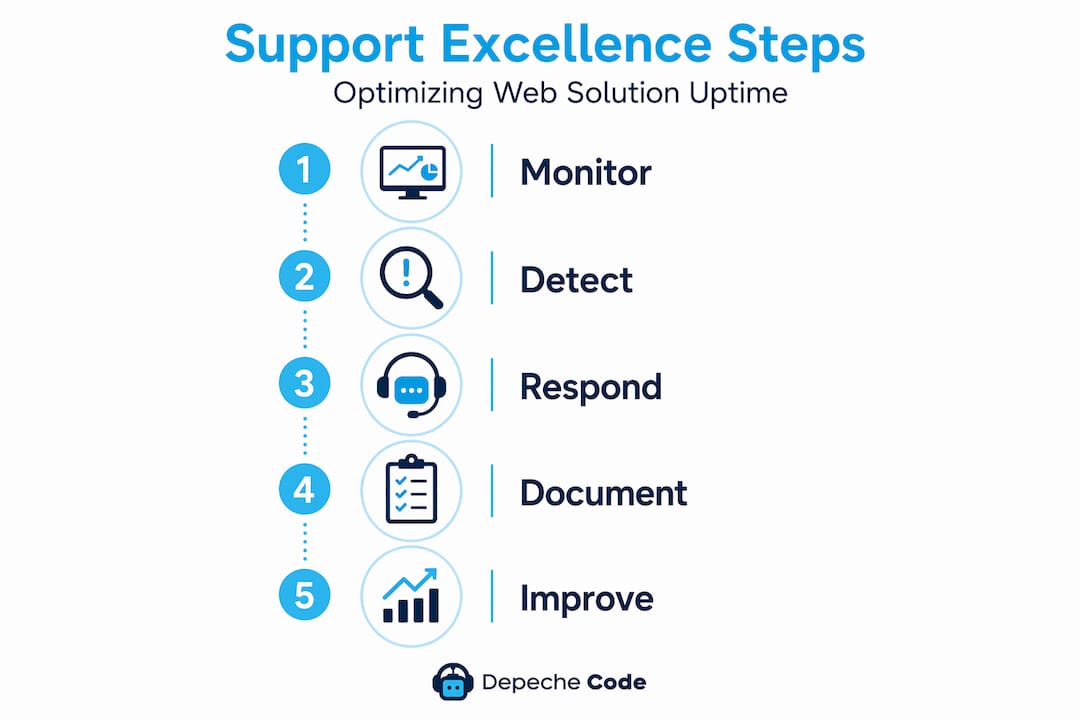
Runbooks are a practical example. A runbook is a documented procedure for handling a specific type of incident. When a database connection pool exhausts at 2 AM, the on-call engineer should not be improvising. A runbook tells them exactly what to check, what to restart, what to escalate, and what to document. Without it, resolution time is unpredictable and knowledge stays locked in one person’s head.
Automation compounds these gains. Routine tasks — certificate renewals, log rotation, scheduled backups, plugin update testing in staging — should not require a human every cycle. Every manual repetitive task is a potential error waiting to happen. Support teams that automate these workflows spend their human capacity on genuinely complex problems.
Strong operational practices include:
- Incident postmortems written within 48 hours of any severity-1 event, identifying root cause, contributing factors, and prevention steps
- Knowledge base maintenance so that solutions to solved problems are findable the next time
- Change management logs so any configuration change is reversible and traceable
- Alert tuning to reduce noise, ensuring engineers respond to real signals rather than training themselves to ignore everything
Pro Tip: When evaluating a support vendor, ask to see a sample postmortem. The quality of their incident documentation tells you more about their operational culture than any sales pitch will.
Choosing and evaluating technical support for your web solutions
Selecting the wrong support vendor is expensive in a way that does not show up immediately. You pay monthly, everything seems fine, and then a critical incident exposes the gaps. The way to avoid that situation is to evaluate support capabilities before you need them.
A strong SLA defines uptime measurement, incident severity, response time, and escalation ownership in terms that can be tested during an outage. Unclear SLAs undermine business protection precisely when you need it most. Read the fine print on how uptime is calculated. Some vendors exclude scheduled maintenance windows and certain infrastructure failures from their uptime calculations, which can make a 99.5% SLA look better than it performs in practice.
Here is a practical evaluation checklist:
- Uptime measurement method: How is it calculated? What is excluded? Over what time period?
- Incident severity definitions: What qualifies as a P1 versus a P2? Who makes that call?
- Response time vs. resolution time: These are different. Know which one your SLA guarantees.
- After-hours escalation path: Who answers a P1 at 11 PM on a Saturday?
- Patch and backup ownership: Is the vendor responsible for keeping plugins and backups current, or is that on you?
| Evaluation factor | Strong indicator | Weak indicator |
|---|---|---|
| SLA clarity | Defined severity tiers with response SLAs | Vague “best effort” language |
| Escalation path | Named contacts per severity level | Single generic support email |
| Backup testing | Documented restore testing schedule | “We do daily backups” without evidence |
| Performance monitoring | p95 latency data available | Uptime percentage only |
| Postmortem process | Sample documents on request | No formal incident review process |
Review your website maintenance checklist against what your support vendor actually owns. The gap between what you assume they handle and what their contract covers is where incidents become expensive. Similarly, verify your website maintenance obligations to understand what belongs on your side of the fence versus theirs.
Pro Tip: During vendor evaluation, ask them to describe what happens in the first 30 minutes of a full site outage. The specificity of their answer reveals whether they have a real incident response plan or are improvising.
Why technical support is your web solution’s hidden competitive advantage
Here is the perspective that most budget conversations miss entirely. Technical support is treated as a cost to minimize rather than a capability to invest in. That framing is wrong, and it shows up in the data.
Technical support is most valuable when it acts as an operational capability, using monitoring and troubleshooting to prevent issues and feeding findings back into better processes, rather than only fixing tickets. That is not a philosophical distinction. It is a measurable operational difference that compounds over time.
Businesses with proactive support operations accumulate advantages their competitors do not even notice. Their sites load faster because performance regressions get caught at p95 before they become customer complaints. Their search rankings benefit because Core Web Vitals stay in target ranges consistently. Their security posture improves quarterly because patch management is systematic rather than reactive. None of these benefits show up on a single invoice line, but together they represent a meaningful performance gap against competitors running on reactive support models.
The reframe we recommend is this: stop asking “how much does technical support cost?” and start asking “what does downtime or a security breach cost per hour?” For most businesses, the answer to the second question justifies significant investment in the first. One hour of e-commerce downtime during peak season can exceed months of support costs. One successful injection attack on an unpatched plugin can cost far more in customer trust and legal exposure.
The businesses winning their digital niches are not doing so because they have a better logo. They are winning because custom web solutions backed by mature technical support give them reliability and performance that erodes competitors’ user experience advantage over time. That is the competitive edge hiding in your support contract.
Explore expert website development and support services with Depeche Code
If this article changed how you think about technical support, the next question is whether your current web setup is actually delivering it.

Depeche Code builds and maintains websites for small and large businesses in Orlando and across the country, with technical support and maintenance built directly into every engagement, not sold as an afterthought. If budget is a barrier, explore the free website development option for qualifying businesses. For businesses already running a site, structured website maintenance plans keep your site secure, updated, and performing at the level your customers expect. Reach out and find out what genuine technical support looks like in practice.
Frequently asked questions
What does technical support in web solutions typically include?
Technical support includes proactive server monitoring, troubleshooting, security enforcement, cloud infrastructure management, and 24/7 incident response to maintain high uptime and performance. It is not limited to reactive helpdesk work.
How do tiered support levels improve issue resolution?
Tiered support assigns issues by complexity, and 70 to 80% of tickets are resolved at L1, while L2 handles deeper troubleshooting and L3 addresses critical system failures, improving overall resolution speed and protecting senior engineer capacity.
Why is TTFB monitoring important for website performance?
TTFB is a Core Web Vitals input that detects slow server response times before visible errors appear, helping support teams fix performance bottlenecks that affect user experience, search rankings, and conversion rates.
What should businesses look for in a technical support SLA?
Businesses should require clear uptime definitions, documented response time guarantees by severity level, defined escalation ownership, patch management responsibilities, and verified backup and restore testing procedures in any SLA.
How does proactive technical support add business value beyond fixing issues?
Proactive support prevents incidents through continuous monitoring, improves processes through root cause analysis, and keeps performance metrics in ranges that directly benefit SEO and conversion rates, aligning IT operations with real business outcomes.