

TL;DR:
- Choosing an affordable website often leads to overlooked SEO and technical issues that harm long-term growth. Maintaining a successful website requires ongoing management, regular audits, and proactive updates to ensure visibility and performance. Investing in strategic, scalable development builds a lasting digital asset that drives sustained business growth.
Choosing the cheapest, fastest path to get your business online feels smart in the moment. But that decision quietly shapes every lead you capture, every search ranking you earn, and every customer who either stays or bounces. Many business owners launch sites that technically exist but functionally fail, missing core components in technical SEO, site architecture, and long-term management that compound into lost revenue over time. This guide walks you through web development from the ground up, covering the foundational concepts, the real tradeoffs between affordable build options, the technical non-negotiables, and the ongoing management habits that separate stagnant sites from ones that consistently grow.
Table of Contents
- What is web development? The digital foundation explained
- Affordable web development routes: DIY, templates, or custom builds?
- Technical essentials: SEO, indexability, and performance
- Ongoing management: Measuring, updating, and optimizing your website
- The uncomfortable truth most business owners miss about web development
- Take your web development to the next level
- Frequently asked questions
Key Takeaways
| Point | Details |
|---|---|
| Foundation matters | A website built on solid technical fundamentals is easier to scale and optimize. |
| Affordable isn’t always strategic | DIY and templated routes can save time but often leave key SEO or performance gaps. |
| Technical SEO is crucial | Ignoring crawlability, indexability, and rendering risks undermining your search visibility and lead generation. |
| Ongoing management wins | The most successful sites are monitored and improved on a regular schedule using analytics and SEO tools. |
| Invest for long-term results | Treat web development as a dynamic asset and ongoing investment for compounding digital growth. |
What is web development? The digital foundation explained
Before you can make smart decisions about your website, you need to understand what web development actually involves. It is not just design or coding. It is a system of interconnected layers.
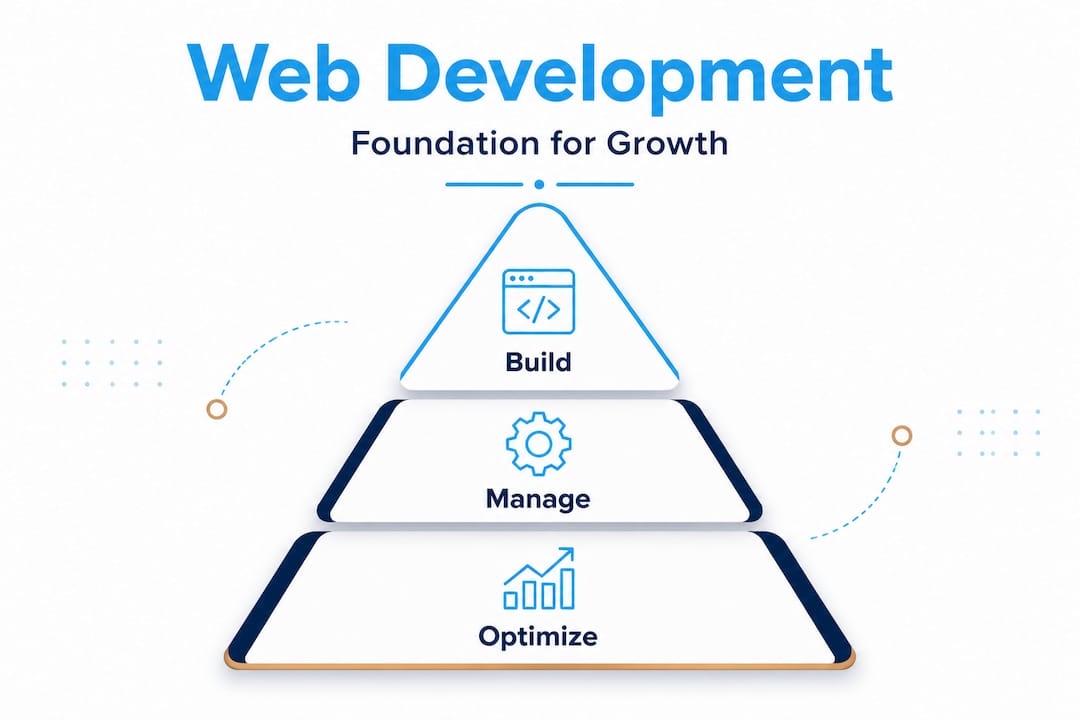
Front-end development is everything a visitor sees and interacts with: buttons, navigation menus, images, and page layouts. Back-end development is the server-side logic that powers databases, user authentication, and data processing. Full-stack development covers both. Then there is CMS-based development, where platforms like WordPress act as a middle layer, letting non-developers manage content without touching code.
Beyond these roles, your site’s structure also falls into three categories:
- Static sites deliver fixed HTML files. They load fast but are difficult to scale with dynamic content.
- Dynamic sites pull content from a database in real time, making them ideal for product catalogs, blogs, or user-specific experiences.
- Interactive sites layer JavaScript-heavy functionality on top, enabling features like live search, dashboards, or real-time filtering.
Understanding these layers matters because each choice affects how well search engines can read your site. If you want to learn more about website development basics, the technical build decisions made early have a direct ripple effect on your visibility months later.
Crawling, indexing, and rendering are three processes search engines use to understand your site. Crawling is when a bot visits your pages. Rendering is when it processes the page’s visual output, including JavaScript. Indexing is when the page gets stored in Google’s database for potential display in search results.
“Indexing depends on crawlability plus indexability signals; blocking with robots.txt affects crawling, while noindex is the signal to prevent indexing.” Google Search Central
This distinction is critical. A site can be crawlable but still not indexed if the wrong signals are present. Getting these fundamentals right from the start is the difference between a website that shows up and one that simply exists.
Affordable web development routes: DIY, templates, or custom builds?
With the basics clear, let’s compare the main routes to getting your business online affordably.
Most business owners face three realistic options: drag-and-drop site builders like Wix or Squarespace, template-based WordPress builds, or fully custom development. Each path has a different tradeoff between upfront cost, flexibility, and future workload.
| Feature | DIY builder (Wix/Squarespace) | WordPress template | Custom build |
|---|---|---|---|
| Upfront cost | Low ($15-$40/month) | Low to medium ($500-$3,000) | High ($5,000-$30,000+) |
| Time to launch | Days | 1 to 3 weeks | 4 to 16 weeks |
| Design flexibility | Limited | Moderate | Full control |
| Ongoing workload | High for owner | Moderate | Low (if managed) |
| SEO potential | Basic | Good | Excellent |
| Scalability | Low | Medium | High |
The table makes the tradeoffs clear. DIY builders are the fastest and cheapest to start, but small-business affordable approaches often trade strategy and governance for speed, shifting the ongoing technical burden to the owner. That means you become the IT department, the content manager, and the SEO strategist all at once.
WordPress templates offer a middle ground. You get a robust publishing platform, thousands of plugins, and a large developer community. The downside is plugin bloat, update conflicts, and security vulnerabilities if not maintained properly.
Custom builds deliver the most control and SEO potential, but they require a larger initial investment and a reliable development partner. For businesses planning to scale, they often provide the best long-term return.
Here is what to look for no matter which route you pick:
- SSL certificate and HTTPS as default
- Clean URL structure with logical hierarchy
- Mobile-first, responsive design from day one
- Accessible code structure (proper heading tags, alt text, semantic HTML)
- A clear plan for who manages updates and security
Pro Tip: Before committing to any build route, map out your 12-month content and growth plan first. If you know you will need e-commerce, booking systems, or custom integrations within a year, factor those into your starting decision. Reviewing affordable web development steps before you sign any contracts can save you thousands in rework costs. You might also want to explore what digital agency services look like compared to going solo.
Technical essentials: SEO, indexability, and performance
Once you’ve chosen a development route, make sure you get the technical foundation right.
Technical SEO is not optional. It is the infrastructure that determines whether all your content work actually pays off. Even a beautifully designed site with great copy will underperform if search engines cannot properly read, render, and rank it.
One of the most important technical decisions is how your site renders its pages. For SEO-critical pages, SSR/pre-rendering (server-rendered HTML) is strongly recommended so search engines can access main content without waiting on client-side JavaScript execution. JavaScript-heavy sites that render entirely in the browser are risky because Googlebot may not wait for full execution before making indexing decisions.
Here are the most common technical pitfalls businesses encounter after launch:
| Issue | What goes wrong | The fix |
|---|---|---|
| Incorrect canonicals | Duplicate content signals confuse Google | Audit and correct canonical tags site-wide |
| Accidental noindex | Pages excluded from Google’s index | Use Search Console to find and remove unwanted noindex tags |
| Missing XML sitemap | Google struggles to find all pages | Generate and submit a sitemap via Search Console |
| Blocked JS/CSS | Rendered content is invisible to bots | Review robots.txt to allow essential resources |
| Slow server response | Poor Core Web Vitals scores | Use caching, CDN, and optimized hosting |
Incorrect canonicals, missing sitemaps, or accidental noindex/robots interactions can create situations where a site works perfectly for users but remains invisible to Google. This is one of the most common and frustrating failure modes for new sites.
Research across web audits suggests that a significant share of small business websites, some estimates place it above 60 percent, have at least one critical indexability or performance issue at any given time. Many of these go undetected for months because the site appears to function normally for human visitors.
Follow these numbered steps to monitor your index status after launch:
- Submit your XML sitemap to Google Search Console immediately after launch.
- Use the URL Inspection tool to check that key pages are indexed and rendering correctly.
- Review the Coverage report weekly for the first month to catch any accidental exclusions.
- Monitor Core Web Vitals scores under the Experience tab and address any “Poor” ratings promptly.
- Set up automated alerts for manual actions or security issues.
Pro Tip: Always run a technical audit after any major content update, plugin change, or hosting migration. Use your SEO checklist for redesign as a baseline and complement it with SEO enhancement strategies that protect your rankings during transitions.
One more thing worth emphasizing: robots.txt and noindex tags serve different purposes and are often confused. Robots.txt blocks crawling but does not guarantee a page stays out of the index. The noindex meta tag is the actual signal to prevent indexing. Using the wrong one in the wrong scenario can produce unexpected results that are hard to diagnose without the right tools.
Ongoing management: Measuring, updating, and optimizing your website
Beyond the launch, consistent improvement wins the digital race.

A website is not a finished product the day it goes live. The businesses that grow online consistently treat their sites like a living asset, reviewing performance data, responding to technical issues, and refining content based on real user behavior. The ones that don’t tend to plateau or decline in visibility within 12 to 18 months.
A practical measurement loop for business owners is using Search Console to monitor index coverage, sitemaps, and Core Web Vitals statistics so you can identify issues after launch before they cost you rankings or leads.
Here is a practical monthly and quarterly schedule for keeping your site in shape:
Monthly tasks:
- Review Search Console for new errors in Coverage and Core Web Vitals.
- Check Google Analytics or your analytics platform for traffic drops or high bounce rates.
- Test your top five landing pages on mobile using Google’s mobile-friendly test.
- Update any outdated content, broken links, or expired offers.
- Confirm all forms, checkout flows, and contact buttons are working correctly.
Quarterly tasks:
- Run a full technical SEO audit using tools like Screaming Frog or Ahrefs.
- Review page speed scores and implement improvements before search ranking signals are impacted.
- Analyze keyword rankings and identify pages that are close to page one and worth refreshing.
- Evaluate your accessibility score with tools like WAVE or Lighthouse.
- Assess whether new features, integrations, or landing pages would support upcoming marketing campaigns.
Beyond maintenance, your site should also be a growth engine. Use these post-launch levers to drive more visibility and engagement:
- Build new targeted landing pages for seasonal campaigns or specific services.
- Publish regular blog content that answers questions your customers are actively searching.
- Implement schema markup to improve how your pages appear in search results.
- Connect social media activity back to your website with strategic calls to action.
- Use A/B testing on key pages to improve conversion rates over time.
What makes a good website is not a static checklist you complete once. It is an ongoing commitment to meeting your users where they are and helping search engines understand what you offer. Revisiting web development tips periodically keeps your strategy current as algorithms and user expectations evolve.
Pro Tip: If you migrate your site to a new platform or redesign it completely, treat it like a brand-new launch from a measurement perspective. Reset your benchmarks, re-audit your technical foundation, and monitor Search Console daily for the first two weeks.
The uncomfortable truth most business owners miss about web development
Here is a perspective most web development guides skip entirely. The real cost of a website is rarely what you pay to build it. It is what you lose by not investing in it consistently afterward.
We see this pattern frequently: a business invests $500 or $1,000 in a quick website build, feels satisfied for a few months, and then the site slowly becomes a liability. Content goes stale. Plugin updates get ignored. Pages start ranking lower as competitors publish fresher, better-optimized content. The “affordable” site ends up costing far more in lost leads and future rework than a properly scoped build would have.
The most financially damaging mindset in web development is treating your site as a one-time expense rather than a dynamic asset. A website should be thought of the same way a business owner thinks about their storefront, their sales team, or their customer service function. You would not open a store and leave the lights on but never update the displays. The same logic applies online.
Businesses that commit to monthly audits, quarterly content refreshes, and proactive performance fixes compound their visibility gains over time. It is not glamorous work. It does not feel like a big strategic move. But it is what separates the businesses that dominate local search results from the ones that wonder why their site “isn’t working.”
The other uncomfortable reality is that low-cost sites almost always carry hidden costs: slower load times, limited SEO capability, poor mobile experience, and a technical ceiling that forces a full rebuild once growth demands it. At that point, you are paying twice. Once for the original quick launch and again to build the site you needed from the start.
Investing in custom website development insights does not mean overspending. It means scoping your build around your three-year growth goals, not just your current budget. The businesses that get this right do not just save money. They capture more customers, rank higher, and build digital assets that work harder as time goes on.
Take your web development to the next level
Ready to put your new understanding into action? Here is how to move forward.
Understanding the technical and strategic layers of web development is a major advantage. But strategy without execution stalls. Whether you need a new site built from scratch, an existing site overhauled, or an SEO upgrade that actually moves rankings, having a capable team behind you changes everything.

At Depeche Code, we build and manage websites designed to grow with your business, not hold it back. Explore our professional website development packages built for both small businesses and larger enterprises. If budget is the first barrier, check out our free website development starter option to get online without the upfront cost. And when you are ready to turn traffic into real leads, our SEO plans are designed to build visibility that compounds month over month. Let us help you build something that lasts.
Frequently asked questions
What is the difference between web development and web design?
Web development refers to building and maintaining the technical infrastructure and functionalities of a website, while web design focuses on layout, visuals, and user experience. Both disciplines work together but require different skill sets.
Can a DIY website builder hurt my SEO?
DIY builders can launch sites quickly, but may miss critical SEO elements like indexability, proper sitemaps, and server-side rendering. Incorrect canonicals and accidental noindex interactions can create situations where your site works for users but remains invisible to Google.
What should I monitor after launching my website?
Track index coverage, Core Web Vitals, sitemaps, and analytics to address issues early and optimize performance. A Search Console measurement loop for index coverage and Core Web Vitals is one of the most practical tools available to business owners post-launch.
Does my site need server-side rendering for SEO?
SEO-critical pages should use server-side rendering or pre-rendering so search engines can see all content without depending on JavaScript. SSR/pre-rendering ensures search engines can access your main content without waiting on client-side JavaScript execution.
How often should I review and update my website?
Monthly or quarterly technical and content audits are best for maintaining site health and driving continuous improvement. More frequent checks are recommended during the first 60 days after any major launch or migration.