

TL;DR:
- Effective content management involves a comprehensive system of processes, people, technology, and strategy to oversee digital content from creation to retirement. When executed well, it enhances brand consistency, improves search rankings, and boosts operational efficiency; neglect leads to chaos and outdated messaging. Building a unified strategy, leveraging reusable modular content, and enforcing governance are essential for sustainable growth in today’s digital landscape.
Most business owners assume content management means picking a website platform and calling it done. That assumption is expensive. What is content management, really? It’s the full system of processes, people, technology, and strategy that governs how your business creates, organizes, publishes, and retires every piece of digital content. Get it right, and your marketing works harder, your brand stays consistent, and your team stops wasting hours hunting for the right file. Get it wrong, and you’re publishing into chaos.
Table of Contents
- Key takeaways
- What is content management, defined
- Why content management matters for your business
- Content management systems vs. other tools
- Content management best practices for 2026
- How to start managing content better today
- My take on what most businesses get wrong
- How Depechecode can help you build a content-ready website
- FAQ
Key takeaways
| Point | Details |
|---|---|
| More than software | Content management covers strategy, governance, workflows, and tools together, not just a CMS platform. |
| Content lifecycle matters | Every piece of content moves through planning, creation, editing, publishing, and archiving stages. |
| Governance prevents chaos | Clear ownership, workflows, and metadata standards protect your brand and keep teams aligned. |
| CMS and DAM serve different roles | A CMS manages your web content lifecycle while a DAM organizes and stores your digital assets. |
| Modular content scales fast | Reusable content blocks can improve efficiency by 82.5%, making modular design a top priority for 2026. |
What is content management, defined
The simple definition of content management is the end-to-end process of controlling digital content from the moment an idea is conceived through its eventual retirement. That process includes every human decision and every technology choice in between.
Think of it as an operational playbook for your content. Without one, your business publishes blog posts that contradict each other, product pages that go stale, and marketing materials that no longer reflect your brand. The content lifecycle gives structure to what would otherwise be a free-for-all.
The content lifecycle, stage by stage
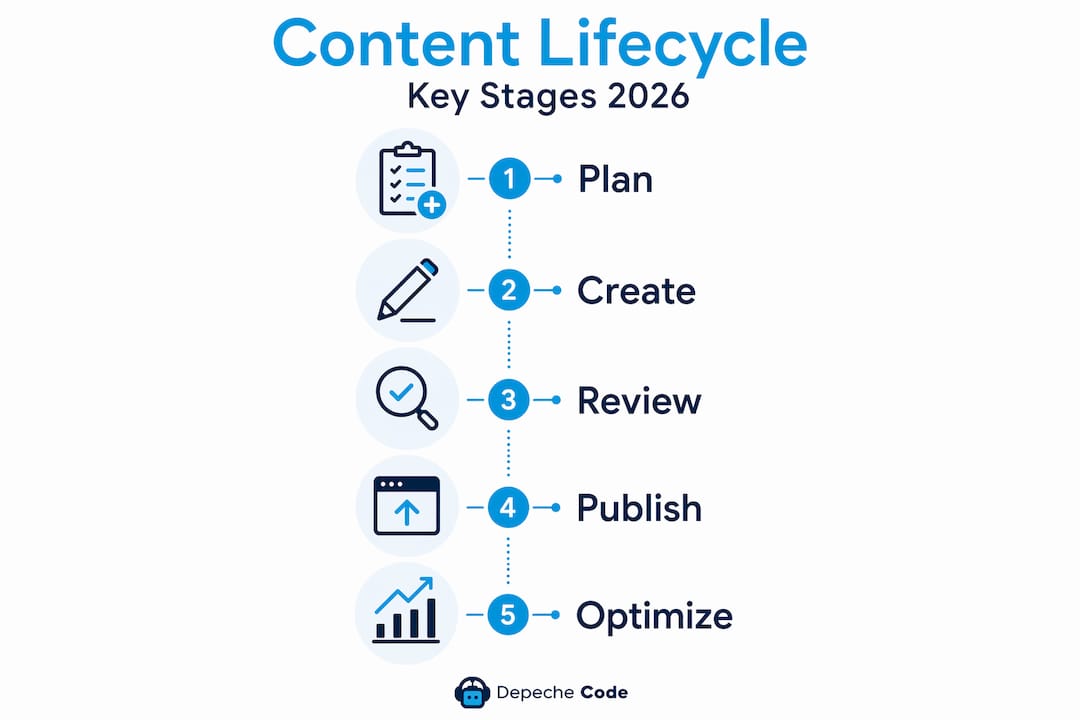
The five stages of content lifecycle management are:
- Planning: Identifying what content to create, who it’s for, what business goal it serves, and where it will live.
- Creation: Writing, designing, filming, or producing the content itself, with defined quality standards.
- Editing and approval: Review workflows that catch errors, enforce brand voice, and confirm accuracy before anything goes live.
- Publishing: Distributing content across the right channels, whether that’s your website, email, social media, or all three.
- Archiving or retiring: Removing or repurposing outdated content before it damages your credibility or confuses search engines.
These aren’t just editorial steps. They represent a full operational cycle that, when managed well, turns content into a repeatable business asset.
Content governance and workflows
Content governance is the framework of rules that keeps your content operation consistent. It defines who owns what content, who approves it before publishing, what metadata standards apply, and how compliance requirements are met. Governance frameworks include approval workflows, metadata tagging, and regulatory checks, which matters especially for businesses in healthcare, finance, or legal sectors.
A workflow is the documented path a piece of content follows from idea to publication. For a small business, that might be a simple two-step process. For an enterprise, it might involve six departments. Either way, having it written down and enforced changes everything.
What is digital content management? It’s this same discipline applied specifically to digital formats, which today means everything: text, images, video, audio, PDFs, and interactive tools.
Why content management matters for your business
The stakes around content management are higher than most business owners realize. Demand for content is expected to double at large enterprises in the coming years, and the businesses that can’t produce, organize, and distribute that volume efficiently will fall behind competitors who can.

The global web content management market is projected to reach US$33.32 billion by 2031, driven by the demand for personalized digital experiences and omnichannel content delivery. That’s not just a technology trend. It reflects a fundamental shift in how customers expect to interact with brands across every touchpoint.
What poor content management actually costs
When content management breaks down, the damage shows up in predictable ways. Outdated product descriptions erode buyer trust. Inconsistent brand messaging across channels confuses your audience. Duplicated content hurts your SEO rankings. And teams spend time recreating assets that already exist somewhere on a shared drive no one can find.
Without structured lifecycle management, businesses risk what experts call “content anarchy”, a state where unmanaged content accumulates across systems with no clear ownership, no retirement plan, and serious brand risk attached. You’ve probably seen this in action even if you didn’t have a name for it.
The tangible benefits of getting it right
Strong content management delivers measurable outcomes. Your site content ranks better in search because it’s structured, current, and purposeful. Your marketing team produces more at lower cost because they’re reusing and repurposing instead of starting from scratch every time. Your customer experience improves because every channel reflects the same brand, the same message, and the same quality standard.
Pro Tip: Set a quarterly content audit on your calendar. Review your top 20 pages for accuracy, relevance, and SEO performance. This single habit prevents the slow content decay that quietly tanks your rankings.
Content management systems vs. other tools
A content management system, or CMS, is the software that makes your web content manageable without requiring a developer for every change. It’s where your team writes, edits, and publishes pages, posts, and landing content. WordPress powers over 40% of all websites, which tells you something about what the market gravitates toward for flexibility and ease of use.
But a CMS is not the same as a digital asset management system, or DAM. Understanding the distinction matters when you’re building your content tech stack.
| Feature | CMS | DAM |
|---|---|---|
| Primary purpose | Manage website content lifecycle | Store and organize digital assets |
| Content types | Pages, posts, blogs, landing pages | Images, videos, audio, documents |
| Core users | Marketers, writers, web editors | Creative teams, brand managers |
| Key function | Publish and update web content | Find, tag, and distribute assets |
| Example use case | Publishing a product page | Storing approved logo variations |
The distinction between CMS and DAM is important because many businesses assume one tool handles everything. In reality, mature content operations use both together.
When choosing a CMS for your business, prioritize flexibility, ease of use for non-technical staff, integration with your marketing tools, and clear scalability as your team grows. The best platform is the one your team will actually use consistently.
Content management best practices for 2026
The biggest mistake businesses make is building content operations around individual tools instead of a unified strategy. This creates the content silo trap, where your blog team, social team, and web team all produce content independently with no shared structure, no reuse, and no consistency. The result is three times the work for one-third the impact.
Here’s what effective content management looks like in practice:
- Adopt a unified content strategy. Define your brand voice, core topics, audience segments, and publishing goals in a single reference document every team member uses.
- Build modular content blocks. Create reusable sections, such as service descriptions, testimonials, or FAQ answers, that can be updated once and reflected everywhere they appear.
- Document your workflows. Every content type should have a written production process, from brief to approval to publication.
- Assign clear content ownership. Someone must be accountable for every piece of content, its accuracy, its relevance, and its retirement date.
- Automate where it makes sense. Scheduling tools, SEO checkers, and AI-assisted drafting can reduce production time without reducing quality.
- Retire content deliberately. Outdated pages should be redirected, updated, or removed on a defined schedule.
Pro Tip: Before adding a new content tool to your stack, ask whether it integrates with your CMS and DAM. Disconnected tools create the silos you’re trying to eliminate.
The GOV.UK content team demonstrated what modular content can actually do at scale. By building a system of reusable content blocks, they achieved an 82.5% efficiency gain. That’s not a marginal improvement. It’s the difference between a team of three and a team of fifteen producing the same output.
How to start managing content better today
You don’t need a massive overhaul to improve your content management. You need a structured starting point and a commitment to following through. Here’s a practical sequence:
- Audit your current content. Take stock of every piece of content you own. Identify what’s current, what’s outdated, what’s performing well, and what needs retirement.
- Define your business goals. Content management without clear objectives is just organizing for the sake of organizing. Align your content goals to specific marketing or sales outcomes.
- Select the right tools. Choose a CMS that fits your team’s skills and your site’s complexity. Add a DAM if you manage a significant volume of visual assets.
- Assign roles and responsibilities. Every workflow needs a content owner, a reviewer, and a publisher. Even in a two-person team, these roles matter.
- Create a governance document. Write down your brand voice standards, approval process, metadata rules, and content retirement policy. Keep it short enough that people actually read it.
- Track and optimize performance. Use your analytics to monitor which content drives traffic, leads, and conversions. Let data inform what you create next. A well-structured content creation workflow turns this cycle into a repeatable growth engine.
This six-step approach applies whether you’re a solo founder or managing a 50-person marketing team. The principles scale. The tools change. The discipline stays the same.
My take on what most businesses get wrong
I’ve watched businesses invest thousands in CMS platforms and produce content that goes nowhere. The tool is not the strategy. That’s the lesson I keep coming back to.
In my experience, the gap between businesses that use content management software and businesses that practice content management as a discipline is enormous. One group has a login. The other has a system.
What I’ve learned from working across industries is that governance separates the high-performing content teams from the chaotic ones. It’s not glamorous. Nobody gets excited about a metadata standard. But when you can find any asset in under 30 seconds, update a service description once and have it reflect across your entire site, or retire a page on schedule before it misleads a customer, you understand why governance is the real foundation.
The modular content approach is also one of the most underused ideas in small business marketing. Most business owners think of content as individual pieces. The better frame is components. A client testimonial is not just a quote on a page. It’s a block that can appear in email campaigns, landing pages, social ads, and proposals simultaneously. That’s content lifecycle management as a business growth engine, not just a publishing habit.
My honest advice: stop looking for the right tool and start designing the right process. The tool will serve you once the process exists. Not before.
— Donovan
How Depechecode can help you build a content-ready website
Understanding content management is only half the work. The other half is having a website infrastructure that actually supports it.

At Depechecode, we build websites designed from the ground up to support strong content workflows, CMS integration, and long-term digital marketing performance. Whether you need a new site built on a CMS your team can manage independently, a redesign that brings your content architecture in line with your strategy, or SEO services that amplify everything your content operation produces, we’ve got the website design and development services to make it work. Explore the website development trends shaping 2026 and see exactly where your next site upgrade should focus. Check out our SEO options and plans to maximize your content’s visibility once your foundation is in place.
FAQ
What is content management in simple terms?
Content management is the process of planning, creating, organizing, publishing, and retiring digital content in a structured way. It includes both the technology you use and the strategy and governance that guide how your content is produced and maintained.
What is a content management system used for?
A content management system, or CMS, is software that lets you create, edit, and publish website content without writing code. WordPress is the most widely used CMS, powering over 40% of all websites globally.
What is the difference between a CMS and a DAM?
A CMS manages your website content lifecycle, handling pages, posts, and publishing workflows. A DAM stores and organizes your digital assets like images, videos, and documents. Many businesses use both systems together for full content control.
Why is content management important for small businesses?
Strong content management helps small businesses maintain brand consistency, produce content more efficiently, and improve SEO performance. Without a structured approach, outdated or inconsistent content can damage brand credibility and reduce marketing effectiveness.
What does a content management strategy include?
A content management strategy defines your goals, audience, content types, workflows, governance rules, and performance metrics. It turns content production from a reactive task into a planned, measurable business function aligned with your marketing and growth objectives.