

TL;DR:
- Fast load times, mobile responsiveness, and clear content are essential for website success.
- Core Web Vitals metrics like LCP, INP, and CLS directly impact rankings and conversions.
- Regular updates, simplified design, and trust signals boost user trust and ongoing performance.
Most business owners assume a beautiful website is a successful one. That assumption costs real money. Visitors make a judgment about your site in roughly 50 milliseconds, but that snap decision isn’t only about color palettes or fonts. It’s about whether the page loaded fast enough, whether the layout worked on their phone, and whether they instantly understood what you offer. A site that looks polished but runs slow or confuses visitors will bleed traffic and revenue quietly, day after day. This guide breaks down the evidence-backed principles that separate high-performing websites from expensive digital brochures, so you can make smarter decisions about your online presence.
Table of Contents
- Core pillars of a good website
- Responsive and mobile-first design fundamentals
- Why speed and Core Web Vitals drive results
- Content, trust signals, and seamless experience
- Our perspective: What most website projects get wrong in 2026
- Level up your website: Professional solutions for lasting results
- Frequently asked questions
Key Takeaways
| Point | Details |
|---|---|
| Mobile-first is essential | Most web traffic is mobile, so responsive design is non-negotiable for results. |
| Speed drives conversions | Quick-loading sites reduce bounce rates and directly increase leads or sales. |
| Content and trust build loyalty | Clear information and visible credibility cues turn visitors into loyal customers. |
| Core Web Vitals matter | Optimizing LCP, INP, and CLS improves user experience and search rankings. |
Core pillars of a good website
A good website in 2026 is not just one that looks appealing in a design mockup. It’s a system that works for your visitors and your business goals simultaneously. When both align, you see lower bounce rates, more inquiries, and stronger revenue. When they don’t, even the most visually striking site underperforms.
Think of a high-performing website as a building. The visual design is the paint and furniture. But the structure, the plumbing, and the electrical work are what actually make it livable. Those invisible systems are what most businesses underinvest in.
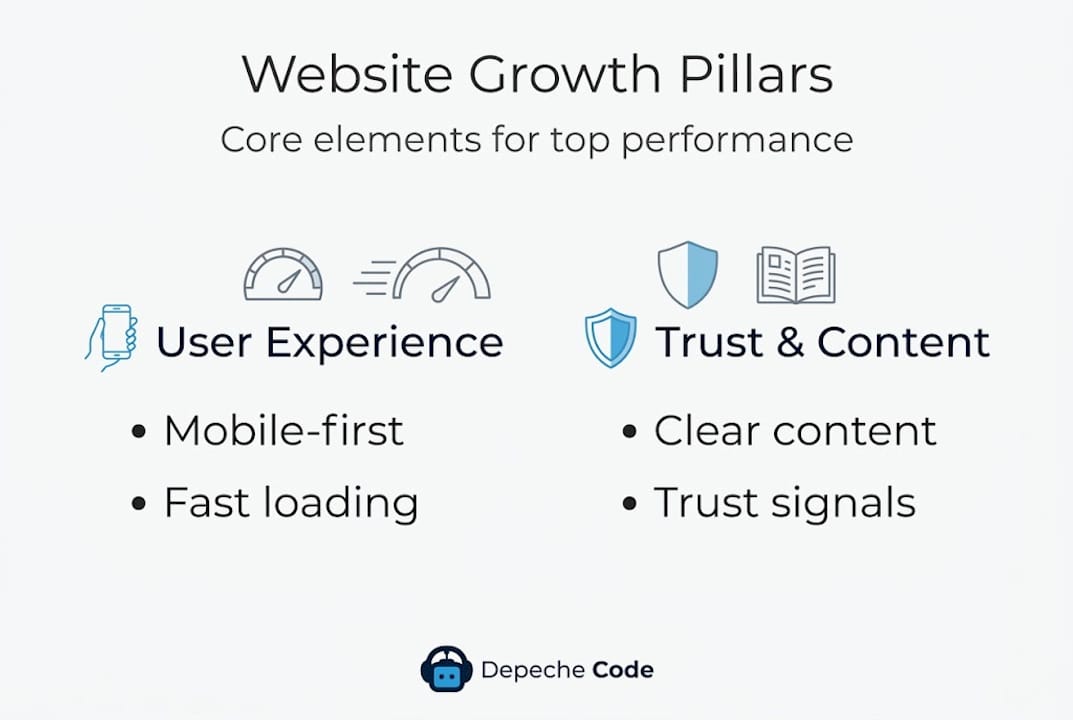
Here are the core pillars every effective business website must have:
- Usability: Visitors should find what they need without thinking hard. Clear navigation, logical page hierarchy, and obvious calls to action are non-negotiable.
- Responsiveness: The site must work perfectly across all screen sizes, from a 27-inch monitor to a 5-inch smartphone.
- Speed: Slow pages kill conversions. Performance is a feature, not an afterthought.
- Accessibility: Your site should be usable by people with visual, motor, or cognitive differences. This also improves SEO.
- Content quality: Every page should answer a specific question your audience is asking. Vague or generic copy drives visitors away.
- Trust signals: Reviews, certifications, SSL, and clear contact details tell visitors you’re legitimate.
These pillars connect directly to measurable outcomes. Core Web Vitals like LCP, INP, and CLS directly affect rankings, conversions, and bounce rates, which means ignoring performance isn’t just a technical issue. It’s a business risk.
Here’s a quick comparison of what separates effective sites from underperforming ones:
| Feature | High-performing site | Underperforming site |
|---|---|---|
| Load time | Under 2.5 seconds | Over 4 seconds |
| Mobile experience | Fully responsive | Desktop-only or broken |
| Navigation | Clear and intuitive | Cluttered or confusing |
| Content | Specific and valuable | Generic and vague |
| Trust signals | Visible and credible | Absent or hard to find |
Understanding website design principles at this foundational level gives you a framework to evaluate your current site objectively, not just aesthetically.
Responsive and mobile-first design fundamentals
Mobile-friendliness and responsive design aren’t optional. They’re foundational. More than 60% of web traffic now comes from mobile devices, and if your site isn’t built to handle that traffic gracefully, you’re actively turning away potential customers.

But here’s what many businesses misunderstand: responsive design is not simply shrinking a desktop layout to fit a smaller screen. True mobile-first design means using fluid grids, media queries, and flexible images so the experience is genuinely optimized for every device, not just technically functional.
The difference matters more than you’d think. A site that technically loads on mobile but requires pinching, zooming, or excessive scrolling will frustrate users and push them to a competitor. Mobile visitors are often in a higher-intent moment, searching for a local service or making a quick purchase decision. A clunky experience at that moment is a lost sale.
Here’s how mobile performance breaks down across device types:
| Device type | Share of traffic | Conversion rate (unoptimized) |
|---|---|---|
| Desktop | 35-38% | Higher baseline |
| Mobile | 62-65% | Up to 42% lower |
| Tablet | 3-5% | Moderate |
The gap between mobile traffic share and mobile conversion rate is the opportunity. Fix the mobile experience, and you close that gap.
Practical steps to implement responsive design correctly:
- Start design at the smallest screen size and scale up, not the reverse.
- Use relative units like percentages and viewport widths instead of fixed pixel values.
- Test on real devices, not just browser emulators, because rendering differences are real.
- Audit tap target sizes. Buttons and links should be at least 44×44 pixels for comfortable tapping.
Pro Tip: Run your site through Google’s PageSpeed Insights and filter results by mobile. The mobile score is almost always lower than desktop, and the gap tells you exactly where to focus your optimization effort first.
Our responsive web design guide goes deeper on implementation, and our web development tips cover the technical specifics for 2026 standards.
Why speed and Core Web Vitals drive results
Having a mobile-friendly layout matters, but the next critical factor is speed and performance. These are proven to influence both search rankings and user satisfaction in ways that directly affect your bottom line.
Google’s Core Web Vitals are three specific performance metrics that measure real user experience:
- LCP (Largest Contentful Paint): How fast the main content loads. Target: under 2.5 seconds.
- INP (Interaction to Next Paint): How quickly the page responds to user input. Target: under 200 milliseconds.
- CLS (Cumulative Layout Shift): How stable the page layout is while loading. Target: under 0.1.
These aren’t abstract technical scores. Passing all Core Web Vitals results in a 24% lower bounce rate, and a one-second delay in load time reduces conversions by 7 to 20%. For a business generating $50,000 per month online, that one-second delay could cost $10,000 or more in lost revenue annually.
A one-second delay in page load time can reduce conversions by up to 20%. Speed is not a technical luxury. It is a revenue lever.
Here are the most effective tactics for improving Core Web Vitals on your site:
- Optimize images: Compress all images and use modern formats like WebP. Oversized images are the single most common cause of slow LCP scores.
- Minimize render-blocking resources: Defer non-critical JavaScript and CSS so the browser can paint the page faster.
- Use a content delivery network (CDN): A CDN serves your site from servers closer to each visitor, reducing load time regardless of geography.
- Eliminate layout shifts: Set explicit width and height attributes on images and embeds so the browser reserves space before they load.
- Audit third-party scripts: Chat widgets, analytics tools, and ad scripts add load time. Audit them regularly and remove anything that isn’t earning its keep.
The relationship between website development success and Core Web Vitals is no longer theoretical. Google uses these signals as ranking factors, meaning a slow site doesn’t just lose visitors. It loses organic search visibility too.
Content, trust signals, and seamless experience
Technical optimization should be complemented by quality content and trust-building elements. Together, they create the kind of digital experience that converts visitors into customers.
Content is where many business websites fall flat. The instinct is to write about the company: its history, its team, its values. But visitors arrive with a question or a problem. Your content needs to answer that question clearly and quickly. Clarity beats cleverness every time.
Effective website content shares these qualities:
- Specificity: Instead of “We offer great service,” say “We respond to every inquiry within 4 business hours.”
- Relevance: Each page should serve one primary purpose and speak to one audience segment.
- Scannability: Use short paragraphs, subheadings, and bullet points. Most visitors scan before they read.
- Clear calls to action: Every page should tell the visitor exactly what to do next.
Trust signals are the elements that tell a stranger it’s safe to do business with you. They work because they reduce perceived risk. Practical trust signals include:
- Verified customer reviews and star ratings
- SSL certificate (the padlock in the browser bar)
- Clear physical address and phone number
- Named team members with photos
- Industry certifications or awards
- A transparent privacy policy
Pro Tip: Place your most compelling trust signal, whether that’s a review count, a notable client logo, or a satisfaction guarantee, above the fold on your homepage. Visitors who see credibility cues early are far more likely to stay and explore.
On the technical side, modern CSS techniques like fluid typography with clamp and container queries help create reusable, adaptable components that maintain readability across devices without manual adjustments. These details contribute to a seamless experience that feels effortless to the visitor, even though significant technical work sits behind it.
For businesses considering a redesign, reviewing website redesign tips before starting the project can save significant time and budget.
Our perspective: What most website projects get wrong in 2026
After working on websites across dozens of industries, one pattern stands out clearly: most businesses over-invest in visual complexity and under-invest in clarity and speed. A site with parallax scrolling, animated hero sections, and custom cursor effects might impress in a demo. In production, it often loads slowly, confuses visitors, and underperforms a simpler competitor.
The uncomfortable truth is that the websites converting best right now are often the least flashy. They load in under two seconds, state their value proposition in one sentence, and make the next step obvious. That’s it.
Another common mistake is treating a website launch as a finish line rather than a starting point. The best-performing sites are updated regularly, tested against real user behavior, and refined based on data. A static site that hasn’t changed since its launch date is losing ground every month.
Our advice: review the do’s and don’ts for redesigning before you touch a single pixel. The biggest wins usually come from removing friction, not adding features.
Level up your website: Professional solutions for lasting results
If you’ve worked through this guide and recognized gaps in your current site, you’re already ahead of most businesses. Knowing what needs to improve is the first step. Acting on it is where results happen.

At Depeche Code, we build and optimize websites that perform across every metric covered here: speed, responsiveness, content clarity, and trust. Our website design and development services are built around your business goals, not generic templates. And if budget is a concern, explore our free website development option to see how we make high-quality digital solutions accessible for businesses at every stage. Reach out today and let’s build something that actually works.
Frequently asked questions
What is the most important feature of a good website?
The most important feature is a balance of fast speed, mobile responsiveness, and clear content. Mobile-first design using fluid grids and media queries ensures your site works for the majority of visitors who arrive on a phone.
How do Core Web Vitals affect my website’s success?
Passing Core Web Vitals like LCP under 2.5 seconds and CLS under 0.1 directly lowers bounce rates and supports higher search rankings. Slow or visually unstable pages push visitors away before they ever see your offer.
Is mobile optimization still necessary for all businesses in 2026?
Absolutely. Mobile traffic accounts for 62 to 65% of web visits, and an unoptimized mobile experience can reduce conversions by up to 42% compared to desktop. Every business, regardless of industry, needs a mobile-ready site.
What are trust signals and why do they matter?
Trust signals are credibility cues like customer reviews, SSL certificates, clear contact information, and named team members that reduce a visitor’s hesitation to engage. They work by lowering perceived risk at the exact moment a visitor is deciding whether to stay or leave.
Recommended
- High-quality Website Design: Proven Principles & Insights
- Expert Tips On Redesigning Your Website For Better User Experience • Depeche Code
- Step-by-step Web Development: Build A Winning Business Website
- 7 Must-Have Website Features For Max Impact In 2026
- Designing For Success: Creating User-Friendly Cannabis Websites – AdJet Digital Marketing & Google Partner Agency | SEO Development Google Ads Social