

TL;DR:
- Technical website support proactively maintains security, speed, and reliability, preventing costly failures.
- Managed services reduce downtime, security breaches, and support costs while enhancing website performance.
- Investing in proactive support improves conversions, protects revenue, and offers quick ROI benefits.
Your website is running right now, and something could be silently breaking it. Most businesses don’t discover a critical failure until revenue drops, customers complain, or Google quietly demotes their rankings. Enterprise sites face 2.5x more attacks, mobile speed improvements lift conversions by 8%, and IT support automation can slash costs by 40% while cutting resolution time by 93%. Technical website support is not a luxury reserved for big corporations. It is the safety net every business needs, and the engine that keeps growth on track.
Table of Contents
- What is technical website support?
- Common models: tiered support and managed services
- Key benefits: what technical website support delivers
- When and how to choose the right support for your website
- Beyond the basics: why proactive support saves you more in the long run
- Get the expert support your website deserves
- Frequently asked questions
Key Takeaways
| Point | Details |
|---|---|
| Proactive support prevents loss | Active monitoring and maintenance minimize risks and reduce emergency costs. |
| Cost savings are proven | Automation and expert help can deliver significant ROI in a short time. |
| Managed services boost growth | Optimized performance and fast support directly improve conversions and uptime. |
| Choose support for your stage | Your business needs a tailored level of support as you grow and your site gets more complex. |
What is technical website support?
Technical website support is the ongoing service that keeps your website functional, secure, fast, and aligned with your business goals. It is not just about fixing things when they break. Think of it the way you think about maintaining a physical office. You don’t wait for the roof to cave in before you call a contractor. You schedule inspections, replace aging equipment, and keep systems running before problems escalate.
For websites, technical support covers a wide range of responsibilities:
- Troubleshooting errors, broken pages, failed forms, and plugin conflicts
- Security monitoring to detect and block attacks before they cause damage
- Software updates for the core platform, plugins, themes, and integrations
- Performance optimization to keep load times fast and pages responsive
- Backup management so your data is never truly lost
- Uptime monitoring that alerts your team the moment a site goes offline
Support is delivered through multiple channels depending on your provider, including live chat, email tickets, phone calls, and dedicated account management. The technology stack reference tool from IX Communities gives a helpful overview of how different software layers interact, which matters a lot when diagnosing where a problem originates.
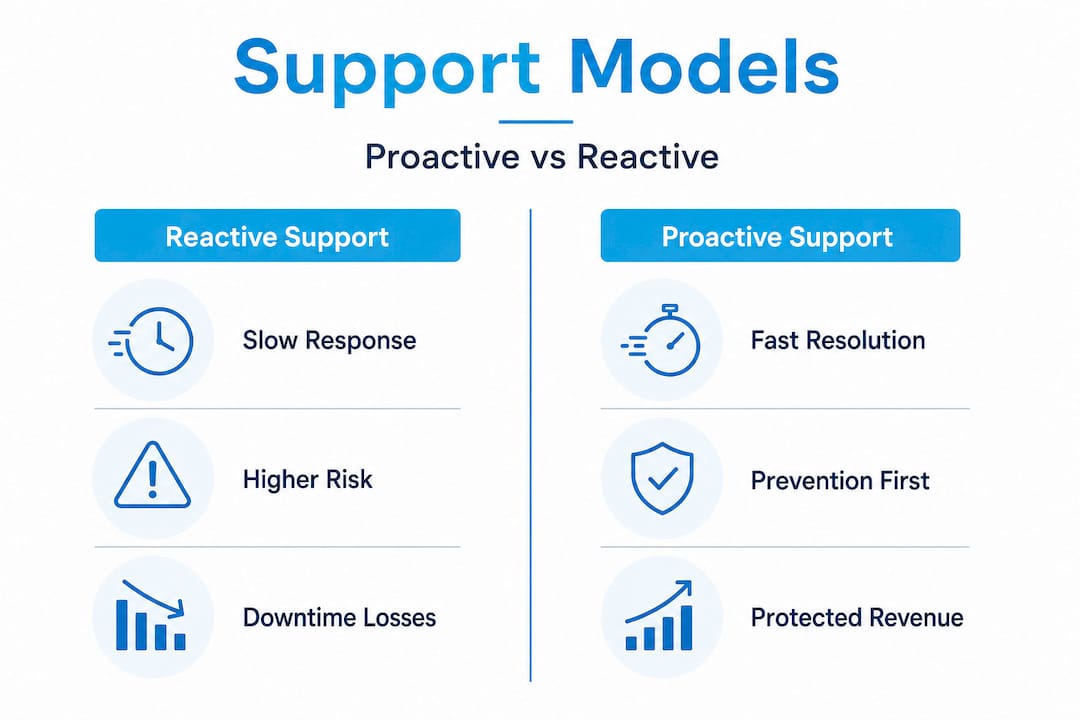
“Proactive support identifies and resolves potential failures before users are ever affected, while reactive support only responds after damage is done. Businesses that shift from reactive to proactive care consistently report better uptime, stronger security, and lower long-term costs.”
The shift from reactive to proactive is the single most important concept in technical website support. Reactive support means you pay to fix fires. Proactive support means you invest to prevent them.
Common models: tiered support and managed services
Understanding how support is structured helps you choose the right model for your website and budget. Most providers organize their services into tiers, and each tier carries a specific scope of responsibility.
Tiered support models typically break down like this:
| Support tier | Who handles it | Typical issues |
|---|---|---|
| Tier 1 | Front-line staff | Password resets, basic errors, simple guidance |
| Tier 2 | Technical specialists | Plugin conflicts, theme issues, database errors |
| Tier 3 | Engineers or developers | Core architecture, server configuration, custom code |
Tier 1 resolves roughly 70 to 80 percent of all incoming issues, which keeps costs manageable and response times fast. Tier 2 escalates anything requiring deeper technical knowledge. Tier 3 is reserved for engineering-level problems that require code changes or infrastructure work.
Beyond tiers, there are two core service philosophies that define how your relationship with a support provider works.
Break-fix (reactive) support means you contact a provider only when something goes wrong. You pay per incident or per hour, and the provider fixes the specific issue you reported. It is affordable on the surface, but the hidden costs add up fast. Every outage, every security breach, every slow-loading page that drives a customer away is a cost you absorb before help arrives.
Managed services (proactive support) means a provider monitors and maintains your website on an ongoing basis. They catch integration failures before they affect users, push updates on a schedule, and flag vulnerabilities before attackers find them. You pay a predictable monthly fee, and the result is a website that runs like a well-maintained machine rather than a vehicle you only service after a breakdown.
Pro Tip: If your website generates more than 30 percent of your leads or revenue, you cannot afford break-fix support. The cost of a single undetected attack or major outage far exceeds months of managed service fees. Move to proactive care before you need it.
The choice between these models is not just about cost. It is about how much business risk you are comfortable carrying. Managed services reduce uncertainty, and for growing companies, that predictability is genuinely valuable.
Key benefits: what technical website support delivers
Strong technical website support produces measurable, real-world outcomes that show up in your analytics, your security logs, and your revenue numbers. The data here is worth paying close attention to.
Benchmarks from enterprise maintenance research show that mobile speed improvements alone boost conversions by 8%, IT support automation cuts costs by 40%, and resolution time drops by 93% with the right tooling in place. That last number is not a typo. Ninety-three percent faster resolution means problems get solved in minutes instead of hours or days.

Case studies from real implementations show hosting optimizations saving businesses between $40,000 and $120,000 per year, with IT support ROI reached in as little as four months alongside a 66% reduction in overall support costs.
Here are the five outcomes businesses consistently report after investing in proper technical support:
- Faster website load times that reduce bounce rates and improve Google rankings
- Significantly fewer successful attacks due to proactive patching and monitoring
- Higher uptime percentages that protect revenue during peak traffic periods
- Reduced internal IT burden so your team focuses on growth instead of firefighting
- Lower total support costs over time due to automation and early issue detection
The connection between speed and revenue is direct and quantifiable. Improving user experience and conversions starts with load time. A page that takes more than three seconds to load loses more than half its mobile visitors. That is not a minor inconvenience. That is a sales funnel with a hole in the bottom.
From a security perspective, the numbers are just as compelling. Websites without active monitoring are far more likely to be compromised by automated bots that probe for known vulnerabilities. WordPress performance optimization is one key layer of protection because an optimized, up-to-date site presents far fewer exploitable gaps than a neglected one.
Reliable website hosting combined with active technical support creates a compound effect. Fast servers plus optimized code plus security monitoring equals a website that performs consistently under pressure, protects your customers’ data, and ranks better in search results.
| Business outcome | Without support | With proactive support |
|---|---|---|
| Average resolution time | Hours to days | Minutes to hours |
| Annual security incidents | Multiple | Rare or none |
| Page load time trend | Degrading over time | Consistently optimized |
| IT cost predictability | Unpredictable spikes | Flat, budgetable fees |
The table above reflects what the data consistently shows across industries. Proactive support is not just safer. It is cheaper over a 12-month horizon for most businesses operating at any meaningful scale.
When and how to choose the right support for your website
Knowing that support matters is one thing. Knowing when your current setup has outgrown basic care is what leads to smart decisions. There are clear signals that your website needs a more structured support model.
- You have experienced downtime in the last six months that lasted more than two hours
- Your site speed scores have dropped without an obvious reason
- You are running outdated plugins or themes because updates feel risky
- You have no current backup that you have actually tested and verified
- Your team spends more than two hours per week troubleshooting website issues
- A security scan has flagged vulnerabilities you have not addressed
- You are expanding to new markets and your website needs to scale with demand
Neglecting these signals leads to higher bounce rates, increased attack exposure, and lost search rankings. These are not abstract risks. They are the direct result of deferred maintenance that compounds over time, exactly like ignoring a slow oil leak in an engine.
When evaluating support providers, ask these specific questions before you sign anything:
- What is your average response time for critical issues?
- How do you handle after-hours emergencies?
- Do you provide regular performance and security reports?
- What does your onboarding process look like?
- How do you communicate when proactive maintenance causes brief downtime?
- Do your plans include both technical support and strategic guidance?
Exploring WordPress maintenance options gives you a concrete sense of what a full-service plan includes versus a basic hosting package. The difference in scope is significant, and understanding it before you need emergency help is much smarter than learning the hard way.
Pro Tip: Start by automating your monitoring and backup processes. Even before you hire a full support team or agency, automated alerts and daily backups give you early warning and recovery insurance that costs almost nothing to set up. Once those basics are in place, you can evaluate where managed services will deliver the highest ROI for your specific traffic and revenue profile. Also review website redesign best practices when you are considering structural changes, since redesigns are high-risk moments when proactive support is especially valuable.
Beyond the basics: why proactive support saves you more in the long run
Here is the mindset shift that separates companies on a growth trajectory from those stuck managing crises. Most business owners think about website support the way they think about insurance. You buy it, you hope you never need it, and you resent the monthly bill when nothing goes wrong. That framing is exactly backwards.
The real cost of website neglect is not the repair bill after something breaks. It is the revenue you never saw because a slow page sent a prospect to a competitor. It is the customer trust you lost after a security breach. It is the Google ranking you worked months to earn that evaporated because your site was flagged for malware. These costs are invisible until they hit you, and by then, the damage is already done.
Fortune 500 companies do not treat website support as insurance. They treat it as infrastructure investment. The reason enterprise organizations maintain dedicated support teams and managed service agreements is not bureaucracy. It is because they have calculated exactly what an hour of downtime costs and built systems to eliminate it.
The good news is that modern automation has made proactive support genuinely affordable for businesses of every size. The same monitoring tools, automated backup systems, and performance dashboards that enterprises use are now accessible to small and mid-sized businesses at a fraction of the historical cost. The barrier is not budget anymore. It is awareness and decision.
Exploring web development success strategies reveals a consistent pattern among growing businesses: the ones that invest in proactive digital infrastructure early spend far less on emergency fixes later. They also convert better, rank higher, and retain customers longer because their digital experience is consistently strong.
The uncomfortable truth is that “wait and see” is not a neutral position. Every week your site runs without active monitoring or maintenance is a week where small problems compound quietly. Outdated software becomes a vulnerability. Slow load times become a lost ranking. A missed backup becomes a catastrophic data loss. The cost of prevention is always lower than the cost of recovery.
Get the expert support your website deserves
Your website should be your hardest-working sales asset, not a source of stress and unexpected repair bills. At Depeche Code, we specialize in exactly the kind of proactive, affordable technical support that keeps your site fast, secure, and growing.

Our website design & development services are built for businesses that need reliable, scalable digital infrastructure without enterprise-level price tags. Whether you need ongoing WordPress hosting maintenance to keep your platform in peak condition or a full SEO services strategy to grow your organic traffic, we bring the technical depth and responsive support that Orlando businesses and clients nationwide depend on. Our team is ready to build a support plan that fits your goals, your budget, and your growth timeline.
Frequently asked questions
Is technical website support necessary for small businesses?
Yes, every business size faces online risks, and even basic support prevents costly downtime and security breaches. Neglect leads to higher bounce rates, attack exposure, and lost search rankings that compound over time.
How is technical website support different from website hosting?
Hosting provides the server space where your website lives, while technical support covers troubleshooting, updates, security monitoring, and ongoing performance care. You need both to run a reliable, protected website.
What’s the biggest risk if I skip technical website support?
You risk lost revenue from undetected attacks, slow page speeds that drive visitors away, and Google ranking drops caused by security flags or poor performance. Neglect consistently leads to higher bounce rates and lost rankings.
How quickly does investment in support pay back?
Case studies show IT support ROI reached in as little as four months, with a 66% reduction in overall support costs through automation and proactive optimization strategies.
Recommended
- Website Maintenance Explained: Keep Your Site Secure • Depeche Code
- 5 Ways To Ensure Your Website Stays Secure And Protected • Depeche Code
- Unlock Business Growth With Custom Web Solutions Explained
- Step-by-step Web Development: Build A Winning Business Website
- Prime-Ready IT Modernization Partner for Public Sector