

TL;DR:
- Most businesses underestimate their total website ownership costs by focusing only on initial build expenses and ignoring ongoing maintenance, hosting, and security.
- Choosing the right platform, like WordPress, and planning for a three-year cost model helps control long-term expenses and prevent budget surprises.
Website total cost of ownership (TCO) is the full accounting of every dollar a business spends on a website over its operational life, from the initial build through years of hosting, maintenance, security, and support. Most finance teams focus on the development invoice and stop there. That gap between the build cost and the true total cost of website ownership is where budgets break. Understanding what is website total cost ownership means treating your site as an ongoing operational asset, not a one-time purchase.
What costs make up the total cost of website ownership?

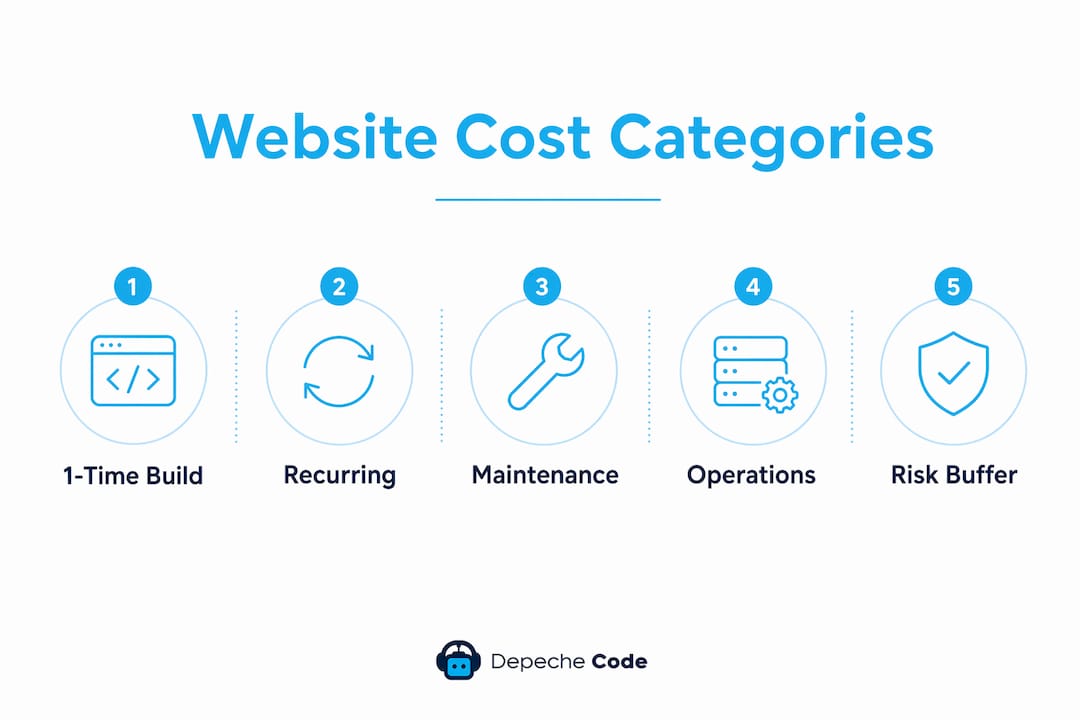
Website ownership costs fall into four distinct categories. Separating them is the first step toward accurate website investment analysis.
One-time costs include design, development, content creation, photography, copywriting, and software licenses. These are the costs most decision-makers budget for correctly. The problem is they represent only the starting line.
Recurring monthly and annual costs include hosting, domain registration, SSL certificates, premium plugin licenses, backup services, and security monitoring. One-time build costs and ongoing expenses are fundamentally different budget lines, and conflating them is the most common planning error.
Maintenance costs cover security patches, CMS updates, plugin updates, content changes, and performance tuning. These are non-optional. Skipping them creates compounding technical debt that costs far more to fix later.
Operational costs include technical support contracts, uptime monitoring, compliance fees (such as ADA accessibility audits), and analytics platform subscriptions. Enterprise sites also carry costs for dedicated account management and custom integrations.
The table below summarizes typical cost ranges by category and website type.
| Cost Category | Small Business Site | Mid-Market Corporate Site | Enterprise Site |
|---|---|---|---|
| One-time build | $3,000–$15,000 | $15,000–$75,000 | $75,000+ |
| Monthly hosting | $20–$100 | $100–$500 | $500–$5,000+ |
| Monthly maintenance | $35–$500 | $200–$2,500 | $2,000–$25,000+ |
| Annual domain + SSL | $15–$200 | $200–$1,000 | $1,000+ |
| Risk buffer (10%–25%) | Recommended | Recommended | Required |
Monthly maintenance costs range from $35 for a simple brochure site to over $25,000 for large enterprise platforms. That spread reflects the real difference in what it takes to keep each type of site secure, fast, and functional.
Pro Tip: Build your TCO spreadsheet before you select a vendor. List every recurring line item and multiply by 36 months. That three-year number is your true cost of ownership, and it will change which vendor or platform looks most affordable.
How do website size, complexity, and platform choice affect total cost ownership?
Platform choice is the single biggest lever in controlling long-term website expenses. WordPress as a CMS can reduce total cost of ownership by up to 44% compared to proprietary CMS platforms. That reduction comes from lower talent costs, a mature plugin ecosystem, and a large pool of developers who can maintain the site without vendor lock-in.
The type of site you operate changes the cost profile dramatically:
- Basic informational sites (5–15 pages, no ecommerce): lowest TCO, primarily hosting and occasional content updates
- Small business sites with lead generation forms: moderate TCO, adding security monitoring and CRM integrations
- Ecommerce sites: small business ecommerce maintenance runs $500–$5,000+ per month, driven by payment gateway fees, inventory management, and PCI compliance requirements
- Enterprise portals with custom integrations: highest TCO, requiring dedicated DevOps support, load balancing, and 24/7 monitoring contracts
Feature requirements drive costs in ways that are easy to underestimate at the planning stage. Adding a live chat function, a customer portal, or a multilingual interface each introduces new licensing fees, integration work, and ongoing support requirements. Every feature you add is a recurring cost, not just a build cost.
Pro Tip: Choose your CMS and hosting infrastructure based on your three-year feature roadmap, not just your launch requirements. Migrating platforms mid-life is one of the most expensive decisions a business can make.
Why most website owners underestimate total cost ownership
73% of businesses underestimate first-year website costs by 40% or more. The root cause is consistently the same: decision-makers budget for the build and ignore the operation.
The most commonly missed costs are:
- SSL certificate renewals: Often included free in year one by hosting providers, then billed annually
- Premium plugin licenses: Individual plugins can cost $50–$300 per year each, and a typical WordPress site runs 10–20 plugins
- Backup services: Automated daily backups with offsite storage typically cost $10–$50 per month
- Security monitoring: Malware scanning and firewall services add $20–$100 per month for small sites
- Content updates: Even minor text changes require developer time if no CMS editor is trained
The cost of inaction is the figure most finance teams never put in their models. Security incidents cost $3,000–$10,000 to remediate. That figure is 5–10 times the annual cost of a proactive maintenance retainer. Skipping a $1,200 annual maintenance plan to save money can produce a $6,000 emergency repair bill within 18 months.
Proactive website maintenance functions as operational insurance. The premium is predictable. The alternative is an unpredictable and far larger claim.
IT budget best practices recommend a 10%–25% risk buffer within your annual website budget. This contingency covers emergency security patches, performance tuning after traffic spikes, and costs triggered by third-party platform updates that break existing functionality.
Pro Tip: Treat your maintenance retainer the same way you treat your business insurance premium. It is not optional spending. It is the cost of not having a much larger problem.
How to calculate and manage total cost of ownership for your website
A reliable TCO formula combines three cost streams: one-time costs, monthly recurring costs, and annual recurring costs.
TCO Formula (36-month period):
- Add all one-time costs (design, development, content, licenses)
- Multiply monthly recurring costs (hosting, maintenance, monitoring) by 36
- Multiply annual recurring costs (domain, SSL, plugin renewals) by 3
- Add a 10%–25% contingency on the total
- Sum all four figures
Example: Small business website (36-month TCO)
- One-time build: $8,000
- Monthly costs ($300/month x 36): $10,800
- Annual costs ($400/year x 3): $1,200
- Contingency (15% of $20,000): $3,000
- Total 36-month TCO: $23,000
Example: Mid-market ecommerce site (36-month TCO)
- One-time build: $40,000
- Monthly costs ($2,000/month x 36): $72,000
- Annual costs ($2,000/year x 3): $6,000
- Contingency (20% of $118,000): $23,600
- Total 36-month TCO: $141,600
The gap between a $40,000 build quote and a $141,600 three-year ownership cost is the number that changes boardroom decisions. Presenting the build cost alone is incomplete financial analysis.
| Strategy | Cost Impact | Best For |
|---|---|---|
| Managed WordPress hosting | Reduces server management costs | Small to mid-market sites |
| Maintenance retainer plan | Prevents expensive emergency fixes | All site types |
| Open-source CMS (WordPress) | Lowers talent and licensing costs | Most business websites |
| Annual billing for hosting | Typically 20%–30% cheaper than monthly | Established sites with stable needs |
| Outsourced technical support | Eliminates full-time staff overhead | Sites needing specialized expertise |
Website maintenance tiers range from DIY at $0 to enterprise-level contracts at $2,500–$10,000+ per month. The right tier depends on your site’s revenue contribution and risk tolerance, not just its size. A site that generates $500,000 in annual leads warrants a different maintenance investment than a static brochure site.
Reviewing your hosting management strategy annually is one of the highest-return activities in website financial planning. Hosting costs and plan structures change frequently, and most businesses overpay by staying on auto-renew without reassessing.
Key takeaways
Website total cost of ownership requires budgeting for four cost streams: one-time build, recurring monthly expenses, annual renewals, and a 10%–25% contingency for unexpected costs.
| Point | Details |
|---|---|
| TCO covers four cost streams | Build, recurring monthly, annual renewals, and a risk buffer all belong in your budget. |
| Platform choice drives long-term savings | WordPress reduces TCO by up to 44% versus proprietary CMS platforms. |
| Most businesses underestimate costs | 73% of businesses miss first-year costs by 40% or more, primarily from ongoing expenses. |
| Security inaction is expensive | Remediating a security incident costs $3,000–$10,000, far more than a maintenance retainer. |
| Use a 36-month TCO model | Multiply recurring costs over three years to see the true financial commitment before signing. |
The number that changes the conversation
I have sat in enough budget reviews to know how website cost conversations usually go. The development team presents a build quote. Finance approves it. Twelve months later, someone is asking why the IT line item is 60% over budget.
The problem is not overspending. The problem is under-modeling. A $15,000 website build is a reasonable number. A $15,000 website that costs $4,800 per year to maintain, $1,200 per year in licenses and renewals, and $6,000 every few years in redesign work is a $40,000 asset over five years. Those are two completely different financial decisions, and only one of them belongs in a serious capital planning conversation.
What I find most telling is how rarely businesses apply the same rigor to website costs that they apply to equipment or software licenses. A company will run a full depreciation schedule on a $20,000 piece of machinery but approve a website build with no model for ongoing costs at all.
The CMS choice matters more than most people realize. Selecting a platform with a large open-source ecosystem, like WordPress, keeps your talent costs competitive and your options open. Proprietary platforms lock you into vendor pricing on every update, every integration, and every support ticket. That lock-in compounds over years in ways that are invisible at launch and painful at renewal.
My strongest recommendation is to build your website maintenance checklist before you build your site. Know what you will spend annually to keep it running before you commit to what you will spend to build it. That sequence produces better decisions every time.
— Donovan
How Depechecode helps you control website ownership costs
Depechecode, based in Orlando, works with businesses that are tired of budget surprises on their websites. The team builds sites with long-term cost efficiency in mind, from CMS selection through maintenance planning.

Depechecode’s website design and development services are structured to give clients a clear picture of both build costs and ongoing ownership costs before any project starts. For businesses watching upfront spend, Depechecode also offers a free website development option that controls initial outlay while maintaining professional quality. Every engagement includes guidance on maintenance planning so clients know their three-year TCO from day one, not after the first surprise invoice.
FAQ
What is website total cost of ownership?
Website total cost of ownership is the sum of all expenses a business incurs over the life of a website, including design, development, hosting, maintenance, security, and renewals. It provides a complete financial picture beyond the initial build cost.
How much does a website cost to maintain per month?
Monthly maintenance costs range from $35–$500 for small business sites and $2,000–$25,000+ for enterprise websites, depending on complexity and required services.
Why do businesses underestimate website ownership costs?
Most businesses focus on the build quote and exclude recurring expenses like SSL certificates, plugin licenses, backup services, and security monitoring, which is why 73% underestimate first-year costs by 40% or more.
Does CMS platform choice affect total cost of ownership?
Yes. WordPress reduces TCO by up to 44% compared to proprietary CMS platforms, primarily through lower talent costs and a mature plugin ecosystem that reduces custom development needs.
What risk buffer should I include in my website budget?
IT budget best practices recommend a 10%–25% contingency within your annual website budget to cover emergency security patches, performance issues, and costs triggered by third-party platform updates.