

WCAG 2.2 is the latest W3C recommendation in the WCAG 2.x series, and the clearest move for any team is to adopt it now as the conformance target rather than waiting for a future mandate. Conformance to 2.2 is backward compatible with 2.1 and 2.0, so nothing you already fixed is wasted. The immediate next step is practical: inventory your pages, run an automated scan, then prioritize remediation around the new success criteria before anything else.
TL;DR:
- Prioritize fixing focus visibility, draggable interface alternatives, and target size issues early, as they are low-cost fixes with high impact on accessibility.
- Automated scans measure structural problems but cannot verify focus, drag, or help link placement, making manual testing essential for thorough compliance.
- Upgrading to WCAG 2.2 is straightforward for organizations already conforming to 2.1, requiring only extensions rather than a complete rebuild.
- Document your testing process, scope, and known limitations properly, as credible conformance relies on transparent and detailed records.
- Continuous accessibility checks and updates are necessary, especially when adding new pages, widgets, or third-party components, to prevent regressions.
Table of Contents
- What’s new in WCAG 2.2: the success criteria you haven’t tested yet
- How WCAG 2.2 differs from WCAG 2.1 and what that means for conformance
- Prioritized developer checklist for the new WCAG 2.2 criteria
- Testing and verification: why automated scans alone won’t cut it
- Making and documenting a conformance claim that holds up
- U.S. regulatory note: what the ADA actually requires right now
- How the new criteria change things for real users
- Keeping a site accessible after the initial fix
- WCAG 2.2 beyond the United States
- Where WCAG 2.2 adoption goes wrong
- Our take on where WCAG 2.2 upgrades actually succeed
- Getting WCAG 2.2 fixes built, not just diagnosed
- FAQ
- Sources
What’s new in WCAG 2.2: the success criteria you haven’t tested yet
WCAG 2.2 adds nine new success criteria and removes one, 4.1.1 Parsing. The additions target gaps that automated scanners routinely miss: keyboard users who lose track of focus, people with motor impairments who struggle with drag gestures, and anyone who has ever had to re-enter the same information twice in a single form.
The WAI summary of what’s new in 2.2 breaks each criterion down with intent statements and testing notes, which is worth bookmarking before you start a remediation sprint. Here is the practical rundown:
- Focus Not Obscured (Minimum), 2.4.11, Level AA: a focused element must not be entirely hidden by sticky headers, cookie banners, or chat widgets.
- Focus Not Obscured (Enhanced), 2.4.12, Level AAA: the stricter version requiring no part of the focused element to be hidden.
- Focus Appearance, 2.4.13, Level AAA: the focus indicator must meet minimum size and contrast thresholds so keyboard users can actually see where they are.
- Dragging Movements, 2.5.7, Level AA: any drag-only interaction (reordering a list, a slider) needs a single-pointer alternative, such as tap-to-select buttons.
- Target Size (Minimum), 2.5.8, Level AA: interactive targets need at least 24 by 24 CSS pixels, or sufficient spacing, unless an exception applies.
- Consistent Help, 3.2.6, Level A: help mechanisms (a chat link, a contact page, a phone number) must appear in the same relative order across pages.
- Redundant Entry, 3.3.7, Level A: information a user already entered in a process should be auto-populated or selectable rather than retyped.
- Accessible Authentication (Minimum), 3.3.8, Level AA: login should not rely solely on a cognitive function test (remembering a password, solving a puzzle) without an alternative.
- Accessible Authentication (Enhanced), 3.3.9, Level AAA: the stricter version, which also restricts object recognition and personal content identification as the sole method.
The removal of 4.1.1 Parsing matters for audit practice, not just the checklist. Modern browsers are fault-tolerant of malformed HTML, so testing notes from WAI point out that flagging duplicate IDs or unclosed tags as accessibility failures was low value. Audit teams can reallocate that time toward issues that actually block people from completing tasks, though legacy reports that still cite 4.1.1 should be updated so they don’t produce false failures against current standards.
How WCAG 2.2 differs from WCAG 2.1 and what that means for conformance
The practical relationship between the two versions is simple: 2.2 is additive. The W3C Recommendation states that conforming to WCAG 2.2 also means you conform to WCAG 2.1 and 2.0, because nothing from the earlier versions was softened or dropped, aside from the single removed criterion. If your organization already has a 2.1 AA conformance statement, upgrading to 2.2 is a matter of extension, not a rebuild.
There’s an architectural quirk worth flagging for anyone who assumes success criteria are grouped neatly by level within each guideline. They aren’t. The new criteria were appended to their relevant guidelines rather than renumbered to sit next to related items, and they carry a mix of levels, Level A, AA, and AAA, scattered across the same document structure as the original 61 criteria. That means your audit checklist needs to verify the level of each new item individually rather than assuming a pattern based on where it falls in the guideline list.
For reporting, this has two consequences. First, drop 4.1.1 Parsing from your test plan and your conformance statement template; testing for it against 2.2 no longer applies, and keeping it in a checklist invites confusion about which version you’re actually claiming. Second, any automated scanning tool or third-party audit report you’re using needs to confirm it has been updated for 2.2 criteria specifically. A report generated against a 2.1-only ruleset will miss drag alternatives, redundant entry, and authentication checks entirely, and you won’t know it’s missing them unless you check the tool’s documentation or ask the vendor directly.
The W3C Working Group’s own framing is that adopting 2.2 as your target, rather than treating it as optional, reduces rework. Policies at the state, federal, and international level tend to catch up to the latest stable WCAG version over time, and remediation done against 2.2 now holds up under 2.1-based mandates later, since the newer version is a superset.
Prioritized developer checklist for the new WCAG 2.2 criteria
Treat this as a sprint plan, not a wish list. Work through it in order, because the earlier items tend to be cheap fixes with outsized impact, while the later ones require actual component rework.
- Fix focus visibility first. Add a
:focus-visibleCSS rule with a clearly contrasting outline, and audit every sticky header, modal, or cookie banner to confirm it never covers a focused element. This single change often resolves both Focus Not Obscured (Minimum) and a chunk of your existing 2.1 keyboard-navigation complaints at once. - Audit your login and registration flows for cognitive function tests. If the only way to authenticate is typing a password from memory or solving a puzzle, add an alternative: a password manager-compatible field, a “paste password” allowance, or a passkey or email-link option that satisfies Accessible Authentication (Minimum).
- Eliminate redundant data entry in multi-step forms. Carry previously entered values forward (shipping address repeated as billing, email entered once and reused) using autofill attributes or pre-populated fields instead of asking the user to retype them.
- Standardize where help lives. If you have a chat widget, a help link in the footer, or a support phone number, place it in the same relative position across every page template, satisfying Consistent Help with a layout change rather than new code.
- Measure every clickable target against the 24 by 24 pixel minimum. Icon buttons, close buttons on modals, and checkbox hit areas are the usual offenders. Where visual design constraints prevent resizing, add invisible padding to extend the hit area instead of shrinking the visible icon.
- Add single-pointer alternatives to every drag interaction. A drag-to-reorder list needs “move up” and “move down” buttons as an alternative; a slider needs arrow-key support and, ideally, a text input fallback.
- Review custom widgets for Focus Appearance compliance. Custom-built sliders, tabs, and carousels often use thin, low-contrast focus rings or none at all. Rebuild the focus style in your design system once, rather than patching each component separately.
- Update your component library documentation. Every new pattern (focus states, drag alternatives, target sizing) should be documented centrally so future features inherit the fix instead of reintroducing the same bug.
- Schedule the larger rebuilds last. Custom widgets built without accessible primitives, a bespoke date picker with no keyboard support, a drag-and-drop kanban board with no alternative, usually require a genuine rebuild rather than a patch. Budget these as their own engineering tickets, not line items inside an unrelated feature sprint.
Pro Tip: Fix focus visibility and target sizing across your global stylesheet before touching individual components; those two changes alone resolve a surprising share of WCAG 2.2 findings because they cascade everywhere instead of needing page-by-page edits.
The pattern across all nine items is the same: the normative WCAG 2.2 text describes the requirement, but the actual fix usually lives in your CSS, your form logic, or your design system tokens rather than in exotic new markup. None of these require a framework change. They require someone to sit down with the checklist and work through it methodically, which is exactly why treating this as a prioritized sprint, rather than an afterthought bolted onto unrelated feature work, gets results faster.
Testing and verification: why automated scans alone won’t cut it
Automated accessibility scanners are a useful first pass, but they are not sufficient on their own. Guidance on automatic versus manual testing is direct about this: automated tools catch structural issues (missing alt text, color contrast ratios, missing form labels) reliably, but they cannot judge whether a drag interaction has a usable alternative, whether a focus indicator is actually visible against your background, or whether your help link sits in a consistent place across templates. Those require a human reviewer.
Treat WCAG as the normative standard and everything else as support. The W3C guidance frames the success criteria themselves as the binding requirement, while the Techniques documents and Understanding WCAG pages are informative aids, useful for implementation ideas, but not themselves the standard you’re conforming to.
A repeatable manual-testing checklist for the new criteria should cover:
- Keyboard-only navigation: tab through every interactive element on a page and confirm the focus indicator is visible at each stop, never hidden behind a sticky element.
- Screen reader runs: test at least one full user flow (sign-up, checkout, a multi-step form) with a screen reader to catch redundant entry and authentication issues a scanner can’t see.
- Pointer-only alternative checks: attempt every drag interaction using single clicks or taps only, confirming an alternative control exists and works.
- Touch target measurement: use browser dev tools to confirm interactive elements meet the 24 by 24 pixel minimum, particularly on mobile breakpoints.
- Help placement audit: click through every page template and confirm help mechanisms appear in the same relative position.
Sampling strategy matters as much as the test steps themselves. Practitioner guidance on 2.2 conformance is explicit that evaluators cannot base a site-wide conformance claim on a handful of pages chosen arbitrarily; they need to show, with documented judgment, how the sampled pages represent the site’s templates and components, and techniques used to meet a criterion need validating against current browser and assistive-technology combinations rather than assumed to still work. A five-page scan of a fifty-template site tells you almost nothing about the templates you didn’t check.
Making and documenting a conformance claim that holds up
A conformance statement is only as credible as its documentation. At minimum, it should state the scope (which pages, subdomains, or app sections were tested), the conformance level claimed (A, AA, or AAA), the date testing was completed, the specific pages or templates sampled, and any known limitations or exceptions, including third-party embeds you don’t control.
Keep the underlying test artifacts, not just the summary statement. That means saved screenshots of flagged issues, the automated scan output, notes from manual and screen reader testing sessions, and a remediation log showing what was fixed and when. If a claim is ever challenged, that evidence trail is what demonstrates the claim was made in good faith rather than asserted without basis.
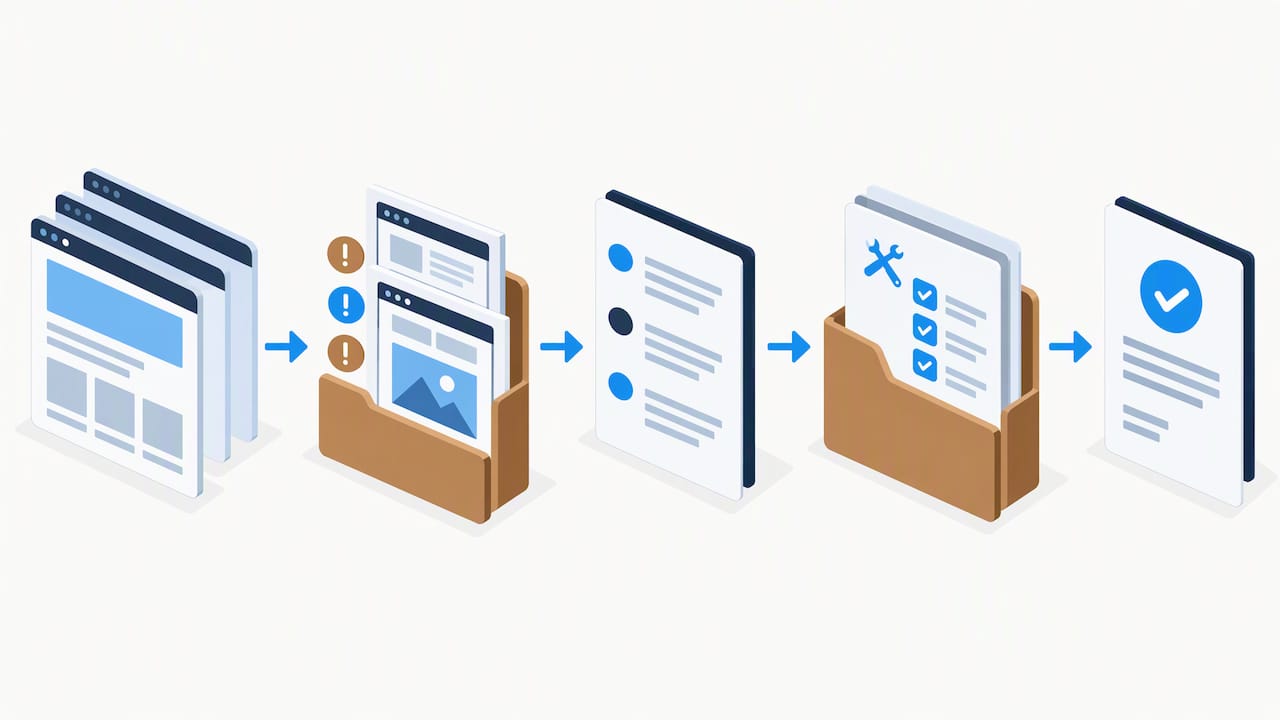
WCAG does allow for a “conforming alternate version,” a separate version of a page or site that itself meets the conformance level, when the primary version cannot. This is a narrow exception, not a workaround: the alternate version has to be reachable through a conformance-level-compliant path, has to be updated in step with the primary version, and should be documented explicitly in your accessibility statement, naming which pages have an alternate version and why. Treat it as a last resort for a page where remediation genuinely isn’t feasible yet, not a default strategy for difficult components.
U.S. regulatory note: what the ADA actually requires right now
For state and local government entities, the DOJ’s small entity compliance guide sets WCAG 2.1 Level AA as the technical standard for web content and mobile apps, with compliance dates staggered by population size rather than a single deadline for everyone. If you’re building for a public-sector client, that’s the floor, not the ceiling, and adopting 2.2 as described above satisfies 2.1 AA automatically since 2.2 is backward compatible.
Private-sector obligations under the ADA are more context-specific and depend on factors the small entity guide doesn’t cover in the same detail, so a definitive compliance determination for a private business is a question for legal counsel rather than a blog post. A broader explainer on how the 2026 DOJ rule connects WCAG and ADA obligations for U.S. teams is useful background if you want more detail on the regulatory shift.
Practically, three steps make sense regardless of your sector: align your internal accessibility policy to name WCAG 2.2 as the target rather than leaving it undefined, prioritize public-facing services and transactional flows (account creation, checkout, applications) over low-traffic internal pages, and add WCAG 2.2 conformance language to procurement contracts for any vendor building or hosting part of your site. Our own ADA website compliance playbook covers the DOJ rules and remediation steps in more depth if you need a fuller walkthrough.
How the new criteria change things for real users
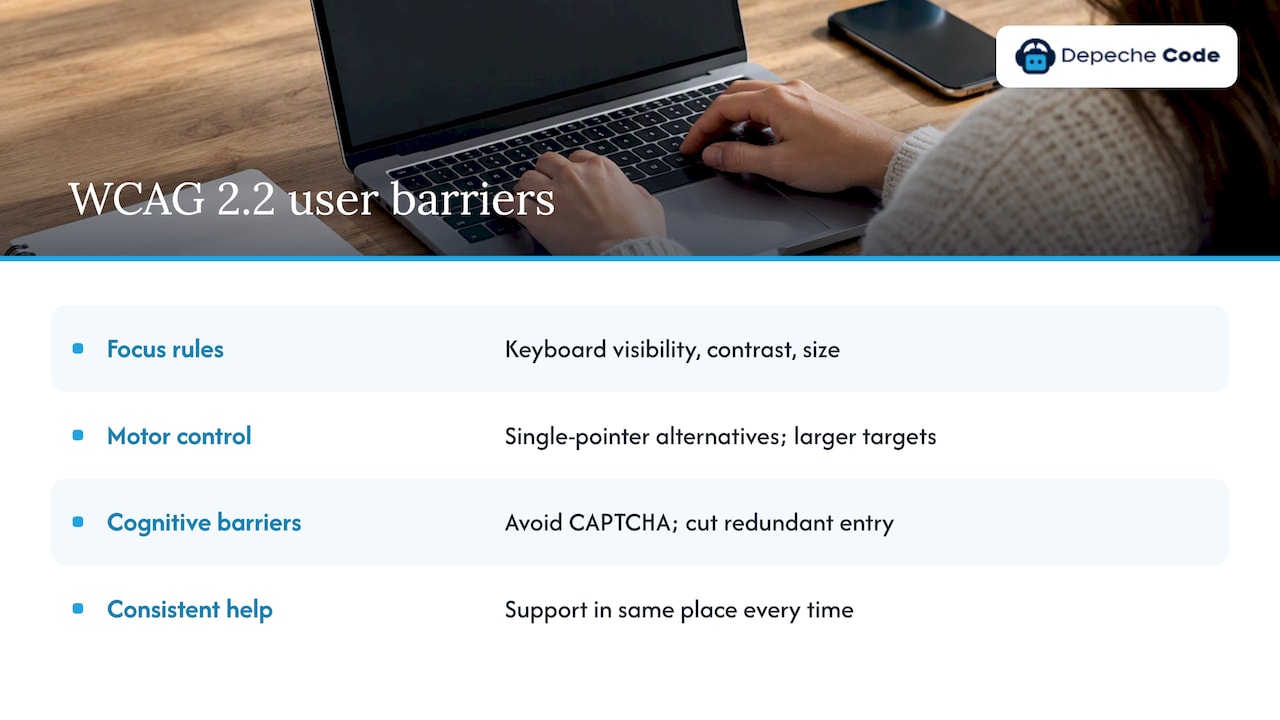
Each WCAG 2.2 addition maps to a specific, often overlooked barrier. People who rely on a keyboard rather than a mouse, due to motor impairments or because they use a switch device, have historically lost track of their position on a page when a sticky header or chat widget covered the focused element; Focus Not Obscured and Focus Appearance address that directly by requiring the indicator to stay visible and meet minimum contrast and size.
People with limited fine motor control, including many users with tremors or with prosthetic or limited use of a hand, have long struggled with drag-only interfaces, a reordering list, a volume slider with no keyboard equivalent. Dragging Movements requires a single-pointer alternative, which also happens to help anyone using a stylus or a switch-access device. Target Size similarly benefits users with motor impairments and, in practice, anyone using a touchscreen on a moving bus.
Accessible Authentication addresses a barrier for people with cognitive disabilities and memory-related conditions who struggle with CAPTCHA puzzles or memorized passwords, while Redundant Entry reduces cognitive load for the same population by not asking them to recall and retype information they already provided. Consistent Help benefits users with cognitive disabilities and anyone unfamiliar with a site who needs to find support quickly, in the same place, every time.
Keeping a site accessible after the initial fix
A WCAG 2.2 remediation project is a starting point, not a finish line. New pages, new components, and new third-party embeds (a chat widget, a payment form, a booking calendar) can reintroduce the exact issues you just fixed, often within weeks.
The practical fix is building accessibility checks into the same workflow as everything else, not treating it as a periodic audit. That means running automated scans on a schedule rather than once a year, adding accessibility criteria to your design system’s component documentation so new components inherit correct focus states and target sizing by default, and including a manual keyboard and screen reader pass in the QA checklist for any feature that touches forms, navigation, or interactive widgets.
Hosting and maintenance plans that include regular monitoring make this easier to sustain than relying on an internal team to remember. If your site runs on WordPress, ongoing WordPress hosting and maintenance coverage is one practical way to keep plugin updates, theme changes, and new page templates from quietly breaking accessibility fixes you already paid to implement.
WCAG 2.2 beyond the United States
WCAG is a global standard, and its adoption outside the United States generally follows the same pattern: a country or region references a specific WCAG version as the technical baseline for its own accessibility law, then updates that reference as newer versions stabilize. The European Union’s accessibility directives and the UK’s public sector accessibility regulations have historically pointed to WCAG 2.1 AA, with the expectation that references update over time as 2.2 matures as a Recommendation.
For teams building sites or apps that serve audiences in multiple countries, the practical approach is the same regardless of jurisdiction: build to WCAG 2.2 AA as the technical target, since it is backward compatible with every earlier reference point your various regulators are likely citing. That avoids maintaining separate remediation tracks for different markets and means a single conformance statement can reasonably speak to multiple regulatory contexts at once, with jurisdiction-specific legal review layered on top where it’s actually required.
Where WCAG 2.2 adoption goes wrong
The most common pitfall is treating the new criteria as a documentation exercise rather than a user experience one. A team adds alt text to satisfy a scanner and calls Target Size “done” without ever measuring an actual button in the browser. Automated tools can’t verify several of the new criteria at all, so a clean scan report creates false confidence.
A second pitfall is scope creep in the wrong direction: spending a sprint perfecting AAA-level Focus Appearance on a marketing page while a checkout flow still fails Accessible Authentication at the AA level. Prioritize by user impact and legal exposure, not by which fix is easiest to demonstrate in a sprint review.
Third, teams often forget that third-party embeds, chat widgets, payment processors, booking tools, are part of their conformance scope even though they don’t control the code. The fix here isn’t rebuilding someone else’s widget; it’s documenting the limitation in your accessibility statement and pressuring vendors to fix their own components, since your statement’s credibility depends on naming known gaps honestly rather than ignoring them.
Finally, remediation stalls when it’s treated as a one-time project with no owner afterward. Assign accessibility checks to whoever already owns code review or QA, rather than leaving it as a special initiative that quietly ends once the initial audit closes out.
Our take on where WCAG 2.2 upgrades actually succeed
The sites that handle WCAG 2.2 well treat it as part of ordinary web development work, not a separate compliance project bolted onto an already-shipped site. Our team works across website development, accessibility remediation, and SEO, and the pattern holds across all of it: the organizations that struggle are the ones that scheduled an audit, got a PDF report, and never built a process for fixing anything on it.
A general workflow for an accessibility upgrade follows the same four stages this article has walked through: audit the current site against WCAG 2.2 specifically, prioritize remediation by user impact rather than by what’s easiest to fix, verify the fixes with both automated and manual testing, and then fold ongoing monitoring into regular maintenance so the next feature release doesn’t undo the work. That sequence matters more than any single tool, since a scanner alone will tell you what’s broken but never whether the fix actually works for a real keyboard or screen reader user.
As Founder and CEO, I’ve watched most remediation projects fail for the same reason: they stop after the audit instead of scheduling the fixes. The teams that treat the checklist above as a sprint plan, not a report to file away, are the ones whose next audit comes back clean.
— Donovan Wells – Founder and CEO
Getting WCAG 2.2 fixes built, not just diagnosed
A lot of accessibility reports end up sitting in a shared drive because the business that wrote them doesn’t build websites. We do both: our team diagnoses the gap against WCAG 2.2 and then writes the actual code to close it, so the audit and the fix come from the same place instead of handing you a list and wishing you luck.

That matters most for the medium and larger items on the checklist above, rebuilding a custom date picker, adding single-pointer alternatives to a drag interface, restructuring a checkout flow for Accessible Authentication, where the fix is genuine engineering work, not a configuration toggle. Our relevant services include:
- Website design and development for teams rebuilding custom widgets or page templates that need accessible primitives from the ground up.
- WordPress hosting and maintenance to keep plugin and theme updates from quietly reintroducing focus or target-size regressions after remediation.
- Search engine optimization work that pairs naturally with an accessibility pass, since many of the same technical fixes, clear headings, labeled forms, logical page structure, improve both at once.
If your site hasn’t been checked against the new WCAG 2.2 criteria yet, the practical next step is a scoped review rather than guesswork about where the gaps are. Visit our services page to request an estimate for an accessibility audit and remediation plan built around your actual templates and components.
FAQ
What are the WCAG 2.2 guidelines for accessibility?
WCAG 2.2 is the current W3C Recommendation in the Web Content Accessibility Guidelines series, adding nine new success criteria covering focus visibility, target size, dragging interactions, consistent help, redundant entry, and accessible authentication. It removes one criterion, 4.1.1 Parsing, and remains backward compatible with WCAG 2.1 and 2.0.
What are the WCAG guidelines for web accessibility?
WCAG organizes requirements around four principles: content must be perceivable, operable, understandable, and robust, each broken into specific success criteria rated Level A, AA, or AAA. The W3C’s normative text defines each criterion precisely, while supporting Techniques documents offer non-normative implementation examples.
How do I make my website WCAG compliant?
Start with an automated scan to catch structural issues, then run manual keyboard and screen reader testing to catch what scanners miss, since automated and manual testing address different kinds of barriers. Prioritize fixes by user impact, document your conformance scope and limitations in an accessibility statement, and retest after each round of changes.
Has WCAG 2.2 been released?
Yes, WCAG 2.2 is a published W3C Recommendation, meaning it has completed the standards process and is stable for organizations to adopt as their conformance target. The WAI overview of what’s new summarizes the changes from 2.1 for teams planning an upgrade.
Does WCAG 2.2 apply to U.S. government websites?
The DOJ’s compliance guidance currently sets WCAG 2.1 Level AA as the technical standard for state and local government entities, with staggered deadlines by population size. Conforming to WCAG 2.2 satisfies that requirement automatically, since 2.2 is backward compatible with 2.1.
Sources
- Web Content Accessibility Guidelines (WCAG) 2.2
- Ada
- Automatic vs manual testing (AccessibilityCloud)