

Setting up an AI chatbot for your business follows ten core steps: define goals and KPIs, audit and prepare your data sources, choose your architecture and platform, design conversation flows and fallbacks, build a prototype with LLM and retrieval configuration, integrate your channels, run a staged test and pilot, deploy with cost-control guardrails, lock down security and compliance, then operate and continuously improve. AI chatbot efficiency gains for customer support are real, but only when the setup is done in the right order.
The full sequence:
- Define goals, scope, and KPIs
- Audit and prepare content and data sources
- Choose architecture and platform
- Design conversation flows, persona, and fallbacks
- Build a prototype and configure LLMs and retrieval (RAG)
- Integrate channels and supply credentials
- Test, pilot, and measure
- Deploy with cost-control guardrails
- Complete the security and compliance checklist
- Operate, monitor, and continuously improve
Techloy’s practical deployment guide and the n8n step-by-step chatbot guide both validate this sequence. For teams that want managed help, Depechecode handles the full ai chatbot integration workflow from discovery through production.
Key Takeaways
A successful AI chatbot deployment starts with clean data and ends with a named product owner running weekly log reviews.
| Point | Details |
|---|---|
| Data integration comes first | Clean and connect your sources before choosing a platform; connectivity beats feature checklists. |
| Prototype before you scale | Validate retrieval accuracy and prompt patterns on one channel before integrating all others. |
| Set cost guardrails before launch | Concurrency limits, rate limits, and token-spend alerts must be active before public traffic arrives. |
| Security belongs in pre-prod | Validate secrets management, PII redaction, and encryption before the pilot acceptance gate. |
| Depechecode manages the full workflow | Depechecode’s phased implementation covers discovery through production monitoring for U.S. businesses. |
Table of Contents
- Quick implementation checklist you can copy today
- Step 1: How do you define goals and KPIs for a chatbot?
- Step 3: How do you choose the right chatbot architecture and platform?
- Step 4: How do you design conversation flows and fallback paths?
- Step 5: How do you build a prototype and configure LLM retrieval?
- Step 6: What credentials do you need for each channel integration?
- Step 7: How do you run a pilot and measure chatbot quality?
- Step 8: How do you deploy with cost-control guardrails?
- Step 9: Security, privacy, and compliance checklist
- Step 10: How do you operate and continuously improve a chatbot?
- 30/60/90-day implementation timeline
- How Depechecode approaches AI chatbot implementation
- Depechecode handles the setup so you can focus on the outcome
- Sources
- FAQ
Quick implementation checklist you can copy today
Use this as your task tracker or hand it to an implementation partner.
- [ ] Goals and KPIs defined (PM) — primary outcome, 2–3 KPIs, baseline targets set
- [ ] Data sources inventoried (Content Owner) — pages, docs, APIs, CRM listed
- [ ] Sources cleaned (Content Owner) — contradictions removed, pricing/policy pages updated
- [ ] Platform and architecture selected (Engineering Lead) — hosting, secrets manager, fallback LLM chosen
- [ ] Conversation flows designed (PM + Content Owner) — persona, greetings, escalation paths, fallback responses documented
- [ ] Prototype built (Engineering) — retrieval validated, prompt patterns tested
- [ ] Channels integrated (Engineering) — API keys entered, webhooks verified, test messages sent
- [ ] Pilot launched (PM + QA) — internal users first, then limited customer segment
- [ ] KPI dashboard live (Analytics) — deflection, CSAT, latency, cost per conversation tracked
- [ ] Security controls validated (Engineering + Compliance) — secrets manager, HTTPS, PII redaction confirmed in pre-prod
- [ ] Cost guardrails set before go-live — concurrency limits, rate limits, token-spend alerts, and auto-throttles active before any public traffic hits the bot
Step 1: How do you define goals and KPIs for a chatbot?
Pick one primary business outcome first: customer support deflection, lead capture, or agent assist. Everything else flows from that choice. Trying to optimize for all three at launch spreads scope too thin and makes acceptance criteria impossible to agree on.
Once the primary outcome is set, add 2–3 supporting KPIs with realistic targets. The benefits of AI chatbots in business strategy are easiest to measure when you define them before you build.
Step 3: How do you choose the right chatbot architecture and platform?
Pick the platform where integration to your existing content and systems is easiest. Connectivity beats a long feature checklist every time.
No-code: fastest to launch, lowest engineering cost, limited customization, vendor-dependent for integrations. Best for teams with no dedicated engineering resources.
Low-code: moderate speed, good balance of control and cost, most platforms support webhook and API connectors out of the box.
Custom code: maximum control and integration depth, highest engineering cost, longest timeline. Justified when your data lives in proprietary systems with no off-the-shelf connector.
Architecture decision checklist:
- Hosting: serverless functions (lower idle cost) vs. containers (more control over concurrency)
- Secrets management: AWS Secrets Manager, Azure Key Vault, or Google Secret Manager — never hardcode API keys
- Fallback LLM provider: configure a secondary model so a provider outage does not take the bot offline
- Observability: structured logging, latency tracking, and error-rate alerts from day one
Production architecture guidance recommends separating dev, staging, and production environments, using CI/CD pipelines, and enabling connection pooling to prevent database exhaustion under load.
Step 4: How do you design conversation flows and fallback paths?
Design the persona, greetings, escalation paths, and fallback responses before you touch the training data. The handoff logic is the part most teams skip, and it is the part users notice most.
Conversation-flow template per intent:
- Entry trigger (keyword, button click, page URL)
- Intent examples (5–10 sample user phrases)
- Slot or data needs (account number, order ID, zip code)
- Success criteria (what a resolved conversation looks like)
- Failure path (what fires when confidence is below threshold)
Handoff checklist:
- Preserve full conversation context so the user does not repeat themselves to the agent
- Transfer metadata: customer ID, last 3 messages, and a one-line summary of why the handoff occurred
- Notify the receiving agent before they read the transcript
For design best practices, the AI chatbot design guide covers escalation path patterns and UX principles worth reviewing before you finalize flows.
Step 5: How do you build a prototype and configure LLM retrieval?
Build the smallest prototype that uses your real content and a single channel. The goal is to validate retrieval accuracy and prompt patterns, not to ship a finished product.
LLM configuration checklist:
- Set temperature between 0.2 and 0.5 for support use cases (lower = more deterministic answers)
- Cap max tokens per response to control cost and keep answers scannable
- Write a system prompt that defines persona, scope limits, and refusal behavior for out-of-scope questions
- Add a retrieval step (RAG) that pulls from your cleaned document store before the LLM generates a response
Prototype testing checklist:
- Retrieval accuracy: does the bot surface the right document for 10 representative queries?
- Prompt injection resistance: does the bot refuse attempts to override its persona or scope?
- Token usage: log tokens per conversation during testing to set a realistic cost baseline
- Context length: tune the context window for the balance between answer quality and per-conversation cost
Pro Tip: Use SerpAPI or a similar enrichment tool in your n8n or LLM workflow when your bot needs real-time data (pricing, inventory, hours) that your static document store cannot cover.
Step 6: What credentials do you need for each channel integration?
Integrate channels by entering API keys, webhook URLs, and verifying test connections. A web widget is typically a single JavaScript snippet pasted before the closing </body> tag.

| Channel | Required Fields | Verification Step |
|---|---|---|
| Web widget | Embed JS snippet, bot ID | Send test message, check widget loads |
| BSP account, API key, webhook URL, verified phone number | Send test message via BSP dashboard | |
| Facebook Messenger | Page access token, app secret, webhook URL | Verify webhook in Meta developer console |
| Instagram account linked to Meta app, page token | Confirm DM delivery in test account | |
| Telegram | Bot token from BotFather, webhook URL | Call getWebhookInfo to confirm status |
| Microsoft Teams | Azure Bot registration, app ID, app password | Test via Bot Framework Emulator |
| Mobile SDK (iOS/Android) | SDK key, environment flag (dev/prod) | Run on device, confirm session logs |
Exotel’s integration documentation details per-channel credential fields and connection status checks. For multi-channel deployments using a single codebase, the Vercel chat SDK and chat-sdk.dev provide CLI scaffolding that generates adapter configurations for Slack, Teams, and Telegram from one bot logic layer.
For WordPress sites, the setup follows a five-step pattern: install the plugin, enter the API key, select content types to train on, run the training job, then enable the widget.
Pro Tip: Embed the web widget on your highest-traffic support or contact page first. Validate logs for 48 hours before enabling it site-wide.
Step 7: How do you run a pilot and measure chatbot quality?
Run a staged pilot: internal users first, then a limited customer segment, then full traffic. Use the KPI dashboard you defined in Step 1 as your acceptance gate at each stage.
Pilot checklist:
- Scripted tests: run every documented intent through the bot and verify the expected response
- Exploratory testing: have team members ask unexpected questions to find gaps
- Edge-case testing: empty inputs, very long messages, profanity, and competitor mentions
- Handoff verification: trigger every escalation path and confirm context transfers correctly
- Load tests: simulate concurrent sessions at 2× your expected peak to check latency and error rates
Sample KPI dashboard during pilot: conversation volume, deflection rate, CSAT score, response latency (p50 and p95), error rate, and cost per conversation. Review logs weekly during the first 30 days and iterate quickly on the queries the bot handles poorly.
Step 8: How do you deploy with cost-control guardrails?
Deploy with concurrency limits, rate limits, retry logic with exponential backoff, and a fallback LLM configured before any public traffic arrives. Scaling without these controls can generate large unexpected charges.
Cost-guardrail checklist:
- Set a concurrent-call cap per environment (e.g., 50 concurrent sessions in production)
- Apply per-minute rate limits at the API gateway layer
- Configure token-spend alerts: notify ops when daily token spend exceeds your budget threshold
- Enable auto-throttle: new sessions queue or receive a “high demand” message when the cap is hit
- Set up a fallback LLM provider so a primary outage does not drop all conversations
Alert thresholds to configure on day one:
- LLM API error rate > 5% → page the on-call engineer
- Response latency > 10 seconds → investigate retrieval or LLM provider
- Token spend > daily budget → throttle new sessions automatically
Production deployment guidance also recommends circuit-breaker patterns: when the primary LLM endpoint fails three consecutive calls, route to the fallback provider and alert ops. For operational monitoring best practices, managed services monitoring guidance covers alerting thresholds and escalation paths applicable to chatbot infrastructure.
Step 9: Security, privacy, and compliance checklist
Secure all API keys in a secrets manager, enforce HTTPS on every endpoint, log minimally, and redact or avoid storing PII unless your use case requires it.
Security checklist:
- Store all credentials in AWS Secrets Manager, Azure Key Vault, or Google Secret Manager — never in environment files committed to version control
- Enforce role-based access: only the deployment pipeline and the bot runtime can read secrets
- Rotate API keys on a defined schedule (quarterly minimum)
- Encrypt data at rest and in transit; enforce TLS 1.2 or higher on all endpoints
PII checklist:
- Detect and redact personal data (names, emails, phone numbers) before logging conversation turns
- Minimize retention: define a maximum log retention period and automate deletion
- Document your retention and deletion policy before launch
For cloud data protection practices, cloud security guidance for businesses covers encryption, access control, and retention policies in detail. Security controls must be validated in pre-prod as part of pilot acceptance criteria, not after go-live.
Step 10: How do you operate and continuously improve a chatbot?
Treat the chatbot as a product with a named owner, not a one-time deployment. Weekly log reviews, weekly content updates, monthly cost reviews, and quarterly security checks are the minimum operating cadence.
Ops runbook checklist:
- Weekly: review conversation logs, flag poor answers, update retrieval content, check error rates
- Monthly: review token spend vs. budget, tune prompts, review CSAT trends, add new intents based on observed queries
- Quarterly: architecture review, key rotation, security audit, model or provider evaluation
Monitoring dashboard items: conversation volume, deflection rate, CSAT, latency breakdown (retrieval vs. LLM vs. network), token spend, and error rate alerts. Assign one person as the bot’s product owner. Without a named owner, log reviews slip and the bot degrades silently.
30/60/90-day implementation timeline
A phased timeline keeps scope manageable and gives stakeholders clear sign-off points.
| Phase | Tasks | Owner |
|---|---|---|
| Days 1–30 | Goals defined, data audited, platform selected, flows designed, prototype built and tested | PM, Content Owner, Engineering |
| Days 30–60 | Channels integrated, credentials verified, pilot launched with internal users, KPI dashboard live | Engineering, QA, Analytics |
| Days 60–90 | Pilot expanded to customer segment, cost guardrails validated, security checklist complete, production go-live | PM, Engineering, Compliance |
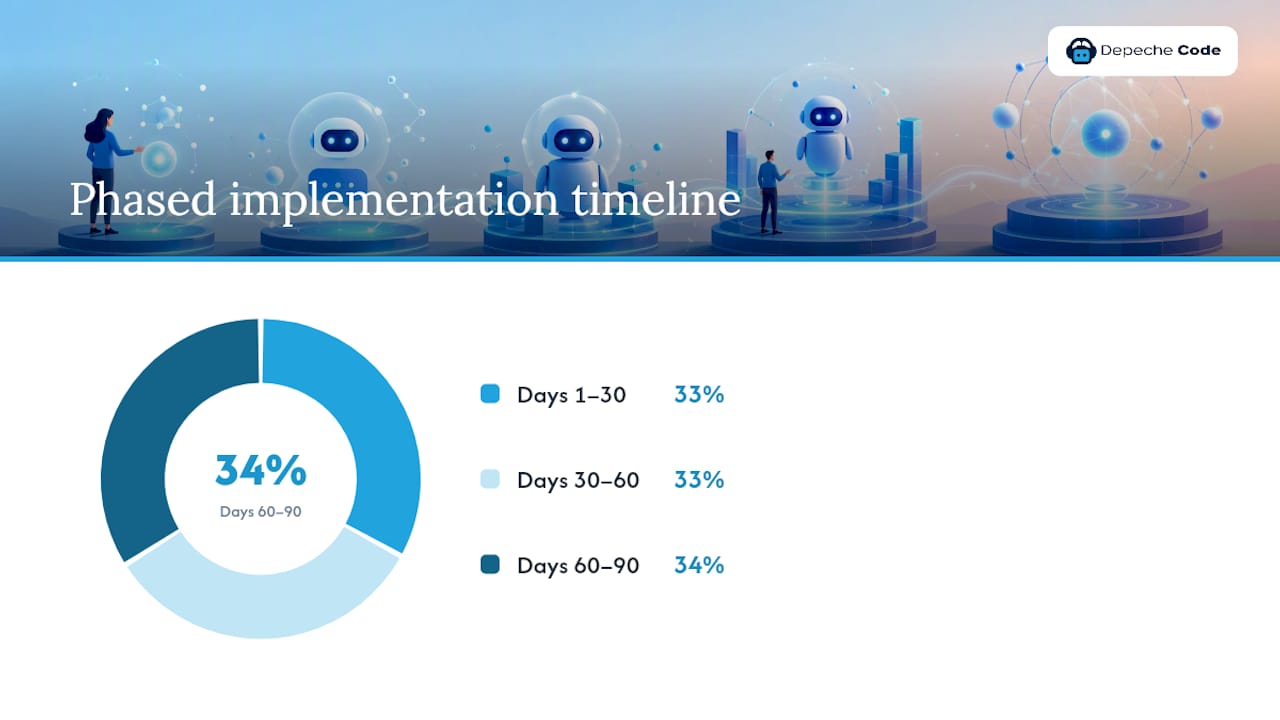
Acceptance criteria per phase: Day 30 sign-off requires a working prototype with retrieval accuracy confirmed. Day 60 sign-off requires pilot KPIs at or above baseline targets. Day 90 sign-off requires security controls validated in pre-prod and cost guardrails active.
How Depechecode approaches AI chatbot implementation
Depechecode recommends a phased approach: discover, build, pilot, operate. During discovery, the team maps your business goals to a KPI framework and audits your content sources. The build phase covers platform selection, flow design, LLM configuration, and channel integration. The pilot phase runs the staged rollout with weekly log reviews. Production support covers ongoing monitoring, content updates, and prompt tuning.
Pro Tip: Assign a content owner from your team before the build phase starts. The single biggest delay in chatbot projects is waiting for someone to clean and approve source documents.
For teams evaluating where to start, the AI chatbot integration guide covers Depechecode’s approach to support-focused deployments.
Depechecode handles the setup so you can focus on the outcome
Depechecode’s managed implementation covers every phase of the ai chatbot setup steps outlined above: discovery and KPI definition, data preparation, platform configuration, channel integration, pilot management, and post-launch monitoring. The concrete advantage over a DIY build is a fixed-scope engagement with a named implementation lead, so you are not debugging webhook credentials or prompt injection issues at midnight.

The AI chatbot for customer support page describes Depechecode’s service approach in detail. To get started, request a discovery meeting through the Depechecode site and receive a scoped implementation checklist matched to your channel and data requirements.
Sources
The chatbot answers only as well as the content you feed it. Start by listing every source: website pages, knowledge base articles, product docs, database APIs, and CRM records. Then clean before you connect.
Data-prep checklist:
- How to Deploy AI Chatbot Solutions That Actually Work: A Practical Business Guide
- How to Deploy a Chatbot to Production in 2026
- How to Make an AI Chatbot: A Step-by-Step Guide – n8n Blog
Recommended metadata fields for retrieval: source, doc_type, updated_at, confidence_threshold. These fields let the retrieval layer rank results and surface the most current answer. Techloy’s deployment guide is direct on this point: platforms that auto-crawl your website and connect to databases reduce manual setup and produce more accurate answers than those requiring manual FAQ entry.
FAQ
What are the first AI chatbot setup steps for a business?
Define your primary business outcome and 2–3 KPIs, then audit and clean your data sources before selecting a platform. Getting the data right before you build prevents the most common accuracy problems.
How long does a full AI chatbot deployment take?
A phased 30/60/90-day timeline is realistic for most businesses: prototype by day 30, pilot live by day 60, and production go-live with guardrails by day 90.
What credentials do you need to integrate WhatsApp with a chatbot?
WhatsApp integration requires a Business Solution Provider account, an API key, a verified phone number, and a webhook URL. Verify the connection by sending a test message through the BSP dashboard.
How do you prevent runaway costs during chatbot scaling?
Set concurrent-call caps, per-minute rate limits, and token-spend alerts before any public traffic reaches the bot. Configure auto-throttle so new sessions queue when the cap is hit rather than generating unbounded API calls.
Can Depechecode manage the full chatbot setup process?
Yes. Depechecode handles discovery, data preparation, platform configuration, channel integration, pilot management, and post-launch monitoring for U.S. businesses through its managed AI chatbot implementation service.