

A CMS migration does not have to hurt your SEO. Rankings survive when every old URL, title tag, heading and internal link either stays the same or is permanently redirected to its closest new equivalent. They drop when nobody owns that job. Below are the 10 steps we follow, in order, plus what migrations cost and how long to watch the site afterward.
TL;DR
- The platform is rarely the problem. Lost URLs, missing redirects and changed metadata are what sink rankings.
- Build a complete 301 redirect map before launch, and test it on a staging site.
- Expect temporary ranking swings. Google says they are normal, so avoid reactive changes in the first weeks.
- Plan for 30 to 90 days of monitoring in Google Search Console after launch.
- Costs run from a few hundred dollars for a simple small-business site to tens of thousands for larger projects, and most of the money goes to people-hours, not software.
Table of Contents
- What a CMS migration means for SEO
- The 10-step CMS migration SEO checklist
- What to expect after launch
- Five mistakes that cost the most traffic
- What does a CMS migration cost?
- Our perspective: migration is an SEO project that happens to involve a CMS
- Get help with your migration
- FAQ
- Sources
What a CMS migration means for SEO
A CMS migration moves your content, data and design from one content management system to another, for example from Wix, Squarespace or a legacy custom system to WordPress. From an SEO point of view, the real cargo is not the pages. It is the signals attached to them: URLs, titles, meta descriptions, headings, structured data, canonical tags and internal links.
Google treats a permanent redirect as a signal that a page has moved, which is how the old page’s standing carries over to the new address. That one mechanism is the backbone of every safe migration.
If your new site keeps the same URLs, content and metadata, search engines see largely the same site. If any of those change, you are asking Google to relearn your site, and you need to help it.
The 10-step CMS migration SEO checklist
The process breaks into four phases: planning, staging, launch and post-launch monitoring. This matches Google’s own guidance on site moves.
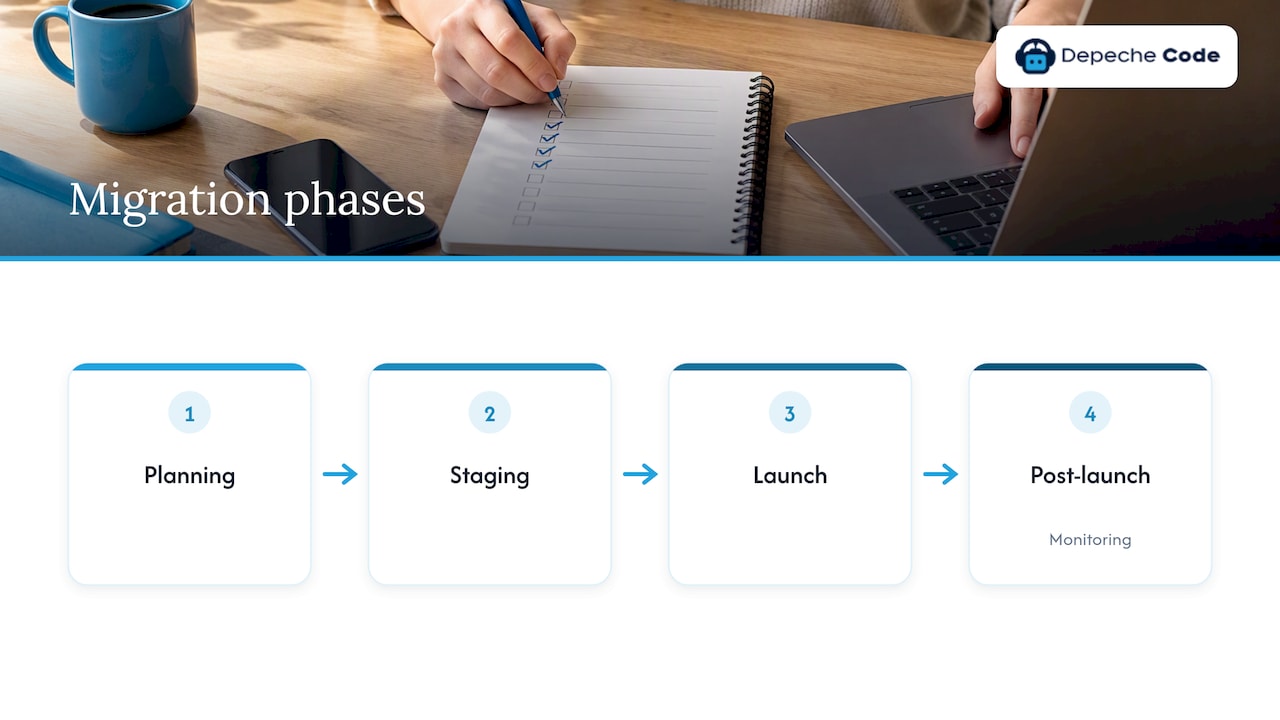
Phase 1: Plan before you touch anything
1. Set a baseline. Export at least 12 months of Search Console data: clicks, impressions, top queries and top pages. Save your analytics, too. Without a baseline you cannot tell whether a dip is normal or a problem.
2. Crawl and inventory every URL. Use a crawler to list every indexable page, plus images, PDFs and any URL that earns backlinks. Mark each as keep, merge, improve or retire. Pages that bring in traffic or links are protected. Thin pages nobody visits can be merged.
3. Decide what changes and what does not. Moving platforms is risky enough. Changing the domain, the URL structure and the design in the same weekend multiplies that risk. If you can, keep URLs identical. If you are also changing domains, read our guide on domain change SEO impact first.
4. Build the redirect map. This is where most migrations fail. The file copy is close to a commodity. The lack of a comprehensive 301 redirect map is the usual failure point, and rolling back a botched migration is more hazardous than the original move. Map each old URL to its closest new match, one to one. Do not send everything to the home page. We cover the method in our redirect mapping and staging checklist.
| Old URL | New URL | Redirect type | Notes |
|---|---|---|---|
| /services.html | /services/ | 301 | Same content, new path |
| /blog/2019/05/post-title | /blog/post-title/ | 301 | Date folders removed |
| /old-offer | /services/ | 301 | Retired page, closest match |
| /thank-you-old | none | 410 | No replacement exists |
Phase 2: Build and test on staging
5. Rebuild on-page elements. Titles, meta descriptions, H1s, alt text, canonical tags, schema markup and hreflang (if you use it) do not migrate by themselves. Many themes and page builders handle them differently. Compare staging to the live site page by page for your top 50 URLs.
6. Check indexability. Make sure staging is blocked from search while you work, then make sure that block does not travel to production. A leftover noindex tag or a restrictive robots.txt can quietly remove a whole site from search results. Check XML sitemaps, too: the new one should list only live, canonical URLs.
7. Test speed and mobile. A new CMS is a chance to improve performance, not lose it. Test Core Web Vitals and mobile layouts before launch. Heavy plugins, sliders and unoptimized images are the usual culprits on WordPress rebuilds.
8. Update internal links. Internal links should point straight to final URLs, not rely on redirects to do the work. Search professionals often flag this as a missed step, and Google’s site-move documentation supports keeping your own links clean so crawlers spend time on real pages.
Phase 3: Launch
9. Cut over carefully. Google recommends timing a move for a quieter period for your business, because crawling and reindexing can take anywhere from a few days to several weeks. Avoid Black Friday, tax season or your own peak if you can. On launch day, switch DNS, activate redirects, confirm HTTPS, submit the new sitemap and spot-check your top 50 URLs. If the domain changes, also use Search Console’s address change tool where it applies.
Phase 4: Monitor
10. Watch for 30 to 90 days. Compare indexed pages, crawl errors and clicks against your baseline. Fix 404s that carry traffic or backlinks. Search Engine Land’s migration guide lays out the full process if you want a deeper reference. You can also ask Google to recrawl key URLs after you fix a problem.
What to expect after launch
Temporary movement in rankings is normal. Google’s documentation says that fluctuations are expected during a site move while its systems find the new URLs and update the index. The mistake we see most often is panic: owners rewrite titles, change URLs again or undo the redirects in week two. That makes a short dip into a long one.
Here is a practical way to read the first weeks.
| Timeframe | What is normal | What needs action |
|---|---|---|
| Days 1 to 7 | Crawl spikes, some ranking swings | Server errors, blocked pages, wrong redirects |
| Weeks 2 to 4 | Old URLs slowly replaced by new ones in results | Pages still unindexed, soft 404s, redirect chains |
| Weeks 5 to 12 | Traffic returns toward baseline | Pages that lost position and have no technical cause: improve content |
Bing publishes its own advice on website migration too, and it is worth checking if Bing traffic matters to your business.
Five mistakes that cost the most traffic
- Sending every old URL to the home page. Search engines may treat these as soft 404s, and visitors do not find what they came for.
- Launching with noindex still on. It is common, and it is easy to catch with a pre-launch checklist.
- Dropping pages that earn backlinks. Check your backlink data before you retire anything.
- Changing titles and headings on every page at once. Migrate first, optimize later, so you can see what caused any change.
- Treating migration as a one-day event. Monitoring is part of the job.
If your move is part of a redesign, our website redesign checklist for SEO preservation and the list of 10 redesign mistakes that put SEO at risk go deeper on layout and content decisions.
What does a CMS migration cost?
The honest answer is that it depends on page count, plugins, integrations and how much SEO work you want done around the move. These published ranges show how wide the spread is:
| Project type | Typical range | Source |
|---|---|---|
| Professional migration service, simple site | $200 to $1,000 | Duplicator |
| Small site, full CMS migration with development | $5,000 to $25,000 | CMSquestions |
| Mid-size site | $25,000 to $100,000 | CMSquestions |
| Enterprise | $100,000 to $500,000+ | CMSquestions |
The gap between the first and second rows is mostly scope. Moving a WordPress site from one host to another is a file-and-database transfer, and some hosts do it for free. Changing CMS means remapping content, rebuilding templates and redirecting URLs. Hygraph points out that the sticker price of a new CMS is only a fraction of what a migration really costs once time and resources are counted.
When you request quotes, ask each provider the same questions:
- Is the redirect map a deliverable, and who checks it?
- Is staging included, and who tests it?
- Who monitors Search Console after launch, and for how long?
- Will you own the content, theme files and accounts when the work is done?
A low quote that leaves out those four items is not really a lower price.
Our perspective: migration is an SEO project that happens to involve a CMS
We build and redesign websites for businesses across industries, and we see the same pattern. Owners ask us about the platform: which is faster, cheaper, easier. Those questions matter, but they are not what decides whether traffic survives. What decides it is whether someone sat down with the old site’s URL list and the new site’s structure and made sure nothing fell through.
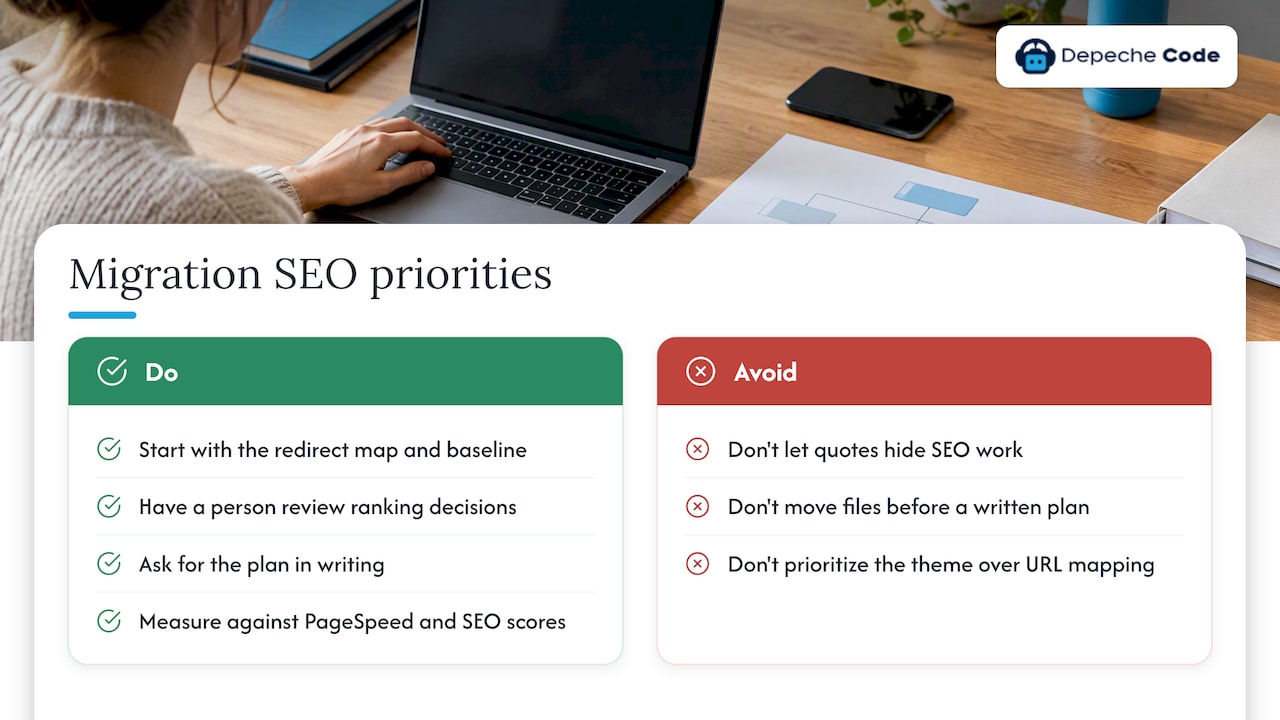
So we start with the redirect map and the baseline, not the theme. We use in-house directed AI to speed up the repetitive parts, such as matching thousands of old URLs to new ones and flagging metadata gaps, and a person reviews every decision that touches rankings. We also hold that you should own everything we deliver, and we measure our technical results against Google PageSpeed and SEO scores rather than adjectives.
Our advice to any owner: do not let a migration quote hide the SEO work. If it is not itemized, it is probably not happening. Ask for the plan in writing before the first file moves.
— Donovan Wells – Founder and CEO
Get help with your migration
If you would rather not run this checklist yourself, Depeche Code handles website development, redesigns and migrations for businesses from our Orlando base, with SEO planning built into the process rather than added at the end. For ongoing rankings work after launch, our SEO options and plans cover organic and local approaches. If you are still deciding timing and scope, start with how to plan a website migration.
FAQ
Does changing CMS hurt SEO?
Not by itself. Rankings drop when URLs, content, metadata or internal links change without redirects and checks. With a complete redirect map, staging tests and monitoring, most sites see only a short period of fluctuation.
How long does it take to recover rankings after a migration?
Google says reindexing can take a few days to several weeks. Plan for 30 to 90 days of active monitoring. If traffic is still well below baseline after that, look for missing redirects, blocked pages or content that changed.
Should I keep the same URLs?
Whenever you can, yes. Identical URLs mean fewer redirects and less risk. If you must change them, use one-to-one 301 redirects to the closest matching page, and update internal links to the new addresses.
What should I check on launch day?
Confirm HTTPS works, noindex tags are gone, robots.txt allows crawling, the sitemap is submitted, and your top 50 old URLs redirect to the right new pages. Then check Search Console for errors within the first few days.
How much does a WordPress migration cost?
A simple transfer by a professional service can run $200 to $1,000, while a full CMS change with redesign and SEO work costs more, often thousands of dollars for small sites. Get itemized quotes that show redirects, staging and post-launch monitoring.
Sources
- Redirects and Google Search, Google Search Central
- Site Moves and Migrations, Google Search Central
- Ask Google to Recrawl Your Website, Google Search Central
- Site Migration SEO Guide, Search Engine Land
- Website Migration with Bing, Bing Webmaster Blog
- The True Cost of CMS Migration, Hygraph
- How Much Does a CMS Migration Cost?, CMSquestions
- How Much Does It Cost to Migrate a WordPress Site, Duplicator