
TL;DR:
- Building security into website design from the start is more effective than retrofitting later.
- Core security measures include HTTPS with HSTS, Content Security Policy, input validation, and multi-factor authentication.
- Continuous reviews and basic best practices can prevent most SME web security breaches affordably.
Most business owners think of website security as something that gets added later, like a lock on a door that’s already been built. That framing is wrong, and it’s costing SMEs real money. The truth is that security built into design from the first line of code is exponentially more effective than anything bolted on afterward. Your design decisions, the way forms are structured, how users log in, what headers your server sends, shape your entire risk profile. This article breaks down exactly what those decisions look like, why they matter for your business, and how to act on them without a dedicated security team.
Table of Contents
- Why security must start at the design phase
- Key security methods every business website needs
- Common vulnerabilities and real-world defense strategies
- Implementing secure design on a budget
- What most SMEs get wrong about web security and what actually works
- Enhance your website’s security with expert support
- Frequently asked questions
Key Takeaways
| Point | Details |
|---|---|
| Embed security in design | Building security into your website from the start prevents costly mistakes and vulnerabilities. |
| Adopt essential protections | Every SME website should use HTTPS, critical security headers, and multi-factor authentication for maximum safety. |
| Monitor and audit regularly | Ongoing security checks are vital, and automated tools can help even small teams stay protected. |
| Prioritize practical over flashy | Focus on basic proven defenses instead of relying on new or complex cybersecurity tech alone. |
| Managed solutions work | Professional managed hosting and support can deliver enterprise-grade web security without breaking the bank. |
Why security must start at the design phase
The biggest misconception we see from SMEs is the idea that security is a feature to be added after a website goes live. A plugin, a certificate, a firewall rule. In reality, the Secure by Design approach means embedding protection into the architecture and development lifecycle of your website from day one. It’s not optional. It’s foundational.
Think about what happens when you skip this step. You build a scheduling platform for your business. Users create accounts, book appointments, maybe store payment info. If access controls weren’t designed into the system properly, any logged-in user might be able to view or modify another user’s appointments just by changing a URL parameter. That’s a real vulnerability class called Insecure Direct Object Reference, and it’s one of the most common data breach causes for SMEs. By the time you discover it, customer data has already been exposed.
Retrofitting security after the fact is expensive and unreliable. You’re not sealing a clean wall; you’re trying to patch a structure that was never designed to hold. New fixes create new gaps. Developers spend hours chasing down legacy code. The result is always incomplete protection at a higher cost than doing it right the first time.
“Security must be integrated into web design from the outset through Secure by Design principles, embedding security into architecture and development lifecycle rather than as an afterthought.” — Sophos Cybersecurity Blog
Strong web design principles account for security alongside usability and performance. Treating all three as equal priorities from the start is what separates sites that hold up under pressure from sites that fail publicly.
Your starting security checklist for any new web project:
- Define user roles and permissions before writing any code
- Agree on authentication requirements, including whether MFA is needed
- Identify what data will be collected and how it will be stored
- Choose a hosting environment with built-in security controls
- Establish a process for dependency updates and vulnerability scanning
Building strong website foundations this way saves you significant remediation costs later and keeps you out of breach headlines.
Pro Tip: Create a one-page security brief before any website project kicks off. Include data types, user roles, third-party integrations, and authentication methods. Hand it to your developer on day one.
Key security methods every business website needs
Once you accept that security starts at design, the next question is practical: what specific methods should your website actually use? Let’s break down the core techniques that website security professionals consider non-negotiable for any business site in 2026.
Understanding the core security stack:
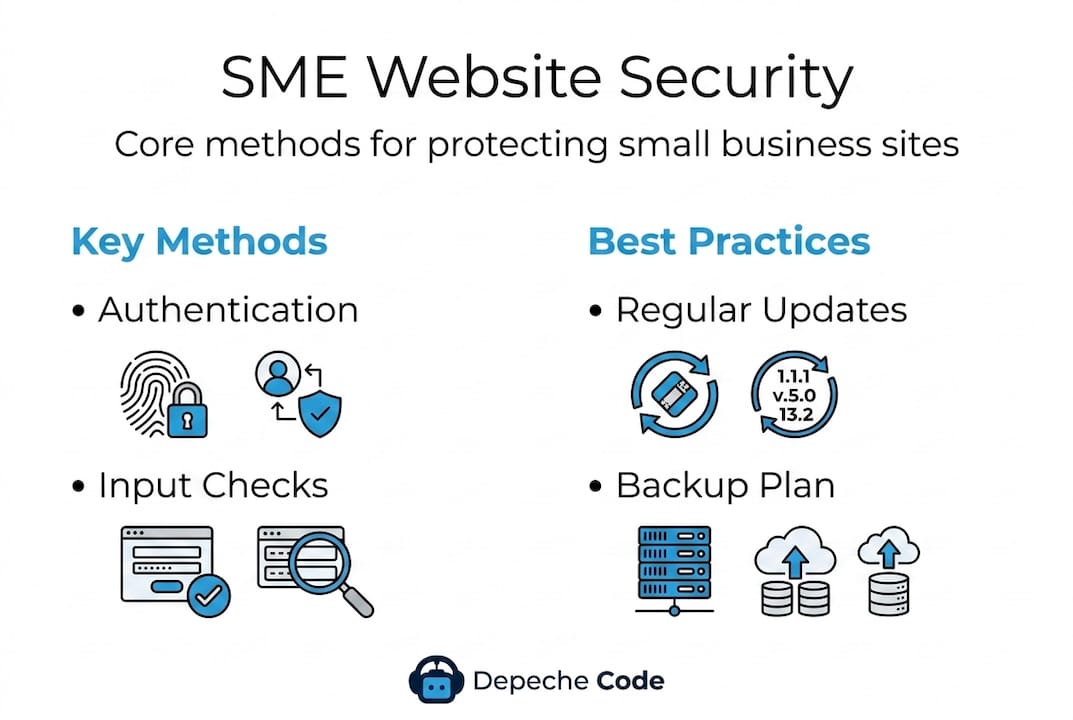
- HTTPS with HSTS enforcement. HTTPS encrypts traffic between your visitor’s browser and your server. HSTS (HTTP Strict Transport Security) goes further, telling browsers to always use HTTPS, even if someone types “http://” by accident. Without HSTS, attackers can intercept that first connection.
- Content Security Policy (CSP). CSP is a header your server sends that tells browsers exactly which scripts, styles, and resources are allowed to load. It’s one of the most powerful defenses against cross-site scripting (XSS) attacks, which we’ll cover shortly.
- X-Frame-Options. This header prevents your web pages from being embedded inside frames on other sites, blocking a class of attack called clickjacking, where users think they’re clicking on your site but are actually interacting with a malicious overlay.
- Input validation and parameterized queries. Every form field on your website is a potential entry point. Input validation means checking that data submitted by users matches what you expect. Parameterized queries prevent SQL injection by separating user input from database commands.
- Output encoding for XSS prevention. When you display user-submitted data, encode it first. This stops attackers from injecting executable scripts into your pages.
- Multi-factor authentication (MFA). Passwords alone are inadequate. MFA requires users to prove their identity through a second method, typically a code sent to their phone.
Here’s a quick comparison to illustrate why the stronger methods matter:
| Security method | Weak approach | Strong approach |
|---|---|---|
| Authentication | Password only | Password plus MFA |
| SQL queries | String concatenation | Parameterized queries |
| Content loading | No CSP header | CSP with strict allowlist |
| HTTPS | HTTP available | HSTS enforced |
| Input handling | Client-side only | Server-side validation |
These aren’t theoretical preferences. They are the difference between a site that survives an automated attack scan and one that gets compromised. Pair these methods with secure hosting options that offer server-level protections, and your baseline security improves dramatically before your developers write a single line of custom code.
Pro Tip: Enable CSP in “report-only” mode first. This logs violations without breaking your site, letting you fine-tune your policy safely before enforcing it live.
For more website security tips tailored to SMEs, the difference between knowing these methods and implementing them correctly is where most businesses need support.
Common vulnerabilities and real-world defense strategies
Knowing the methods is step one. Understanding the specific vulnerabilities they defend against is what helps you prioritize action. The OWASP Top 10 is the industry-standard list of critical web application security risks, covering injection attacks, XSS, broken access control, and more. Every one of these categories applies to SME websites, not just enterprise platforms.
The most common SME website vulnerabilities:
- Cross-site scripting (XSS): Attackers inject malicious scripts into your pages, which then run in your visitors’ browsers. XSS can steal session cookies, redirect users to phishing sites, or silently capture everything typed into a form. It’s particularly dangerous because a single successful attack can compromise every visitor, not just one account.
- SQL injection: Improperly handled form inputs allow attackers to send commands directly to your database. The result can be complete data theft or deletion.
- Cross-site request forgery (CSRF): Tricks an authenticated user’s browser into sending unwanted requests to your site. Imagine a logged-in admin unknowingly triggering a password reset or funds transfer.
- Missing or misconfigured security headers: Not adding headers like HSTS, CSP, or Permissions-Policy leaves wide-open attack surfaces that automated scanners find in seconds.
- Broken access control: Users gaining access to resources or actions they’re not supposed to see, exactly like the scheduling site example from the earlier section.
The data here is sobering. Security header adoption among the world’s top 10,000 websites in 2026 shows HSTS at only 51.7% and CSP at just 27.3%. If only about half of large sites implement these basics, adoption at the SME level is almost certainly lower. Your business website is likely missing at least one critical header right now.
| Security header | Adoption among top 10K sites | Risk if missing |
|---|---|---|
| HSTS | 51.7% | SSL stripping attacks |
| CSP | 27.3% | XSS exploitation |
| X-Frame-Options | ~70% | Clickjacking |
| Permissions-Policy | Below 30% | Browser feature abuse |
How to defend against each risk:
- For XSS: implement strict CSP, use output encoding on all dynamic content, and sanitize all user input server-side
- For SQL injection: use parameterized queries exclusively and never concatenate user input into database commands
- For CSRF: implement CSRF tokens on all forms and use the SameSite attribute on cookies
- For missing headers: audit your headers monthly using free tools, and work with your host or developer to add the ones you’re missing
- For broken access control: enforce role-based permissions at the server level, never rely on client-side checks alone
Pairing these SME website protections with secure website hosting that actively monitors for intrusions gives you defense at multiple layers. You should also consider secure document handling protocols if your site allows file uploads or shares sensitive documents with clients.
Implementing secure design on a budget
Here’s the good news: achieving strong website security as an SME does not require an in-house security team or an enterprise budget. Defense-in-depth is the principle here. It means layering multiple complementary controls so that if one fails, others still protect you. Managed hosting and automated tools make this achievable for businesses of any size.
What does budget-friendly security actually look like?
- Managed hosting with built-in protections. Many managed hosting platforms handle server hardening, automatic updates, firewalls, and malware scanning automatically. You get enterprise-grade infrastructure without managing it yourself.
- Web application firewalls (WAF). A WAF filters incoming traffic and blocks common attack patterns before they reach your application. Several hosting providers include WAF protection at no additional cost.
- Mozilla Observatory. This free tool scans your website and gives you a security grade based on headers, cookies, and other settings. It tells you exactly what to fix and why, in plain language.
- Automated dependency scanning. Tools like Dependabot automatically flag outdated libraries with known vulnerabilities in your codebase. You don’t need to manually track every update.
- SSL certificate automation. Services like Let’s Encrypt provide free, automatically renewing SSL certificates. There is no excuse for a business website to run on HTTP in 2026.
5 quick wins any SME can implement this week:
- Run your site through Mozilla Observatory and address any failing grades in your headers
- Enable automatic updates for your CMS, plugins, and themes
- Add MFA to your admin login and require it for any staff accounts
- Check that your hosting provider includes a WAF in your plan
- Review user account permissions and remove access for anyone who no longer needs it
If your business runs on WordPress, WordPress security options through a managed provider handle most of this automatically, including updates, backups, and malware scanning. For businesses evaluating hosting choices, affordable website hosting with security-first features is the right starting point, and secure SME hosting partners can complement your core setup with additional server-level controls.
Pro Tip: Schedule a quarterly security review on your calendar right now. Treat it like a financial audit. Review your headers, user accounts, software versions, and access logs every 90 days.
Security is not something you set once and walk away from. Your website evolves, your business grows, new vulnerabilities emerge. A continuous process beats a one-time effort every time.

What most SMEs get wrong about web security and what actually works
Here’s an uncomfortable truth we’ve learned from working with businesses of all sizes: most SMEs that believe they’re “protected” are actually running on false confidence. They installed a security plugin, bought an SSL certificate, and mentally checked the box. The plugin hasn’t been updated in eight months. The certificate is valid, but there’s no HSTS header. The admin account still uses the original password from launch day.
The focus on flashy tools is a distraction. Businesses invest in complex solutions while ignoring the basics that stop 90% of attacks. A properly configured set of security headers, enforced MFA, and current software versions will do more for your security posture than any premium add-on you can buy.
There’s also a widespread misunderstanding about where protection actually happens. Browser-based features like same-origin policy and basic cookie protections provide a useful layer, but they do not replace server-side validation. Proactive security design versus reactive patching is the core distinction. Frontend protections complement server-side controls, they don’t substitute for them. If your developer is only validating input in JavaScript, a basic attack that bypasses the browser entirely will succeed.
What actually works is knowing your attack surface. Every form field, every file upload, every third-party script you load, every API endpoint your site talks to. These are all potential entry points. Map them. Review them when your site changes. Revisit your security posture every time you add a new feature, a new integration, or a new team member with site access. Security is a continuous business process, not a product you purchase.
We’ve seen SMEs avoid expensive breaches simply by maintaining a living security checklist and running it against their site quarterly. The investment is maybe two hours per quarter. The alternative is dealing with a breach notification, customer trust erosion, and potential regulatory fines. For a deeper look at web development success tips, security process should sit alongside performance, accessibility, and content strategy as a standing business priority.
The businesses that handle this well don’t have bigger budgets. They have better habits.
Enhance your website’s security with expert support
Security-conscious web design doesn’t have to be something you figure out alone. At Depeche Code, we build security into every website project from the ground up, from architecture decisions and header configuration to authentication design and ongoing maintenance.

Our website design and development services are built around creating sites that perform, convert, and protect your business and your customers. If you’re not sure where your current site stands, start with a free website design evaluation to identify gaps in your security setup, design, and performance. We work with SMEs across industries to deliver affordable, high-quality solutions that don’t cut corners on protection.
Frequently asked questions
What security headers should every business website use?
At minimum, business websites should implement HSTS, Content Security Policy (CSP), X-Frame-Options, and X-Content-Type-Options, which are all core security headers that protect against the most common browser-based attacks.
How can small businesses check if their website is secure?
Use free tools like Mozilla Observatory and security header scanners to get an instant grade on your current setup, along with specific guidance on what to fix first.
Is HTTPS alone enough to secure my website?
No. HTTPS protects data in transit, but you still need combined security controls including input validation, authentication safeguards, security headers, and secure coding practices to address the full attack surface.
What are the biggest security risks for SME websites?
The main risks are cross-site scripting (XSS), SQL injection, and broken access control, all of which appear in the OWASP Top 10 and are frequently exploited against sites with missing input validation or outdated components.
How often should I review my website security?
Review your website security at minimum every quarter or immediately after any major site update, new integration, or change in team member access.