

A social media audit checklist is a one-sheet inventory and performance review that ends in a prioritized action list. Start by opening one spreadsheet and adding a row for every platform you use, with its owner and the date of its last post. Once that sheet exists, every later step has a home.
TL;DR:
- Compare reach, engagement, clicks, and conversions across one fixed period; record rate denominators and keep UTM names consistent so attributed traffic does not fragment.
- Tag each channel’s three strongest posts by format, topic, and call to action, then test one variable at a time against a predefined KPI.
- For paid campaigns, compare cost per result and return on ad spend with profit margins; attribution windows can distort results across advertising and analytics platforms.
- Remove former staff and agencies from account access, enable a second authentication factor, and place clear disclosures in sponsored posts, not only platform labels.
- Rank findings by impact and effort, then assign each action one named owner, a deadline, and a success check with a scheduled verification date.
Table of Contents
- 1. What belongs on a one-page social media audit checklist?
- 2. Step 1: Build a master account inventory
- 3. Step 2: Check profile and brand consistency
- 4. Step 3: Measure the KPIs that matter
- 5. Step 4: Map content performance and find repeatable winners
- 6. Step 5: Capture audience and demographic signals
- 7. Step 6: Benchmark against comparators without naming rivals
- 8. Step 7: Turn findings into a prioritized action plan
- 9. Which tools speed up each audit step?
- 10. Secure your accounts and check disclosure compliance
- 11. How often should you run a social media audit?
- 12. How do you use the downloadable template?
- 13. How do you add social listening and sentiment to the audit?
- 14. How do you evaluate paid social campaigns and ROI?
- 15. Are you meeting platform policies and advertising standards?
- 16. How do you review influencer partnerships and user-generated content?
- 17. How responsive is your social customer service?
- 18. How do you spot emerging trends and opportunities?
- 19. Why audits should feed content strategy, not just reports
- 20. Let us handle the follow-through
- FAQ
- Sources
1. What belongs on a one-page social media audit checklist?
Copy these lines into a spreadsheet or task tool to create a working audit. Each line becomes a section of this guide, so you can go deeper wherever your results look weak.
- Inventory: list every account with its profile URL, owner, and last post date.
- Branding: check the bio, profile image, link, and call to action on each channel.
- KPIs: capture engagement, reach, clicks, and conversions for one fixed timeframe.
- Top content: record the three best posts and their formats per channel.
- Access and compliance: confirm admins, two-factor authentication, and endorsement disclosures.
- Action plan: write stop, start, and continue items with an owner and a deadline.
The structure follows the seven-step framework that Asana’s audit guide describes: inventory, branding, metrics, content mapping, audience, benchmarking, and action items. We add admin checks, compliance, and a time budget on top, because those are the steps busy teams skip.
A quick triage pass works on the core checklist alone. Run the full set of sections below when you have more time.
2. Step 1: Build a master account inventory
You cannot improve what you cannot see, so the inventory comes first. Most businesses find at least one profile nobody remembers creating: an old Facebook page, a duplicate handle, or a profile an ex-employee set up years ago.
Build the master sheet with these columns:
- Platform: Instagram, Facebook, LinkedIn, TikTok, YouTube, X, Pinterest, and any niche network.
- Handle: the exact username as it appears publicly.
- Profile URL: a clickable link so anyone can open it in one tap.
- Status: active, dormant, duplicate, or unknown.
- Owner: one named person, not a team or a department.
- Contact email: the address tied to the login, since recovery emails often point to former staff.
- Last post date: the quickest test for whether an account is alive.
- Followers: a snapshot for reference, not a success measure.
How do you find orphaned and duplicate accounts?
Search your brand name, common misspellings, and your product names on each platform. Then search your own website footer and old email signatures for social links nobody updated. Check the inbox that receives platform notifications, because verification and password-reset emails reveal accounts you forgot. Finally, ask long-time staff and past agencies which profiles they ever opened.
Flag every dormant or duplicate account with a decision: claim, merge, archive, or delete. Do not delete anything yet. Note it, and let the action plan in Step 7 decide.
Master summary or per-account sheets?
Use both. Keep one master tab for the inventory and the headline numbers, then give each platform its own tab for detail. Zapier’s template guide recommends exactly this setup: a master summary plus a duplicated per-profile sheet for each platform. It keeps the summary readable and the evidence traceable.
3. Step 2: Check profile and brand consistency
People often meet your brand on a profile before they see your website. If the name, image, and link differ from channel to channel, they wonder whether they have found the right business.
Check these elements on every profile:
- Display name and handle: the same or a clear variant everywhere.
- Bio: one consistent description of what you do and who you serve.
- Profile image: the same logo or headshot at the correct crop.
- Cover or banner image: current, on-brand, and free of expired promotions.
- Website link: points to a live page, not a retired URL.
- Call-to-action button: book, shop, call, or message, matched to your goal.
- Pinned content: a current post, not one from two campaigns ago.
A three-point scoring rubric
Score each element so results stay comparable across channels and auditors:
- Complete: accurate, on-brand, and current.
- Update needed: present but stale, off-brand, or inconsistent with other channels.
- Missing: absent or broken.
Compare the ratings for each platform and sort from weakest to strongest. That ranking tells you where an hour of cleanup pays off most. If brand drift keeps recurring, our guide to social media branding guidelines shows how a one-page brand card prevents it.
Why do UTM links belong in a branding check?
The bio link is your most reliable traffic source on many platforms, and an untagged link hides where visitors came from. Google’s documentation on URL builders explains the campaign parameters that tag a link, and the key is using the same naming for source, medium, and campaign every time. Add the tagged link to your sheet so you can confirm each profile uses it.
Consistency also supports growth: this analysis of why brand consistency matters is worth reading if you need to justify the cleanup time to a stakeholder.
Pro Tip: Score profiles on one screen at the same sitting, with each channel open in its own tab. Memory is a poor judge of whether two logos match.
4. Step 3: Measure the KPIs that matter
Pick a handful of metrics and track them identically on every channel. A long list of numbers creates the feeling of rigor without the substance.
The most useful shift is away from vanity totals. As Truth in Advertising’s resource reports, digital strategy experts advise auditing high-intent engagement data (shares, saves, clicks, and conversion rates) rather than follower counts, because those signals link social activity to outcomes such as leads and website traffic.
Quick take: a large audience that never clicks is less valuable than a smaller one that does.
Capture these for the same timeframe on every platform:
- Reach or impressions: how many people saw your content.
- Engagement: likes, comments, shares, and saves.
- Link clicks: visits sent to your site.
- Conversions: form fills, purchases, bookings, or calls attributed to social.
- Follower change: growth or loss across the period.
- Posting frequency: how many posts went live.
How do you calculate engagement rate?
Use one formula and keep it constant:
Engagement rate = (total engagements ÷ total reach) × 100
For example, divide total engagements by total reach to calculate the engagement rate. If a platform reports only impressions or followers, divide by that figure instead and note the denominator in your sheet so comparisons stay honest.
How do you calculate audience growth rate?
Growth rate = (new followers − lost followers) ÷ followers at start × 100
For example, subtract lost followers from new followers, then divide by the number of followers at the start of the period to calculate the growth rate. Treat this as context only, never as the headline result.
Make sure social traffic maps to conversions
Clicks only matter if you can follow them to the outcome. Keep source, medium, and campaign names identical across every tagged link, because inconsistent naming splits one channel into several rows in your reports. Google’s guidance on importing campaign data notes that consistent campaign parameters are required to join campaign data with your analytics events and revenue. Write your naming rule at the top of the template, for example lowercase source names and a single format for campaign names, and give it to everyone who posts.
Keep the KPI sheet honest
- Use the same date range on every platform.
- Record the denominator you used for each rate.
- Note any platform that does not report a metric, rather than leaving a silent blank.
- Screenshot the native dashboards so the figures can be verified later.
5. Step 4: Map content performance and find repeatable winners
The goal here is not to admire your best post. It is to learn why it worked so you can do it again.
Which timeframe should you use?
Pick a consistent window and keep it. A shorter view shows current momentum, a longer view smooths out a single viral spike, and a year-long view can expose seasonality. For a first audit, choose a consistent period that suits your goals. Using the same window on every channel is what makes the comparison fair, so write it at the top of the sheet.
Tag your top posts
For each channel, pull the best-performing posts by your priority KPI and tag them:
- Format: short video, carousel, single image, text-only, live, or story.
- Topic: the subject or theme.
- Creative: the visual style, hook, or opening line.
- CTA: what you asked people to do.
- Result: the metric that made it a winner.
- Link: a hyperlink to the post for verification.
With consistent tagging, patterns can emerge. You might see that how-to carousels outperform product shots, or that posts with a question in the first line draw more comments. Record the pattern in one plain sentence per channel.
Turn findings into a simple experiment
An audit that stops at observation wastes the effort. Convert each pattern into a test:
- Hypothesis: “Carousels that open with a question will earn more saves than single images.”
- Variable: change one thing only, such as the format or the opening line.
- Sample: publish a comparable set of posts for each version on similar days and at similar times.
- Measure: compare the one KPI you named in advance.
- Decide: scale the winner, retire the loser, or refine and rerun.
Bottom-performing posts are just as useful. If a topic keeps underperforming, that is a reason to stop it, which feeds straight into the stop list in Step 7. Once you know what works, our content planning guide helps you fit the winners into a calendar.
6. Step 5: Capture audience and demographic signals
Native analytics tell you who actually follows and engages with you, which is often different from who you assumed.
Capture these fields from each platform:
- Age range: the largest segments.
- Gender split: where the platform reports it.
- Top locations: countries, states, or cities.
- Active hours and days: when followers are online.
- Interests or topics: where the platform offers them.
Reconcile platform differences
Each network reports slightly different categories and uses its own definitions, so do not expect the numbers to match. Compare broad patterns rather than exact percentages: which age group dominates, which region leads, and when the audience tends to be active. Note where a platform does not report a field instead of guessing.
Put the data to work
- Prioritize platforms: if your ideal customer is concentrated on one channel, give it more time and budget.
- Adjust the schedule: move posts toward the hours your audience is active.
- Reshape topics: lean into the subjects that your real audience engages with.
- Spot mismatches: an audience far from your service area is a signal to retarget content or paid targeting.
Write one sentence per platform that begins “Our audience is mostly…” so the insight survives past the spreadsheet.
7. Step 6: Benchmark against comparators without naming rivals
Benchmarking tells you whether a result is good or merely different from last quarter. You can do it without naming or linking to any specific competitor by using generic labels such as “Comparator A” or “a leading local business.”
Record these public signals for a selection of comparators:
- Top formats: what kinds of posts appear to earn the most reactions.
- Posting cadence: roughly how many posts per week.
- Engagement range: visible likes and comments per post, averaged over recent posts.
- Content themes: the topics they return to.
- Response behavior: whether they reply to comments and questions.
Quantify the gap
Turn impressions into numbers you can act on. Take your average engagement per post and the comparator’s average for the same window, then calculate the percentage difference:
Gap = (comparator average − your average) ÷ your average × 100
For example, compare the comparator’s average engagements per post with your own to calculate the percentage difference. Log that in the template next to the KPI it relates to, and note whether the difference comes from reach, format, or frequency.
Learn from public signals only
You are reading what anyone can see, so keep it to that. Do not rely on private data, and do not copy creative. Use what you learn to form hypotheses for your own experiments, then test them in Step 4. Keep comparator names out of the shared document if it may be seen by people outside your team, and use the generic labels throughout.
8. Step 7: Turn findings into a prioritized action plan
An audit without follow-up is just a report. This step is where it earns its keep, and it should end with named owners and dates.
Sort every finding into stop, start, or continue
- Stop: dormant accounts, formats that never perform, off-brand posting, and anything that creates risk.
- Start: experiments from Step 4, missing profile elements, and gaps found in benchmarking.
- Continue: formats, topics, and habits that already work.
Rank by impact and effort
Place each action on a simple grid of impact against effort:
- High impact, low effort: do these first, for example fixing a broken bio link.
- High impact, high effort: schedule them as projects, such as a monthly video series.
- Low impact, low effort: batch them when time allows.
- Low impact, high effort: drop them.
For example, updating an expired call-to-action button can be a quick fix that affects profile visits, so it may rank first. Rebuilding a channel’s whole content strategy is high impact but demands real time, so it becomes a project.
Complete the action table
For each action, fill in:
- Action: a specific task, not a theme.
- Owner: one named person.
- Deadline: a real date.
- Success check: how you will know it worked, such as the metric and target.
- Verification date: when you will re-measure.
Accountability matters because tasks without owners tend to stall. Pro Tip: Keep your first plan focused. A short list that gets finished beats a long list that does not.
9. Which tools speed up each audit step?
You do not need expensive software to run a solid audit. Match the tool category to the job:
- Native analytics exports: every major platform lets you download performance data, and this is the most reliable source for your KPIs.
- Social management tools: scheduling and reporting platforms pull multiple channels into one view, which saves time on cross-platform comparisons.
- Spreadsheets with formulas: lock in your engagement and growth calculations so they update when you paste new numbers.
- UTM builders: a standard builder keeps link tagging consistent, and Google’s campaign URL builder documentation is the reference for the parameters.
- Task trackers: export your action list into the project tool your team already uses.
Use formulas and hyperlinks to keep evidence attached
Put a clickable link beside every top post and every screenshot, so a reviewer can confirm any number in one click. Use a formula for each rate rather than typing results by hand, which helps reduce arithmetic errors.
Automate pulls, but spot-check the raw data
Automated reports are fast, but they can misread tagged links or double-count conversions. Before you trust a dashboard, open the raw numbers for one or two posts and compare them to the native platform. If they disagree, find out why before the figures reach a decision-maker.
10. Secure your accounts and check disclosure compliance
This is the step most audits skip, and the one that can hurt most. A forgotten admin or an unlabeled paid post is a business risk, not a design problem.
Work through this list:
- List every admin: for each account, record who has access and what level.
- Remove legacy admins: former employees, past agencies, and freelancers who no longer need entry.
- Require two-factor authentication: turn it on for every account that supports it.
- Centralize passwords: use a shared password manager rather than spreadsheets or messages.
- Confirm recovery contacts: make sure recovery emails and phone numbers belong to the business.
- Check disclosures: review every paid, gifted, or affiliated post.
Security and admin hygiene is a common blind spot, and Baker Botts notes that audits should inventory admin access, remove unauthorized or legacy admins, and use the review to centralize ownership and enforce 2FA and password controls.
What do the FTC disclosure rules require?
The Federal Trade Commission’s Disclosures 101 for social media influencers says that when there is a material connection between an endorser and a brand, the disclosure must be clear and conspicuous, placed where viewers will notice it, and written in the same language as the endorsement. Practitioner guidance on influencer disclosure cautions that relying only on a platform’s built-in disclosure tool is often not enough, so the disclosure should appear in the content itself.
Any gap goes on the action list as an urgent item with an owner and a prompt deadline.
11. How often should you run a social media audit?
Match the depth of the audit to the time you have:
- Quick triage: inventory, brand check, and top KPIs, aimed at catching urgent fixes. Run it regularly or whenever something feels off.
- Comprehensive audit: all steps in this guide, run periodically.
- Ad hoc audits: after a major campaign, a platform launch, a staff change, or a public mishap.
- People involved: the account owner, your social media manager, whoever handles analytics, and legal or compliance for anything touching disclosures.
Put the next audit date on the calendar before you close the current one. Audits that depend on someone remembering rarely happen.
12. How do you use the downloadable template?
Once you have the checklist as a spreadsheet, the workflow is short and repeatable:
- Duplicate a per-platform sheet for every channel in your inventory, and keep the master summary on the first tab.
- Fill the mandatory fields first (owner, last post date, status), then add KPIs for your chosen timeframe.
- Hyperlink every top post and attach screenshots so each number can be verified.
- Add formulas for engagement rate and growth so figures update automatically as you paste data.
- Write the master summary: one paragraph per platform and the ranked action list.
- Export the action list into your project tool, assign owners, and log the audit date in a history tab.
If you want a starting point, the free layouts from Asana and Zapier follow this same structure.
Pro Tip: Keep a history tab with one row per audit: date, headline KPI, and actions completed. Over time, the trend line can become your most persuasive report.
13. How do you add social listening and sentiment to the audit?
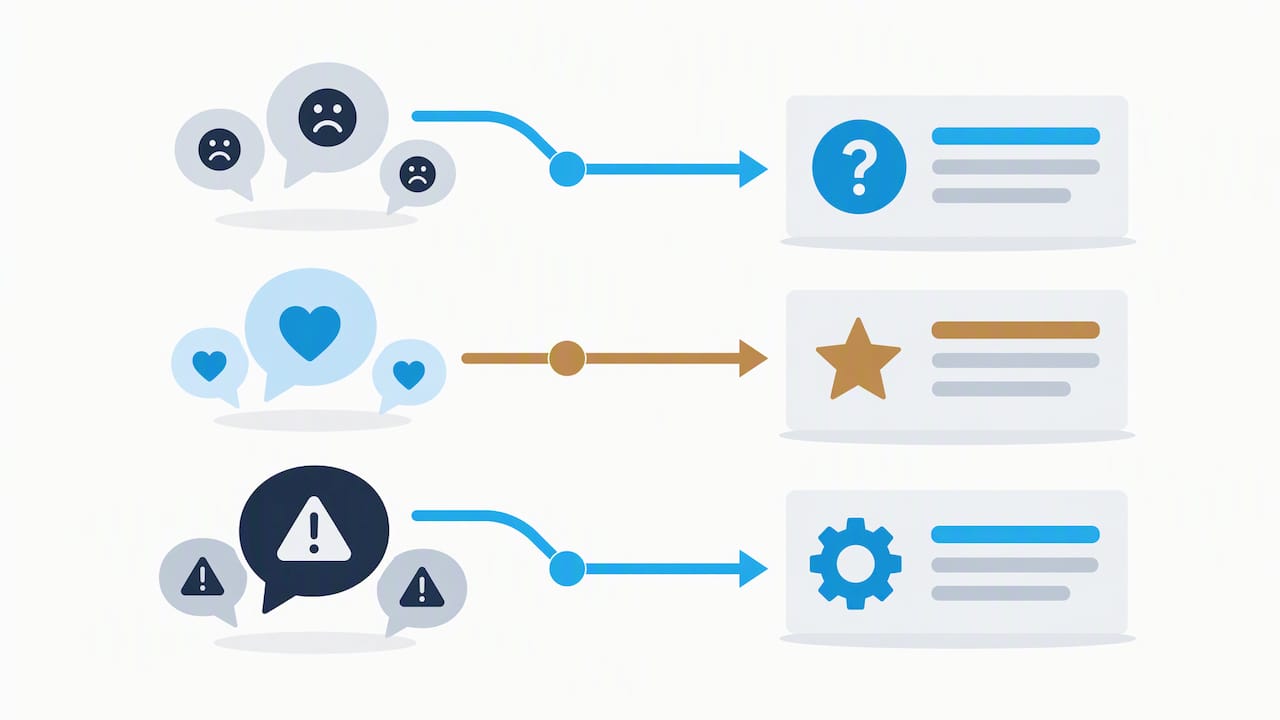
Your own analytics show what happened on your accounts. Social listening shows what people say about you elsewhere: mentions without a tag, comparisons, complaints, and praise in places you do not control.
Add a short listening pass to the audit:
- Search your brand name and variants: include misspellings, product names, and your handle without the @ symbol.
- Sort mentions by sentiment: positive, neutral, and negative, using a simple tally rather than a complex score.
- Note recurring themes: repeated complaints about shipping, pricing, or support point to real problems, not noise.
- Track volume against your KPIs: a spike in mentions after a campaign shows reach beyond your own followers.
- Spot unanswered mentions: a customer who tagged you and got no reply is a lost opportunity.
Record the counts in your sheet for the same timeframe as your other metrics. Most platforms offer native search for mentions, and dedicated listening tools can widen the net, but a manual check of your most important channels is enough for a first pass.
Turn the findings into actions. A theme of complaints becomes a “start” item, such as publishing an FAQ post. A wave of positive mentions becomes a “continue” item and a source of testimonial content. If a negative pattern looks serious, our crisis management playbook outlines how to respond before it spreads.
14. How do you evaluate paid social campaigns and ROI?
If you run ads, the audit must cover them. Paid and organic results belong in the same review, because they influence each other.
Collect these figures for each paid campaign in the audit window:
- Spend: the total budget used.
- Reach and impressions: how many people saw the ads.
- Click-through rate: clicks divided by impressions.
- Cost per click and cost per result: what each visit or lead cost.
- Conversions: purchases, sign-ups, or calls attributed to the campaign.
- Return on ad spend: revenue from the campaign divided by its cost.
For example, divide campaign revenue by campaign cost to calculate return on ad spend. Compare that with your profit margin, not just the headline ratio, since a 3-to-1 return can still lose money on thin margins.
Tie every ad to a tagged link so conversions map back to the right campaign, using the same UTM naming rules from Step 3. Then ask three questions: Which audiences and creatives earned the lowest cost per result? Which ads fatigued, with falling click-through over time? Which paid posts also performed well organically, suggesting they deserve a larger push?
Log the winners as “continue” items and pause the weakest as “stop” items. Check the raw numbers in the ad platform against your analytics, because attribution windows differ and can make results look better or worse than they are.
15. Are you meeting platform policies and advertising standards?
Platform rules change often, and a violation can mean rejected ads, reduced reach, or a suspended account. Treat compliance as a recurring audit item, not a one-time read.
Review these areas:
- Community guidelines: confirm your content, comments, and links fit each platform’s current rules.
- Advertising policies: check ad copy, images, and landing pages against restrictions for your industry, including claims about health, finance, or results.
- Disclosure of paid content: every sponsored or gifted post needs a clear, conspicuous disclosure, as covered in the security section.
- Branded content tools: where a platform offers a paid-partnership label, use it, but do not rely on it alone.
- Music, images, and video rights: confirm you have permission to use third-party material.
- Contest and promotion rules: giveaways often carry their own platform and legal requirements.
The FTC’s guidance on consumer reviews and testimonials explains that endorsements and testimonials need clear disclosures and warns against fake or misleading signs of influence, so check that you are not presenting purchased or fabricated engagement as real. The FTC also maintains a central page on endorsements, influencers, and reviews that is worth bookmarking.
Add a policy-check row to each platform tab: date reviewed, issues found, and fix owner. Any violation or near miss goes on the action list with a deadline. For legal questions specific to your industry, consult a qualified professional rather than relying on a checklist alone.
16. How do you review influencer partnerships and user-generated content?
Third-party content can outperform your own posts, and it can carry risk you did not create. Audit both.
Influencer partnerships
For each creator you work with, record:
- Deliverables promised and delivered: posts, stories, or videos against the agreement.
- Reach and engagement: their post performance against your KPIs.
- Clicks and conversions: traffic and sales from tagged links or codes.
- Audience fit: whether their followers match your target customer.
- Disclosure compliance: a visible, clear disclosure on every sponsored post, following the FTC’s influencer guidance.
Calculate cost per result for each partner and compare. A smaller creator with a loyal audience may deliver more conversions than a larger name with passive followers.
User-generated content
User-generated content includes customer photos, reviews, and tagged posts. Check:
- Volume and sentiment: how much there is and whether it is positive.
- Permission: you need approval before reposting a customer’s content.
- Performance: whether reposted content earns more engagement than your own creative.
- Quality control: anything off-brand or inaccurate that you should not amplify.
Log creators who deliver should continue, and note the content themes your customers naturally produce. Those themes often make strong prompts for your own posts.
17. How responsive is your social customer service?
For many customers, a social message is the first support request. Slow or careless replies damage trust faster than a weak post.
Measure these over your audit window:
- First response time: the average gap between a message and your first reply.
- Resolution time: how long a problem takes to close.
- Response rate: the share of comments and messages that received an answer.
- Tone and accuracy: whether replies are polite, on-brand, and correct.
- Handoffs: how often an issue moves off social to email or phone, and whether it gets lost.
Sample recent customer messages across your channels and score each on speed and quality. A simple rating such as good, acceptable, or poor can reveal a pattern. Also check your stated response hours, your auto-replies, and your saved responses, since outdated templates are a common source of errors.
Turn the results into actions. If response time is slow after hours, consider an auto-reply that sets expectations, or an AI chat assistant for common questions. We build those for businesses, and you can see the options on our AI chat bots page. If tone varies between team members, write short guidelines and approved example replies, then retrain. Re-measure at the next audit to confirm the numbers moved.
18. How do you spot emerging trends and opportunities?
A strong audit looks forward as well as back. As The Social Media Law Firm frames it, treat audit outputs as input for experiments and content planning, not just a list of fixes.
Add a short trend review:
- Platform shifts: new formats, features, or algorithm changes that favor certain content.
- Industry conversations: topics your customers and peers are discussing now.
- Audience behavior: growing interest in video, community spaces, or messaging.
- Seasonal patterns: peaks in your annual data that you can prepare for early.
- Gaps: topics your audience asks about that no one in your space answers well.
Rank each opportunity by fit with your brand, likely impact, and effort, using the same grid as Step 7. Pick a small number of opportunities to test, with a clear metric and end date. Resist chasing every new trend. Focus on the ones that match your audience data from Step 5 and your strongest formats from Step 4.
When you are ready to turn opportunities into a calendar, our content planning guide shows how to schedule experiments alongside regular posting.
19. Why audits should feed content strategy, not just reports
Most audits fail at the same point: the report gets written, praised, and filed. The value is in what changes afterward.
My view is simple. An audit should convert guesswork into measurable experiments. When you tag top posts, name a hypothesis, and assign someone to test it, the audit becomes the engine of your content strategy rather than a quarterly chore. A report tells you what happened. An experiment tells you what to do next.
Common blind spots include links without consistent tagging, so conversions can vanish into “direct” traffic; admin accounts belonging to former staff; and calls to action that differ across channels. None of these are glamorous, and all of them quietly cost results.
Follow-through is what separates audits that matter from those that do not. Every action needs one owner, one date, and one way to verify it worked. Without that, even excellent findings can fade over time.
In our work with clients, an audit often becomes the roadmap for ongoing content and management work, because a clear action list makes priorities obvious. That is an operational outcome, not the point of the exercise. The point is that your next quarter should be better informed than your last.
20. Let us handle the follow-through
Running the audit is the easy part. Acting on it every week is where most teams run out of time, and that is where we come in. Our social media team can take the stop, start, and continue list from your audit and carry it out: cleaning up profiles, building the content calendar, running tests, and reporting on the KPIs you chose. If your audit also exposed problems on your website, such as a weak landing page for social traffic, we can help address those through website design and SEO services.
You can see everything we offer on our services page, and our social media management service page explains how managed support works. Send us your finished audit sheet, and we will tell you which actions to tackle first.
FAQ
What is included in a social media audit?
A social media audit includes an inventory of every account, a branding and profile check, performance metrics, a review of top content, audience data, benchmarking, and an action plan. It should also cover access and security, plus any required disclosures on paid posts. Asana’s guide describes the core framework as seven steps from inventory to action items.
What questions should you ask in a social media audit?
Ask which accounts you own and who runs them, whether each profile is complete and consistent, and which posts earned the most clicks, saves, and conversions. Ask who your audience is, how you compare with similar businesses, and whether any admins, disclosures, or policies need fixing. End with what you will stop, start, and continue.
How do you run the easiest social media audit?
Start with one spreadsheet: list every account with its owner and last post date, score each profile on a simple three-point scale, and pull four KPIs for the same timeframe on every platform. Note your top three posts per channel, then write five to seven actions with owners and deadlines. Use a free template to skip the setup.
How long should a social media audit take?
A quick triage audit takes a short session and catches urgent fixes. A comprehensive review that covers every step usually takes several hours per quarter, depending on how many accounts you manage. Time grows with the number of platforms and the volume of paid campaigns.
Sources
- Social Media Audit Template: Free Checklist + Guide
- Truthinadvertising
- Disclosures 101 for Social Media Influencers | Federal Trade Commission
- Social media audit template + guide | Zapier
- Bulkorder