

The single biggest redesign mistake is launching without SEO and analytics benchmarks in GA4 and Search Console: record them first, then follow a tested launch checklist. Traffic and conversion loss almost always trace back to deleted high-value pages, broken redirects, or Core Web Vitals regressions that nobody caught before go-live. Fixing this requires planning, not luck.
TL;DR:
- Inventory high-performing pages by organic traffic, referring domains, and conversions; retain them or map merged pages one to one, carrying forward metadata.
- Map every old URL, including query strings and paginated paths, to a server side 301 redirect; test staging and production for chains and soft 404s.
- Keep indexing controls intact: update the XML sitemap and canonical tags, check robots.txt, and remove the staging noindex directive only when production launches.
- Test product, pricing, and lead generation pages on iPhone, Android, and tablet viewports; verify forms, checkout, navigation, and touch targets before launch.
- After launch, track Core Web Vitals using 75th percentile field data; keep LCP at 2.5 seconds or less and set alerts for traffic or indexing drops.
Table of Contents
- The most common website redesign mistakes at a glance
- Mistake 1: failing to set SEO and analytics benchmarks before you redesign
- Mistake 2: deleting or radically changing high-performing content without protection
- Mistake 3: poor redirect planning and broken URL mapping at launch
- Mistake 4: losing XML sitemaps, robots rules, or metadata during migration
- Mistake 5: ignoring mobile and responsive testing before launch
- Mistake 6: degrading page performance and Core Web Vitals during redesign
- Mistake 7: failing to find and fix internal broken links and navigation changes
- Mistake 8: insufficient stakeholder alignment, scope creep, and unclear goals
- Mistake 9: skipping staging QA and user-acceptance testing
- Mistake 10: no post-launch monitoring, rollback plan, or reporting cadence
- Launch day checklist: pre-launch and post-launch verification steps
- How to measure performance regressions after a redesign
- What breaks most often in redesign rescue projects
- Why a redesign partner makes these mistakes avoidable
- FAQ
- Sources
- Useful resources for a safer redesign
The most common website redesign mistakes at a glance
Most redesign failures repeat the same patterns, and spotting them early saves weeks of recovery work. Here is the full list, each tied to the primary consequence it causes:
- No SEO or analytics baseline: you lose the ability to prove what broke.
- Deleting high-performing content: rankings and referral traffic vanish overnight.
- Poor redirect planning: visitors and search engines hit dead ends.
- Lost sitemaps or robots rules: pages stop getting crawled or indexed.
- Skipped mobile testing: usability breaks on the devices most visitors use.
- Core Web Vitals regressions: pages feel slower and rank lower.
- Broken internal links: navigation and crawl paths fall apart.
- Unclear stakeholder goals: scope creep drags out the timeline.
- Skipped staging QA: bugs and indexing errors reach production.
- No post-launch monitoring: problems go unnoticed until revenue drops.
Each mistake gets a dedicated section below with the fixes to apply before, during, and after launch.
Mistake 1: failing to set SEO and analytics benchmarks before you redesign
You cannot prove a redesign caused a traffic drop if you never recorded what “normal” looked like. Before any wireframe gets touched, export a full performance snapshot so you have something concrete to compare against after launch.
- Organic sessions and conversions by landing page, pulled from GA4.
- Current rankings for your priority landing pages, pulled from Google Search Console.
- Core Web Vitals field data at the 75th percentile, since that is the threshold Google’s own guidance treats as the reliable signal of real user experience.
- A full site crawl capturing current URLs, titles, meta descriptions, and status codes.
Label each export with the date and store it somewhere the whole team can reference after launch, not buried in one person’s inbox.
Pro Tip: Save baseline exports in a shared folder named with the pre-launch date so comparisons are never ambiguous later.
Mistake 2: deleting or radically changing high-performing content without protection
Redesigns often treat every old page as clutter, but some of those pages carry years of backlinks, rankings, and conversion history that a fresh template cannot replace. Run a content inventory before anyone decides what stays.
- Pull your top pages by organic traffic, referring domains, and conversion rate, not just page views.
- Flag pages with strong backlink profiles so their link equity does not get lost at launch.
- Decide per page: retain as-is, redirect one-to-one if the content is merged elsewhere, consolidate carefully when multiple pages overlap, or canonicalize when near-duplicates must coexist.
- Log every decision in your URL map, including which metadata (title, meta description, structured data) carries over unchanged.
Treating this inventory as a throwaway spreadsheet instead of a living project document is how teams lose track of which pages were supposed to redirect where.
Mistake 3: poor redirect planning and broken URL mapping at launch
A redesign that changes URL structures without a complete redirect map can put rankings at risk quickly. The fix is a workflow, not a last-minute patch.
- Build a full one-to-one URL map covering every old path, including query string variations and paginated URL series.
- Use server-side 301 redirects rather than client-side JavaScript redirects, and avoid chaining multiple redirects together.
- Test the redirect map in staging with an automated crawl tool before launch, not after.
- Post-launch, crawl the live site again, confirm every redirect returns the correct status code, and check for soft-404s that silently serve a “page not found” experience while returning a 200 status.
A migration guide built for SEOs recommends mapping every URL rather than relying on broad pattern-based rules, since pattern rules often miss edge cases like old campaign URLs or legacy pagination, a lesson confirmed in site migration SEO guidance.
Pro Tip: Run your redirect map through a crawler twice: once in staging, once immediately after the DNS switch.
Mistake 4: losing XML sitemaps, robots rules, or metadata during migration
Technical files that controlled crawling and indexing on your old site do not carry over automatically, and losing them silently breaks discoverability. Confirm each of these survives the migration intact.
- XML sitemaps reflecting the new URL structure, submitted fresh to Search Console after launch.
- A robots.txt file that still allows crawling of the pages you want indexed.
- Meta robots tags, hreflang annotations if you serve multiple languages or regions, and canonical tags pointing to the correct final URLs.
Validate with an automated metadata audit across the full site, then spot-check a sample of pages manually, since automated tools occasionally miss template-level errors. On staging, keep a temporary noindex directive active so search engines never crawl an unfinished site, then remove it deliberately at launch rather than leaving it in place by accident, which is one of the most common and costly technical slip-ups in a redesign.
Mistake 5: ignoring mobile and responsive testing before launch
Most of your traffic likely arrives on a phone, which means a redesign that looks sharp on a designer’s monitor but breaks on mobile has already failed its primary audience. Prioritize testing on the pages that drive revenue.
- Test a device and viewport matrix covering at minimum a recent iPhone, a mid-range Android phone, and a tablet size.
- Verify critical-path interactions: add-to-cart, form submission, navigation menus, and checkout flows.
- Check touch-target sizing so buttons and links are not too small or too close together to tap reliably.
- Confirm responsive images and srcset attributes are serving appropriately sized files rather than oversized desktop assets.
Start with product pages, pricing pages, and lead-generation landing pages, since these carry the highest conversion stakes if something breaks.
Mistake 6: degrading page performance and Core Web Vitals during redesign
New templates, bigger hero images, and added scripts often make a redesigned site feel slower than the one it replaced, and that slowdown shows up directly in rankings and user behavior. Watch three metrics specifically.
- LCP (Largest Contentful Paint): a “good” score sits around 2.5 seconds or less at the 75th percentile, with scores near 4 seconds considered poor.
- INP (Interaction to Next Paint): measures how quickly the page responds to clicks and taps.
- CLS (Cumulative Layout Shift): a “good” score is near 0.1, while 0.25 or higher is considered poor.
75th percentile field data from the Chrome UX Report (CrUX) is the standard measurement window because it reflects what most real visitors experience, rather than a single best-case test run, which is why Core Web Vitals thresholds are defined at that percentile.
Pair CrUX field data with Lighthouse or Chrome DevTools in a lab environment to diagnose the cause. Common fixes include deferring non-critical JavaScript, compressing and properly sizing images, inlining critical CSS, and trimming oversized DOM trees that slow down rendering.
Mistake 7: failing to find and fix internal broken links and navigation changes
Changing your site’s navigation or URL structure without updating internal links leaves visitors and search engine crawlers hitting dead ends throughout the site, not just on the pages you intentionally removed.
- Run a full crawl before launch and another immediately after, capturing every 4xx and 5xx error along with any pages that have no internal links pointing to them.
- Update internal links site-wide wherever URLs changed, keeping the anchor text relevant to the destination page rather than generic phrases like “click here.”
- Add automated link-checking to your staging QA process or CI/CD pipeline if your development workflow supports it, so broken links get caught before they reach production.
Orphaned pages are especially easy to miss because they do not throw an error. They simply stop appearing in search results over time as crawlers deprioritize pages nothing links to internally.
Mistake 8: insufficient stakeholder alignment, scope creep, and unclear goals
A redesign without agreed-upon goals turns into an endless cycle of subjective feedback and shifting requirements, and that is often what pushes timelines and budgets past their limits.
- Define measurable KPIs before design work starts: conversion rate targets, page load benchmarks, or specific ranking positions to maintain.
- Assign one decision owner per workstream so competing opinions do not stall progress, and schedule sign-off gates at each major milestone.
- Document scope in writing, including a change-order process for anything added after approval, and budget time for the content and QA work a redesign always requires.
When feedback arrives, separate subjective preferences (“I don’t like this color”) from data-driven requests (“this page’s bounce rate increased”), and weight decisions toward the latter. A redesign handbook on common pitfalls notes that ego-based decisions and underbudgeting are among the most frequent causes of projects running over time and budget.
Pro Tip: Put KPI targets in writing before the first design mockup, so every later debate has a shared reference point.
Mistake 9: skipping staging QA and user-acceptance testing
Pushing a redesign straight from development to production without a dedicated staging and QA phase is how functional bugs and accidental search engine indexing both slip through unnoticed.
- Set password authentication and a noindex meta tag on the staging environment so it cannot be crawled or indexed by mistake.
- Verify the staging robots.txt blocks crawling entirely, separate from the meta robots tag, since both need to be correct.
- Run functional tests covering forms, checkout, navigation, and any interactive elements added in the redesign.
- Run accessibility checks against common standards, confirming keyboard navigation, alt text, and color contrast meet expectations.
- Run SEO smoke tests: title tags, meta descriptions, canonical tags, and structured data all rendering correctly.
- Record every test result and require formal sign-off from the designated owner before the production push.
Skipping any one of these steps individually rarely causes a disaster, but skipping several at once is how staging-only bugs end up live for customers to find first.
Mistake 10: no post-launch monitoring, rollback plan, or reporting cadence
A redesign is not finished at launch. Regressions can surface after going live, and without a monitoring plan they may go unnoticed until revenue has already dropped.
- Track organic sessions, landing-page rankings, index coverage in Search Console, and CrUX field signals regularly after launch.
- Set automated alert thresholds in GA4 and Search Console so a large traffic or indexing drop triggers a notification rather than waiting for someone to check a dashboard.
- Define a rollback plan in advance: what triggers it, who has the authority to call it, and how quickly the previous version can be restored.
Treating week one as “launch is done” instead of “monitoring has started” is how a fixable redirect error turns into weeks of lost rankings before anyone notices the pattern.
Launch day checklist: pre-launch and post-launch verification steps
A launch day checklist turns a stressful switch-over into a repeatable, ownable process. Assign a specific person to each item and log the result immediately.
- Export final analytics, rankings, and a full crawl report one last time before the switch, so your baseline reflects the site exactly as it existed pre-launch.
- Confirm your backlink profile is documented, since you will want to verify those referring pages still resolve correctly after launch.
- Verify DNS records and CDN configuration are correct and propagated, including SSL certificate validity on the new environment.
- Remove the staging noindex directive and confirm the production robots.txt allows crawling of the pages meant to be indexed.
- Submit the updated XML sitemap to Google Search Console immediately after the switch.
- Run a full site crawl against the live domain and confirm redirect rules are firing with correct status codes, not soft-404s.
- Spot-check the highest-traffic pages manually: load time, mobile rendering, forms, and checkout flows.
- Confirm analytics and conversion tracking are firing correctly on the new site before considering the launch complete.
- Assign an owner to each checklist item and log pass or fail results in a shared document, since this log becomes the evidence trail if a rollback decision needs to be made quickly.
Treat the hours immediately after launch as an active monitoring window, not a finish line. The teams that catch problems fastest are the ones who planned exactly what to check and who would check it, before the switch ever happened.
How to measure performance regressions after a redesign
Diagnosing whether a redesign actually slowed your site down requires separating two different kinds of data, and conflating them leads to false conclusions either way.
- Field data (from CrUX) reflects what real visitors on real devices and connections actually experienced, and it is the data Google’s own threshold definitions are built around.
- Lab data (from Lighthouse or Chrome DevTools) runs a controlled test on a single configuration, useful for diagnosing why a page is slow but not for proving how most visitors experience it.
Core Web Vitals require field measurement to capture real-world variation in user experience, since lab tests alone cannot reflect the range of devices and network conditions actual visitors use. Use lab tools to find the cause of a regression, then confirm the fix worked by watching the field data shift over the following weeks.
For interaction delays specifically, collect field data first to confirm INP is actually a problem, then use lab testing to walk through common user flows and interactions during page load, since that is typically where slow interactions hide. Set alert thresholds against the 75th percentile field figure, not a single lab score, so alerts reflect real user impact.
What breaks most often in redesign rescue projects
The redesigns that end up needing rescue work almost always share one root cause: nobody owned the handoff between marketing, design, and development. A design team ships a beautiful template, a developer builds it to spec, and nobody checks whether the URL structure or metadata survived the transition until rankings have already dropped.
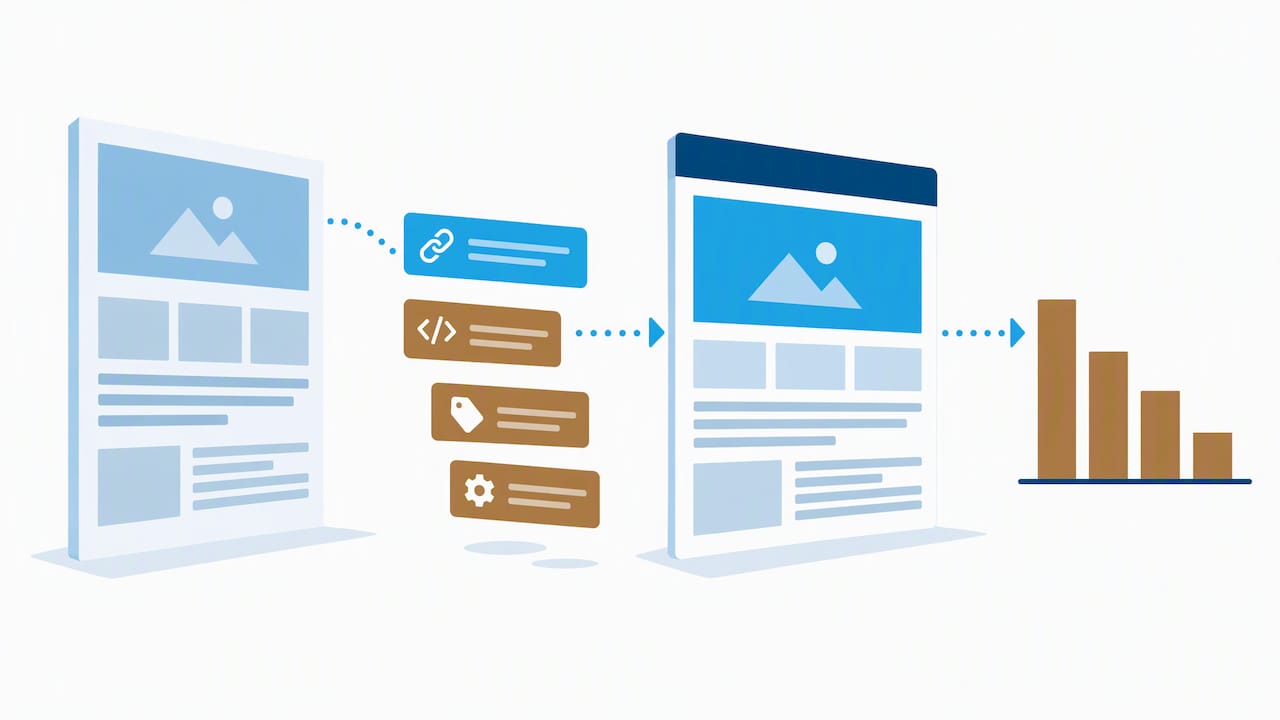
The fastest fixes are rarely complicated. A missing redirect map, a leftover staging noindex tag, or an unoptimized hero image are usually diagnosed within a day once someone sits down with the baseline data and a crawl report. The harder problems are the ones with no baseline to compare against, where the only evidence of what changed is a vague sense that “traffic feels lower.”
Before asking anyone for help diagnosing a post-launch drop, gather your pre- and post-launch crawl reports, your GA4 export, and your Search Console coverage report. That evidence turns a guessing exercise into a short, solvable project.
— Donovan Wells – Founder and CEO
Why a redesign partner makes these mistakes avoidable
We build redesigns around benchmarks, QA, and monitoring. Our Website Design & Redesign work is tailored to your redesign needs.

We also maintain a website redesign checklist for SEO preservation that walks through the same benchmarking and launch steps in more detail, useful whether you work with our team or run the project in-house. If you want a team that treats baseline data and launch-day verification as non-negotiable parts of the job, reach out through our services page to talk through your redesign timeline.
FAQ
What is a common mistake web designers make when designing their site?
One of the most common mistakes is redesigning around visual preference without checking what the existing site’s data shows is already working, which often means high-performing pages get deleted or restructured without protection. Pairing design decisions with an SEO and analytics audit before wireframing starts catches this early.
What is the 3 second rule in website design?
The idea reflects how quickly visitors judge whether a page is worth staying on, and slow load times push people to leave before content even renders. Core Web Vitals formalizes this concern through the LCP metric, where a “good” score sits at or below 2.5 seconds at the 75th percentile.
What makes a poorly designed website?
A poorly designed website typically combines slow load times, broken or confusing navigation, and a layout that does not work properly on mobile devices, since most visitors browse on phones. Sites that fail Core Web Vitals thresholds for loading speed, interactivity, or visual stability tend to frustrate visitors and rank lower in search results.
How long should post-launch monitoring continue after a redesign?
How long monitoring should continue varies, but it should allow time to spot recrawling, reindexing, and ranking changes after launch. Regular checks after launch can catch urgent issues, like broken redirects or indexing errors, before they compound.
Sources
Useful resources for a safer redesign
For deeper technical guidance, see web.dev’s Core Web Vitals threshold research, our own Core Web Vitals guide for developers and SEO pros, and our phase-by-phase SEO checklist for redesign projects.