

TL;DR:
- DIY website builders like Wix and Squarespace often lead to vendor lock-in, limited customization, and security gaps.
- As businesses grow, these platforms hinder scalability, reduce SEO performance, and can result in higher long-term costs.
DIY website builders are drag-and-drop platforms that let businesses create websites without writing code, but the role of DIY website builders risks goes far beyond a learning curve. Platforms like Wix, Squarespace, and Weebly trade long-term control for short-term convenience. The real costs show up later: vendor lock-in, performance ceilings, security gaps, and a website you technically rent rather than own. For any business evaluating its web presence, understanding these risks before committing to a platform is the difference between a site that grows with you and one that holds you back.
What are the main risks of DIY website builders for businesses?
Platform lock-in is the most underestimated risk in DIY website building. Wix does not allow exporting site files, and Squarespace allows only partial data export with no way to transfer your design or structure. That means if you outgrow the platform or want to switch providers, you are not migrating. You are rebuilding from scratch.
Template rigidity compounds the problem. Most DIY platforms offer hundreds of templates, but deep customization stops at the surface level. You can change colors and fonts, but you cannot restructure the underlying layout, add custom functionality, or modify how the platform renders your pages. Businesses with specific branding requirements or complex user flows hit this wall fast.
Security on DIY platforms carries a risk most business owners overlook. The platform manages core security, but shared hosting environments mean your site shares server space with thousands of other sites. A vulnerability in a neighboring site can expose your attack surface. Users are also responsible for their own settings, including two-factor authentication, which many skip entirely.
SEO limitations are baked into the architecture. DIY builders restrict structured data, meta tag control, and URL customization, with URL slugs often auto-generated and tied to platform subdomains. Search engines reward technical precision, and these platforms make that precision difficult to achieve.
- Platform lock-in: Wix and Squarespace use closed CMS architectures. Leaving means rebuilding, not migrating.
- Template limits: Surface-level design control blocks custom layouts and advanced functionality.
- Shared hosting security: Your site’s safety is partially tied to the security practices of other sites on the same server.
- SEO restrictions: Structured data is minimal or template-based, limiting search visibility.
- Hidden costs: Subscription fees accumulate indefinitely, and premium add-ons raise the real monthly cost well above advertised prices.
Pro Tip: Before signing up for any DIY platform, search for its data export policy. If you cannot download your full site files, you are leasing your online presence, not owning it.
How do scalability and technical limits affect growing businesses?
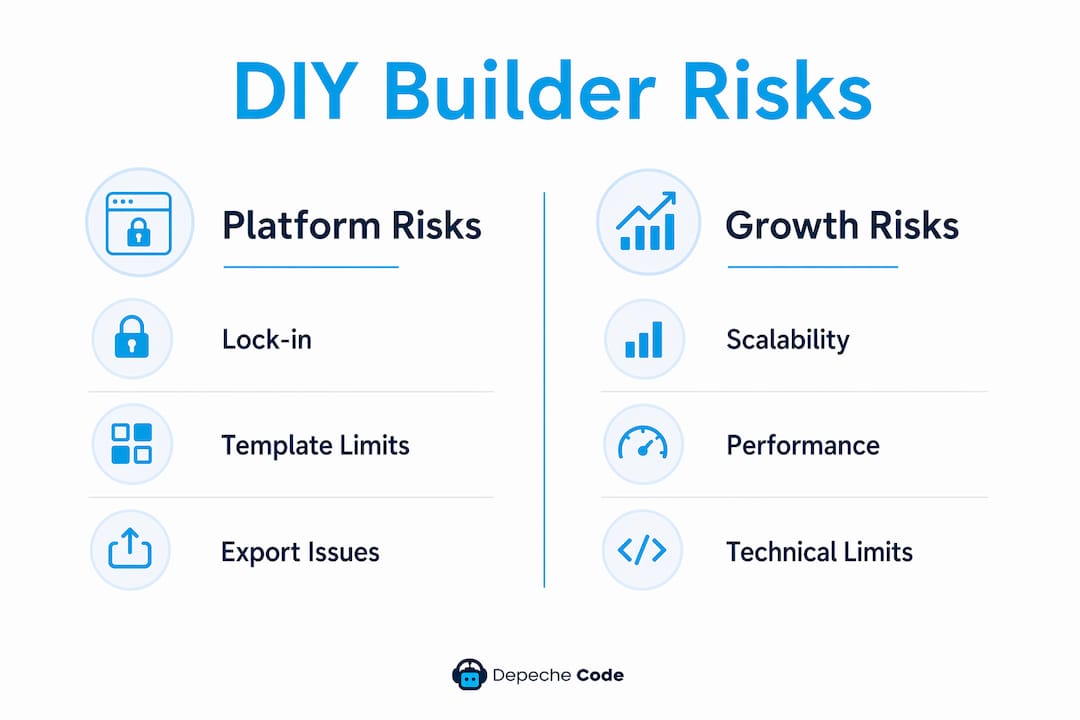
DIY builders are built for quick setup, not for growth. The platforms prioritize platform-wide stability over individual site speed, which creates a hard performance ceiling no individual user can break through. As your traffic grows, your site cannot be tuned to handle it the way a custom-built site can.

The technical constraints stack up quickly for businesses that need real integrations. CRMs like Salesforce, marketing automation tools, and custom payment gateways often require API access that DIY platforms lock behind enterprise-tier pricing. Businesses end up paying for expensive middleware or settling for workarounds that create data silos.
Core Web Vitals are the metric Google uses to measure page experience, covering load speed, interactivity, and visual stability. DIY platforms inject bloated code and heavyweight scaffolding into every page. That extra code directly hurts Core Web Vitals scores, which in turn affects where your site ranks in search results. A professionally built site can be optimized at the code level. A DIY site cannot.
Here is what that progression looks like for a growing business:
- Launch phase: The DIY builder works fine. Traffic is low, integrations are simple, and the template fits your needs.
- Growth phase: Traffic increases, and page load times slow. You need a CRM integration, but the platform’s native options do not connect to your tools.
- Scaling phase: You want to add a custom feature or a second language. The platform cannot support it without a costly workaround or a full rebuild.
- Breaking point: You realize migrating off the platform means starting over, and the cost of delay has compounded for months or years.
“DIY builders are optimized for quick setup but not for scalability or technical control, which restricts growing businesses.” — DIY Website Builders: 7 Critical Limitations in 2025
Shared hosting also creates a performance bottleneck that grows more painful as your site scales. You share server resources with other sites, and you have no control over how those resources are allocated. A traffic spike on a neighboring site can slow yours down.
DIY website builders vs. professional web development: which is right for your business?
The core difference between DIY builders and professional development is ownership. Custom professional websites give you full access to clean code, complete ownership of your files, and infrastructure you can scale without asking a platform’s permission. DIY builders give you a rented space with rules you did not write.
Cost comparisons are more nuanced than they appear. A DIY builder looks cheaper upfront, but subscription fees never stop. Premium plans, add-ons, and the eventual cost of rebuilding when you outgrow the platform add up. Professional development has a higher initial investment, but you own the asset outright.
Pro Tip: Calculate your DIY platform’s total cost over three years, including premium plan fees, add-ons, and any migration costs. Then compare that number to a one-time professional development quote. The gap is often smaller than you expect.
| Feature | DIY website builders | Professional development |
|---|---|---|
| Ownership | Platform owns the infrastructure | You own the code and files |
| Customization | Template-based, surface-level | Fully custom design and functionality |
| SEO control | Limited meta tags, auto-generated URLs | Full technical SEO access |
| Scalability | Hard performance ceilings | Scales with your business needs |
| Security | Shared hosting, platform-managed | Dedicated hosting, custom security |
| Migration | Rebuild required | Portable, no lock-in |
| Long-term cost | Ongoing subscription plus add-ons | One-time build, lower ongoing costs |
| Ideal for | Solopreneurs, early-stage testing | Growing businesses, complex needs |
The custom website design advantage becomes clearest when a business needs to rank competitively in search, integrate complex tools, or present a brand identity that stands apart from thousands of sites using the same templates. DIY platforms work for simple use cases. They break down when the stakes are higher.
How can businesses assess DIY builder risks before committing?
The right starting point is an honest audit of your business goals against what a DIY platform can actually deliver. Not what the platform’s marketing page says it can deliver. What it can deliver given its architectural constraints.
Ask these questions before choosing any platform:
- Does your business need custom integrations with tools like Salesforce, HubSpot, or a proprietary payment system?
- Will you need to rank competitively in organic search within the next 12 months?
- Do you expect significant traffic growth that will require performance optimization?
- Does your brand require a design that goes beyond what a template can support?
- What is your exit plan if you need to switch platforms in two years?
If you answered yes to two or more of those questions, a DIY builder is likely the wrong tool. The quality of your web investment directly affects your ability to compete online. Cutting costs at the foundation creates larger costs later.
For businesses that are genuinely early-stage or testing a concept, a DIY builder can serve a short-term purpose. The risk comes from treating a temporary solution as a permanent one. Build with the understanding that you will migrate to a professional solution as soon as your business requires it, and plan for that cost from the start.
Hybrid approaches exist too. Some businesses use a professionally developed core site with specific landing pages or microsites built on simpler platforms. That approach preserves ownership of the primary asset while allowing flexibility for campaigns or experiments.
Key Takeaways
DIY website builders carry structural risks that compound over time, making professional development the stronger choice for any business planning to grow.
| Point | Details |
|---|---|
| Platform lock-in is real | Wix and Squarespace use closed architectures; leaving means rebuilding your entire site. |
| Performance has a ceiling | Bloated platform code hurts Core Web Vitals and SEO rankings in ways you cannot fix. |
| Security is shared | Shared hosting ties your site’s exposure to the security practices of neighboring sites. |
| True cost is higher than advertised | Subscription fees, add-ons, and eventual migration costs exceed the initial price. |
| Professional development pays off | Custom sites offer full ownership, clean code, and scalability that DIY platforms cannot match. |
The trap most founders walk into willingly
I have worked with enough business owners to recognize the pattern. They launch on Wix or Squarespace because it is fast and affordable, and for the first six months, it works. Then growth kicks in, and the platform starts showing its limits. They want a custom feature. They need better SEO control. They want to connect their CRM. And suddenly they realize they are not just constrained. They are stuck.
The part that frustrates me most is that the rental nature of DIY platforms is not hidden. It is right there in the terms of service. But founders underestimate it because the short-term convenience feels like a win. By the time the lock-in becomes painful, they have invested years of content, SEO equity, and brand identity into a platform they do not own.
That said, I am not against DIY builders in every context. If you are validating a business idea with a tight budget and a six-month timeline, a DIY platform is a reasonable tool. The mistake is staying on it past that point. The moment your business depends on its website to generate revenue, compete in search, or integrate with your operations, you need to own your digital infrastructure. Renting it is a liability, not a strategy.
— Donovan
Depechecode builds websites your business actually owns
Businesses that have outgrown DIY platforms or want to avoid the lock-in trap from the start need a different approach. Depechecode, a full-service digital agency based in Orlando, builds custom websites with clean code, full client ownership, and architecture designed to scale.

Every site Depechecode delivers is built without platform dependency, meaning you own your files, your design, and your SEO foundation from day one. There are no subscription traps, no template ceilings, and no forced rebuilds when your business grows. Whether you need a new site or a migration away from a restrictive platform, Depechecode delivers professional solutions built around your goals. See the free website development option to get started without a large upfront commitment.
FAQ
What is platform lock-in on DIY website builders?
Platform lock-in means your site’s content, design, and structure are tied to one provider’s proprietary system. Wix does not allow exporting site files, so leaving the platform requires rebuilding your entire site from scratch.
Are DIY website builders safe for business use?
DIY platforms manage core security, but shared hosting environments expose your site to risks from neighboring sites on the same server. Users are also responsible for their own security settings, which creates gaps when those settings are ignored.
How do DIY builders hurt SEO performance?
DIY platforms restrict access to structured data, custom meta tags, and clean URL structures. They also inject bloated code that lowers Core Web Vitals scores, which directly affects search engine rankings.
When does a business need professional web development instead of a DIY builder?
A business needs professional development when it requires custom integrations, competitive SEO performance, significant traffic capacity, or a design that goes beyond what templates can support.
What is the real long-term cost of a DIY website builder?
Subscription fees accumulate indefinitely, and premium add-ons raise monthly costs above advertised rates. When a business eventually outgrows the platform, migration requires a full rebuild, adding significant unplanned expense.