

A WordPress maintenance plan is a recurring service agreement that keeps your site updated, backed up, secured, and monitored on a regular schedule. Think of it as a safety net that runs continuously rather than a one-time launch task. Before you shop for one, check two things immediately: whether the provider tests backup restores (not just creates backups), and whether they publish a documented response-time SLA.
Quick verdict by site type:
- Basic plan ($50–$100/month): Suits low-traffic brochure sites with minimal revenue risk
- Standard plan ($100–$300/month): Fits growing SMBs, service businesses, and lead-generation sites
- Premium plan ($300–$2,000+/month): Required for eCommerce, high-traffic, or revenue-critical sites
According to WordPress, a well-structured care plan covers updates, off-site backups, security scanning, uptime monitoring, and technical support — all tied to a documented maintenance calendar.
Key Takeaways
A WordPress maintenance plan is only as good as its restore testing, its documented SLA, and the clarity of what is and is not included in the monthly fee.
| Point | Details |
|---|---|
| Test restores, not just backups | Confirm your provider runs restore tests on staging monthly or quarterly, not just creates backups. |
| Match the tier to your revenue risk | Basic plans suit brochure sites; standard fits SMB lead-gen; premium is required for eCommerce. |
| Price bands for U.S. SMBs | Basic runs $50–$100/month, standard $100–$300/month, premium $300–$2,000+/month. |
| Hosting does not replace a care plan | Managed hosting covers infrastructure; a maintenance plan adds human testing, restore verification, and SLA-driven support. |
| Depechecode for SMB maintenance | Depechecode offers staged-update, restore-verified WordPress maintenance plans scoped to U.S. small and medium businesses. |
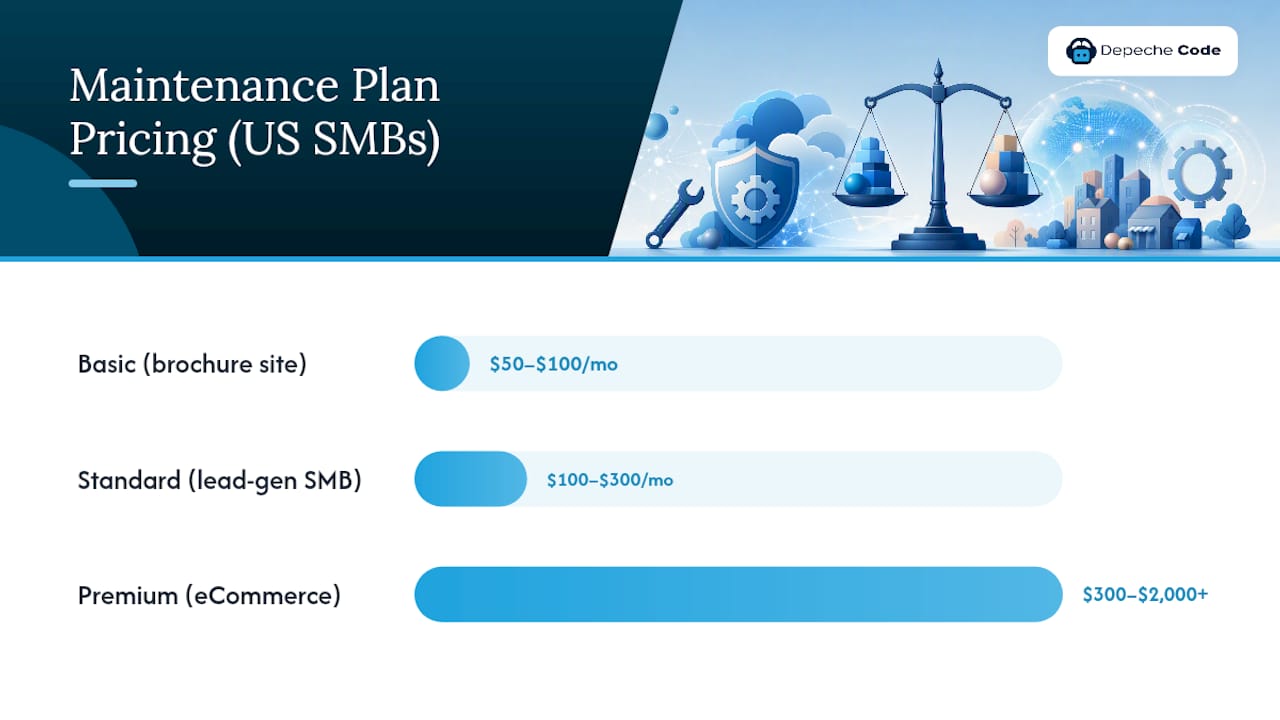
Table of Contents
- What a WordPress maintenance plan actually includes
- Realistic U.S. pricing and what drives the cost
- Which plan tier fits your site?
- How to evaluate and choose a maintenance provider
- Your practical maintenance cadence and checklist
- What maintenance plans typically do not cover
- How managed hosting differs from a maintenance plan
- Sample plan templates with suggested U.S. pricing
- DIY vs. hiring a provider: a simple decision guide
- An agency perspective on building maintenance plans that hold up
- Depechecode handles your WordPress maintenance so you don’t have to
- Sources
- FAQ
What a WordPress maintenance plan actually includes
Most providers use the phrase “full coverage” loosely. Here is what genuine coverage looks like, service by service.
Core updates. A solid plan updates WordPress core, themes, and active plugins on a defined schedule. The critical distinction is where those updates happen first. Reputable providers push updates to a staging environment, verify nothing breaks, then promote to production. Providers who update directly on live sites are cutting corners.
Backups. Frequency matters less than location and testability. Daily backups stored off-site (not just on the same server) are the standard for any business site. WordPress.com’s guidance on maintenance plans specifically recommends verifying restore procedures, because a backup you have never tested is a backup you cannot trust.
Security. There is a meaningful gap between scanning for malware and cleaning it. Basic plans typically include scheduled scans and alerts. Mid-tier and premium plans add malware removal, a web application firewall (WAF), and login-protection rules. Confirm which one you are getting before you sign.
Uptime and performance monitoring. Uptime monitoring pings your site at regular intervals and alerts someone when it goes down. Performance monitoring tracks load times and flags regressions. Both are table stakes for any site that generates leads or revenue.
Support. Response time and channel matter. Email-only support with a 72-hour response window is not the same as a ticketing system with a 4-hour SLA. Premium plans often include a dedicated Slack channel or phone escalation for critical issues.
Common extras worth asking about: SSL certificate management (tools like Let’s Encrypt handle automated renewal, but someone needs to own it), WooCommerce-specific testing, content edits, monthly reporting, and performance optimization using tools like WebPageTest.
Realistic U.S. pricing and what drives the cost
DreamHost’s breakdown of WordPress maintenance costs puts basic plans near $50–$100/month, standard SMB plans at $100–$300/month, and premium or enterprise services at $300–$2,000+/month. Network Solutions’ website maintenance cost analysis places small business sites in the $30–$200/month band when you factor in domain, hosting, SSL, and plan services together.
| Plan Tier | Typical Monthly Price | What’s Usually Included |
|---|---|---|
| Basic | moderate monthly price | Monthly updates, weekly backups, uptime monitoring, email support |
| Standard | moderate to higher monthly price | Weekly updates, daily backups, security scans, staging, timeliness SLA |
| Premium | higher monthly price and above | Daily updates, frequent backups, advanced security, tight SLA, dedicated support |
| Enterprise | custom pricing | Custom SLA, dedicated engineer, specialized testing, performance audits |
What pushes a plan from basic to premium:
- eCommerce functionality. WooCommerce sites need transaction testing after every update. That takes time, and providers price it accordingly.
- Custom code. A site with bespoke plugins or theme modifications requires manual update review. Automated update tools like UpdraftPlus handle standard plugins well, but custom code needs human eyes.
- Plugin count. More plugins mean more update cycles, more compatibility checks, and more surface area for conflicts.
- Traffic volume. High-traffic sites need performance monitoring that goes beyond basic uptime pings.
- SLA and response time. A 4-hour response guarantee costs more to staff than a 48-hour one.
Hidden costs to watch for: per-incident development fees (common when a plugin update breaks something), plugin license charges passed through at markup, and “unlimited support” plans that classify most real work as billable development.
Which plan tier fits your site?
Matching your site’s revenue risk to the right tier saves money and prevents gaps in coverage.
- Personal blog or portfolio: Basic plan. Monthly updates and weekly backups are sufficient. Downtime is inconvenient but not costly.
- Small business brochure site (5–15 pages, no transactions): Basic to standard. Daily backups become worthwhile if the site drives phone calls or form submissions.
- SMB service site with active lead generation: Standard plan. You need staging-tested updates, daily backups, security scanning, and a sub-48-hour response SLA. A hacked contact form or broken booking widget has a direct revenue cost.
- eCommerce (WooCommerce or similar): Premium plan, no exceptions. Daily backups, transaction testing after every update, malware removal (not just scanning), and a response SLA under 8 hours. A checkout that breaks on a Friday night needs a fix before Monday morning.
- High-traffic or multi-site enterprise: Premium to enterprise. Dedicated engineer, custom SLA, and performance audits built into the cadence.
For in-house teams: a standard plan from an outside provider often makes more sense than assigning maintenance to a developer whose time costs more per hour than the plan itself. The Depechecode guide to keeping your site running smoothly covers the operational steps in detail if you want to build an internal checklist first.
How to evaluate and choose a maintenance provider
The right questions separate real coverage from marketing language.
Ask every provider these before you sign:
- How often do you test backup restores, and can you show me a restore log?
- What is your documented SLA for critical issues versus non-critical ones?
- Do updates go through a staging environment before hitting the live site?
- Who approves major core updates, and how are conflicts handled?
- What monitoring tools do you use for uptime and performance?
- What happens if a plugin update breaks something — is the fix included or billed separately?
Evaluation criteria that actually matter:
- Transparency: monthly reports with specifics (what was updated, what was flagged, what was fixed)
- Documented SLA: a written response-time commitment, not a verbal assurance
- Testable restore procedure: ask for proof, not a promise
- Escalation path: who do you call when the site is down at 2 AM?
Red flags:
- “We back up your site” with no mention of where backups are stored or whether restores are tested
- “Unlimited support” in the headline, fine print that charges for most actual work
- No uptime monitoring at all
- Updates pushed directly to the live site without staging
Pro Tip: Don’t just ask “do you back up?” Ask whether restores are tested and how often. Many outages result from backups that cannot be restored cleanly — a backup that has never been tested is not a backup, it is a guess.
When comparing packages priced differently, map each provider’s scope to the same five categories: updates (staging or live?), backups (frequency, location, restore testing), security (scan only or remediation?), monitoring (uptime only or performance too?), and support (SLA, channel, included hours). That apples-to-apples grid cuts through packaging noise fast.
Your practical maintenance cadence and checklist
WordPress calendaring housekeeping tasks and performing many checks every three to six months, with more frequent items split by operational cadence. Here is how that maps to a real schedule.
| Frequency | Task |
|---|---|
| Daily | Automated off-site backup, uptime monitoring check, security alert review |
| Weekly | Review backup logs, check for plugin/theme update notices, scan error logs |
| Monthly | Apply plugin, theme, and core updates (on staging first), run performance test, verify SSL certificate status, review uptime reports |
| Quarterly | Full site audit (broken links, redirect chains), accessibility check, security posture review, restore test from backup, content review |
A few items worth calling out:
- Restore testing belongs on the monthly or quarterly calendar, not just “when something goes wrong.” Run a restore to a staging environment and confirm the site functions end-to-end.
- SSL management is easy to forget until a certificate expires and browsers flag your site as insecure. Automated renewal via Let’s Encrypt is standard, but someone needs to own the alert.
- Performance benchmarking with a tool like WebPageTest gives you a baseline. Without one, you will not notice a gradual slowdown until it starts affecting conversions.
- Documentation. Log every maintenance action with a date and outcome. A simple spreadsheet works. When something breaks, that log is the first place you look.
What maintenance plans typically do not cover
A care plan is not a development retainer. Knowing the boundary prevents expensive surprises.
Standard exclusions in most plans:
- New feature development (adding a booking system, a members area, a custom API integration)
- Design changes (layout updates, new page templates, brand refreshes)
- Major platform migrations (moving from one host to another, switching page builders)
- Large content projects (writing, uploading, or restructuring dozens of pages)
- Third-party API integrations that require custom code
When to negotiate add-on hours: if your site needs occasional small fixes that fall outside the maintenance scope, ask for a block of prepaid development hours at a fixed rate. This is cleaner than paying per-incident fees, which tend to be priced at a premium.
Spotting scope creep: if a provider starts billing for tasks that sound like maintenance (fixing a plugin conflict after an update, for example), push back. A well-written plan should specify what is included in the monthly fee and what triggers an additional charge. Get that in writing before you sign, and ask for written cost estimates before any out-of-scope work begins.
How managed hosting differs from a maintenance plan
The distinction matters because confusing the two leads to coverage gaps.

Managed WordPress hosting handles infrastructure: server software, platform-level caching, server-side security patches, and often automated platform backups. Providers like WP Engine or Kinsta operate at this layer. What they do not provide is human oversight of your site’s specific plugins, themes, and custom code.
A maintenance care plan adds the human layer: someone who tests updates against your specific configuration, verifies that your backups actually restore, responds to incidents with business-context awareness, and reports back to you. As Liquid Web explains, managed hosting and care plans overlap on backups and some automated updates, but a care plan adds restore verification, human testing, and SLA-driven support that hosting alone does not provide.
When hosting alone is enough: a simple static site with no custom plugins, no transactions, and low traffic risk can often rely on managed hosting’s built-in protections. Add a maintenance plan when updates make you nervous, when downtime has a direct revenue cost, or when you need a guaranteed response time from a human. For a deeper look at how hosting and maintenance interact, the Depechecode WordPress hosting and maintenance services page covers the overlap in practical terms.
Sample plan templates with suggested U.S. pricing
These three templates reflect how a U.S. agency structures plans for SMB clients. Adjust pricing upward for WooCommerce, custom code, or high-traffic demands.
Basic Plan — ~$75/month
- Monthly WordPress core, theme, and plugin updates (live site, no staging)
- Weekly automated off-site backups
- Uptime monitoring with email alerts
- Monthly uptime and update report
- Email support, 72-hour response time
- Best for: brochure sites, portfolios, low-traffic informational sites
Standard Plan — ~$175/month
- Weekly updates via staging environment, promoted to live after testing
- Daily automated off-site backups
- Monthly restore test on staging
- Security scanning (weekly) with malware alert
- Uptime and performance monitoring
- Monthly report with update log and performance snapshot
- Ticket-based support, 24-hour SLA for non-critical issues
- Best for: SMB service sites, lead-generation sites, small membership sites
Premium Plan — ~$400/month
- Weekly updates via staging, with end-to-end functional testing
- Daily off-site backups with monthly restore verification
- WAF, malware scanning, and malware removal included
- Real-time uptime monitoring, performance benchmarking (WebPageTest baseline)
- SSL management and renewal oversight
- Monthly detailed report (updates, security events, performance trends)
- Priority support, 4-hour SLA for critical issues, dedicated contact
- Best for: eCommerce, WooCommerce stores, high-traffic sites, revenue-critical applications
Adjustments for WooCommerce or custom code: add $50–$150/month for transaction testing after updates, custom plugin compatibility review, and extended staging time. For custom maintenance plan requirements, scope the work before pricing.
DIY vs. hiring a provider: a simple decision guide
DIY maintenance makes sense in a narrow set of circumstances. Here is how to think through it honestly.
DIY pros:
- No monthly fee
- Full control over timing and process
- Useful learning experience if you are technically inclined
DIY cons:
- Requires 2–8 hours per month of consistent, disciplined effort
- Mistakes during updates can take a site offline
- No guaranteed response time when something breaks at a bad moment
- Opportunity cost: those hours could go toward revenue-generating work
Hiring a provider pros:
- Predictable monthly cost
- Documented SLA and escalation path
- Staging-tested updates reduce the risk of breaking the live site
- Frees your time for higher-value work
Hiring a provider cons:
- Monthly cost even during quiet periods
- Requires vetting to find a provider who actually tests restores and follows through on SLAs
Break-even example: if your time is worth $75/hour and DIY maintenance takes 4 hours per month, that is $300 in opportunity cost. A standard plan at $175/month costs less and comes with a tested process. The math shifts if your site is simple, your risk tolerance is high, and you genuinely enjoy the work. For many SMB owners, though, the break-even calculation lands firmly in favor of hiring. DreamHost’s analysis estimates 2–8 hours per month for DIY upkeep, which aligns with that math.
If you are weighing whether to use WordPress at all versus a hosted builder, the PostPixel comparison of WordPress versus hosted platforms for service businesses is worth a read before you commit.
An agency perspective on building maintenance plans that hold up
The gap between a maintenance plan that sounds good and one that actually protects a business comes down to two things: restore testing and escalation clarity.
Most agencies standardize the repeatable tasks: update scheduling, backup configuration, uptime monitoring, monthly reporting. Those are the table stakes. The real differentiation is what happens when something goes wrong. A plan without a documented escalation path is a plan that relies on whoever picks up the phone that day.
At Depechecode, the design philosophy for maintenance plans starts with restore testing as a non-negotiable. A backup that has never been restored is an assumption, not a safety net. Monthly restore tests on staging, logged and reported, are built into standard and premium tiers rather than treated as optional extras.
The second priority is scope honesty. Clients should know exactly what the monthly fee covers and what triggers a separate estimate. Vague “unlimited support” language creates friction and erodes trust when the first real incident arrives. Clear scope, written SLAs, and a named escalation contact are what turn a maintenance plan into a genuine business protection tool rather than a checkbox.
Depechecode handles your WordPress maintenance so you don’t have to
Running a business and managing WordPress updates, backup logs, and security scans at the same time is a real drain on focus. Depechecode’s WordPress maintenance plans are built for U.S. small and medium businesses that need reliable, human-tested coverage without the overhead of managing it themselves.

Plans include staging-tested updates, off-site daily backups, restore verification, uptime monitoring, and documented SLAs. For sites with custom code, WooCommerce, or specific performance requirements, Depechecode builds custom scopes rather than forcing every client into a one-size-fits-all package. If you are starting from scratch or need a professionally built site before maintenance begins, the website design and development service covers that too. Request a site audit or custom quote directly through depechecode.io to get a plan scoped to your actual needs.
Sources
- WordPress Maintenance Plans: What Website Owners and Agencies Should Know
- WordPress site maintenance
- WordPress Maintenance Plans: Costs & Checklist – DreamHost
FAQ
What does a WordPress maintenance plan cost per month?
Basic plans typically run at moderate monthly prices, standard SMB plans at moderate to higher monthly prices, and premium plans at higher prices depending on scope, SLA, and site complexity.
Is managed WordPress hosting the same as a maintenance plan?
No. Managed hosting covers server-level infrastructure, while a maintenance plan adds human testing, restore verification, and SLA-driven support for your specific site configuration.
How often should WordPress be updated?
WordPress core, themes, and plugins should be reviewed and updated at least monthly, with security patches applied as soon as they are released. High-traffic or eCommerce sites benefit from weekly update cycles.
What should I ask a provider before buying a WordPress care plan?
Ask how often they test backup restores, what their documented SLA is for critical issues, and whether updates go through a staging environment before touching the live site.
Can Depechecode build a custom maintenance plan for my business?
Yes. Depechecode scopes plans to individual site requirements, including WooCommerce testing, custom plugin review, and performance benchmarking, rather than fitting every client into a fixed tier.