

Expect $5,000 to $50,000 for a simple app, $50,000 to $150,000 for a mid-level build, and $150,000 to $400,000 or more for a complex or enterprise product. Features, platform choice, and who you hire influence these numbers more than anything else.
TL;DR:
- Medium-complexity apps typically cost between $25,000 and $140,000, with features like user authentication and integrations significantly impacting the budget.
- Backend development accounts for 40% to 55% of total project costs, especially when implementing payment processing, real-time data, or media handling.
- A proper discovery phase and clear scope definition can reduce overall costs by preventing mid-project rework and scope creep.
- Cross-platform development generally lowers expenses compared to native builds, while low-code platforms shift costs to monthly subscriptions but limit customization.
- Ongoing maintenance usually requires 15% to 25% of the initial development cost annually, covering hosting, API fees, updates, and support.
Table of Contents
- What Does App Development Cost by Complexity Level?
- How Does the Budget Split Across Project Phases?
- Native, Cross-Platform, or Low-Code: Which Approach Fits Your Budget?
- Which Features Push Your App Budget Higher?
- How Long Does It Actually Take to Build an App?
- What Should You Budget for Ongoing App Maintenance?
- How Do You Estimate and Cut Your App’s Cost?
- Who Wrote This Guide and Why the Numbers Hold Up
- The One Mistake That Blows Up Every App Budget
- Get a Fixed-Scope Quote Before You Commit to a Number
- Where to Double-Check These Numbers Yourself
- Sources
- FAQ
What Does App Development Cost by Complexity Level?
Every quote you get back will hinge on one question: what does your app actually need to do? The categories below are how agencies and freelancers translate a vague idea into a number, and they roughly match the benchmark ranges reported across the industry.
Simple apps typically involve single-purpose tools with basic functionality and usually launch on one platform first. Their development costs can vary widely depending on specific requirements.
Medium complexity apps include features such as user authentication, databases, multiple screens, and several third-party integrations, with development costs varying substantially based on exact scope. A loyalty app for a regional restaurant chain, a scheduling app for a service business, or a niche marketplace with a moderate feature set all fall here. Some sources cite a slightly wider mid-scope band, $25,000 to $140,000, depending on how many integrations get bundled in.
Complex and enterprise apps involve advanced features such as payments, real-time data, multiple user roles, and regulatory compliance, with costs varying significantly based on feature set and requirements. A telehealth platform, a fintech app with in-app transfers, or a logistics app coordinating drivers and dispatchers in real time all sit in this tier.
A few caveats matter before you lock in a number:
- Rates vary heavily by region. A team in the Midwest will typically quote less per hour than one on the coasts, and offshore teams can undercut both, though usually with tradeoffs in communication and revision speed.
- AI-assisted and low-code platforms can pull a “medium complexity” feature set down into the simple price band, sometimes dramatically. Bubble and similar visual builders offer monthly plans starting around $29 to $59, replacing a large chunk of upfront engineering cost with a recurring subscription.
- Adding even one enterprise-grade requirement (SOC 2 compliance, HL7 for healthcare data, multi-region hosting) can push a “medium” app into complex-tier pricing regardless of screen count.
Knowing which band you’re in tells you what to ask for in a quote. For a deeper look at why certain feature investments pay off for specific business types, see how mobile apps create measurable advantages for different business models.
How Does the Budget Split Across Project Phases?
A total budget number is only useful once you know how it should be spent. Development, the biggest slice, eats 40% to 55%, largely because backend work dominates the timeline far more than the visible interface does.
Here’s what that looks like in dollars at three different budget sizes:
A few practical notes on where teams get this wrong:
- Skipping or underfunding discovery is the single most common budget mistake we see. Teams that lock scope and user flows before writing code report cutting total project costs by 30% to 40% because they avoid rebuilding features mid-project.
- QA is not optional padding. A $150,000 project that shortchanges testing to $8,000 instead of the recommended $15,000 to $30,000 usually pays for it later in post-launch bug fixes, which cost more per hour than pre-launch fixes.
- Design at the low end of its range (10%) tends to mean a functional but generic-feeling app. Design at the high end (25%) usually signals a consumer-facing product where visual polish drives downloads.
If you want a structured way to think through scope before you talk to a developer, walking through the planning process step by step helps you arrive at a quote request that’s actually specific.
Native, Cross-Platform, or Low-Code: Which Approach Fits Your Budget?
Platform choice changes both the price tag and the timeline, and it’s usually decided before you even talk about features.
Native development (building separately for iOS and Android) costs the most because you’re effectively paying for two apps. It buys you the best performance and the fullest access to device hardware, which matters for camera-heavy apps, AR features, or anything doing heavy background processing.
Cross-platform development (frameworks like React Native or Flutter) shares one codebase across both operating systems, which is why most medium-complexity business apps default to it. It cuts development time and cost substantially while still shipping to both app stores.
Web apps and progressive web apps skip the app stores entirely. They’re cheaper to build and update since there’s no separate submission or review process, but you lose native push notifications on some platforms and lose the app store discovery channel.
Low-code and AI-assisted platforms are the newest entrant, and they shift cost from upfront engineering to predictable subscription fees. That’s a genuinely different risk profile: instead of a large sunk cost before you know if the app works, you pay monthly and can walk away if traction doesn’t materialize. The tradeoff is ceiling. Highly custom logic, heavy data processing, or unusual integrations eventually outgrow what visual builders handle well.
Who builds it matters as much as what you build it with:
- Freelancers offer the lowest hourly rates and work well for simple apps or well-defined features, but you’re managing the project yourself and taking on more risk if the freelancer disappears mid-build.
- Agencies cost more per hour but bring a full team (design, backend, QA, project management) and accountability structures that freelancers usually can’t match. Rate data from Clutch shows agency hourly rates running noticeably higher than solo freelance rates, largely because you’re paying for a coordinated team rather than one person’s time.
- In-house teams make sense once you’re past MVP and need continuous iteration, but hiring even one mid-level mobile developer as a full-time employee typically costs more annually than an entire agency-built medium-complexity app.
For most founders weighing these options, working with an established mobile app development team removes the guesswork of assembling a freelance team while keeping costs more predictable than building an in-house department from scratch.
Which Features Push Your App Budget Higher?
Backend work, not the interface, is what actually moves your quote. A beautiful screen with three buttons is cheap. What that screen talks to in the background is where the money goes.
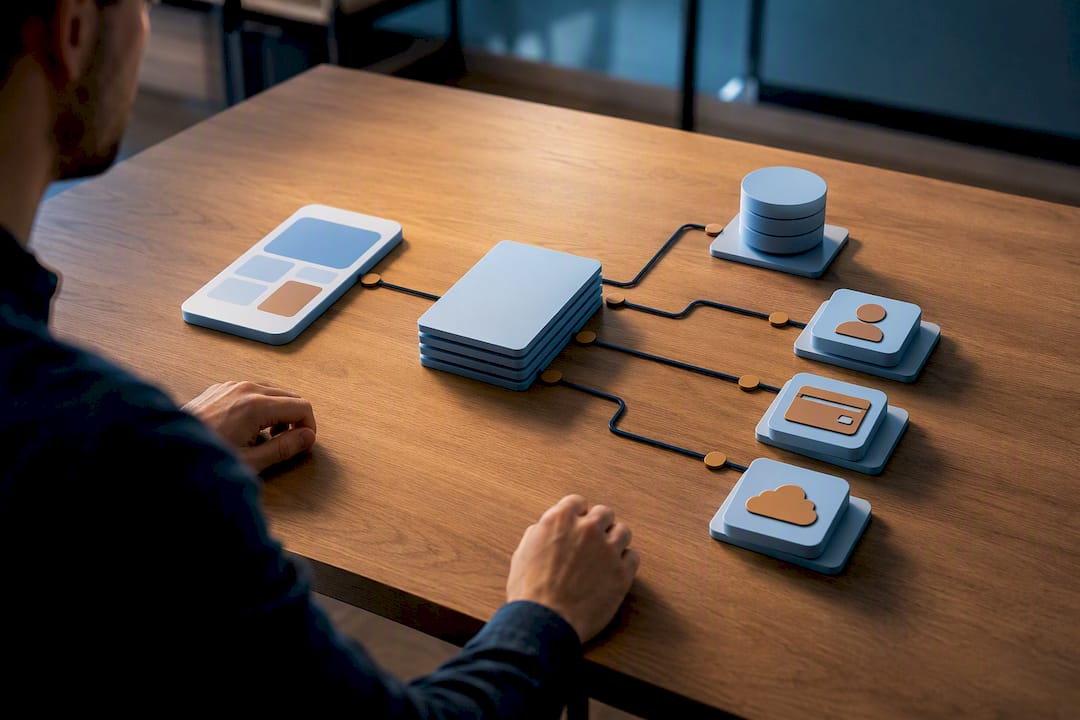
Statistic Callout: Development, which is overwhelmingly backend and integration work, consumes 40% to 55% of total project cost, more than design, QA, and deployment combined.
A custom backend built from scratch gives you full control but costs more upfront and carries ongoing server costs. A Backend-as-a-Service platform (Firebase, Supabase, AWS Amplify) cuts initial development time significantly and shifts cost toward monthly usage fees instead of engineering hours, which is why so many medium-complexity apps default to BaaS today.
Here’s roughly what individual features add to a project:
- User authentication (login, password reset, social sign-in): a few thousand dollars to build, with ongoing costs that stay minimal unless you’re at serious scale.
- Payment processing: meaningfully expensive to implement correctly and securely, and it carries ongoing per-transaction fees from your payment processor on top of the development cost.
- Real-time messaging or live tracking: adds real backend complexity because it requires persistent connections rather than simple request-response calls, plus recurring infrastructure costs that scale with active users.
- Media handling (photo or video upload, compression, storage): moderate development cost, but storage and bandwidth fees grow steadily as your user base grows.
- Offline sync: one of the trickier features to build well, since it means managing conflicts between local and server data, and it’s frequently underestimated in initial quotes.
Adding payment processing or real-time features to a mid-range app commonly pushes the total budget up 20% to 50%, largely because third-party API integrations require both integration development time and ongoing per-call fees that compound as usage grows. If a quote you’re reviewing seems suspiciously low for an app with payments and live chat, ask what backend architecture they’re planning. That gap is usually where corners get cut.
How Long Does It Actually Take to Build an App?
Simple apps typically take 6 to 12 weeks from kickoff to launch. Medium complexity apps run 3 to 6 months. Complex and enterprise builds routinely stretch 6 to 12 months, sometimes longer when compliance reviews or third-party approval processes are involved.
Timeline and cost move together, but not in a straight line. Rushing a schedule doesn’t just cost more, it usually costs disproportionately more, because you’re paying for parallel work that would otherwise happen sequentially.
- Adding a second development team to work in parallel on frontend and backend can compress timelines, but it also multiplies coordination overhead and cost.
- Third-party approvals, particularly Apple’s App Store review process, can add one to two weeks of unplannable delay regardless of how fast your team codes.
- Discovery done properly at the start actually shortens total timeline, because it prevents mid-project scope changes that force rework.
- Temporary contractor scaling to hit a deadline typically costs a premium of 20% to 40% over standard staffing, since you’re paying for availability on short notice rather than planned capacity.
If a vendor promises a complex, payment-enabled app in four weeks, that’s a red flag worth asking hard questions about, not a reason to celebrate.
What Should You Budget for Ongoing App Maintenance?
Plan to spend 15% to 25% of your original development cost every year on maintenance, updates, and platform compatibility work, a rule of thumb widely used across the industry. On a $100,000 build, that’s $15,000 to $25,000 annually, and it doesn’t stop the year after launch. It continues for as long as the app exists, because both Apple and Google update their operating systems and store requirements regularly.
Statistic Callout: A $100,000 app that skips its maintenance budget for even one year commonly needs a larger emergency fix later, since accumulated OS incompatibilities and unpatched bugs compound rather than stay flat.
That percentage covers several distinct cost buckets:
- Hosting and infrastructure: a small app might run $50 to $300 a month; a mid-scope app with moderate traffic often lands in the hundreds to low thousands per month; a scaling app with heavy usage can run several thousand monthly.
- SaaS and API fees: payment processors, analytics tools, push notification services, and mapping APIs all charge recurring fees that scale with usage.
- App store costs: Apple charges a $99 annual developer fee; Google charges a one-time $25 registration fee, both minor compared to everything else but easy to forget when budgeting.
- Monitoring and support: crash reporting tools, uptime monitoring, and whatever support staffing you commit to for user issues.
Pro Tip: Run your hosting numbers through an actual cloud pricing calculator before you finalize a maintenance budget. Rough guesses on infrastructure cost are one of the most common places founders underestimate their real annual spend.
For businesses that don’t want to manage servers, monitoring, and update cycles internally, a managed hosting and maintenance package folds these variable costs into a predictable monthly arrangement.
How Do You Estimate and Cut Your App’s Cost?
You don’t need a computer science degree to get a defensible ballpark before you talk to a developer. A rough estimator works like this:
- Count your core screens. List every distinct screen the app needs, not counting minor variations. Ten to fifteen screens is typical for a medium app.
- Rate each screen’s complexity. A static content screen is simple. A screen with live data, forms, or calculations is moderate. A screen with real-time updates or payment flows is complex.
- List every integration separately. Each third-party service (payments, SMS, maps, analytics) adds its own development line item and its own recurring fee.
- Multiply and sum. Screens times complexity, plus a fixed cost per integration, gives you a ballpark range you can bring into a vendor conversation instead of asking “how much for an app” cold.
Once you have that number, several levers can bring it down without gutting what makes the app useful:
- Build an MVP first. Ship the smallest version that solves the core problem, then add features based on real usage data instead of guesses.
- Go cross-platform unless you have a specific native requirement like heavy AR or camera processing.
- Use a Backend-as-a-Service platform instead of custom infrastructure for your first version.
- Consider AI or low-code tools for internal tools or simple customer-facing apps where the ceiling on customization won’t matter.
- Write acceptance criteria before development starts. Vague requirements are the single biggest source of expensive mid-project changes.
Watch for a few red flags in vendor quotes: a price that’s dramatically below every other quote you received, no mention of QA time anywhere in the proposal, and reluctance to break the total into phases. A vendor confident in their estimate will show you the math, not just the final number.
Who Wrote This Guide and Why the Numbers Hold Up
This guide reflects how Depechecode approaches project budgeting for the businesses it works with directly. The agency has shifted toward transparent, phase-based pricing across its website, app, and digital marketing work.
Depechecode provides digital services including website development, redesign, SEO campaigns, mobile apps, AI chatbots, and social media management programs.
The One Mistake That Blows Up Every App Budget
Scope creep is the budget killer we see most often, and it almost always traces back to skipping proper discovery. A client approves a “medium” app, then adds three features mid-build because nobody wrote down the exact user flows upfront.
The fix is immediate and cheap: before any code gets written, lock the three or four core user flows your app must support, and write plain-language acceptance criteria for each one. That single step prevents most of the rework that turns a $60,000 quote into a $95,000 invoice. If you’d rather have a team manage that scoping process for you, that’s exactly the conversation to start with an agency before development begins.
— Donovan Wells – Founder and CEO
Get a Fixed-Scope Quote Before You Commit to a Number
This guide recommends budgeting for mobile app development with a locked discovery phase, clear phase-by-phase pricing, and minimizing surprise change orders once development starts. That structure matters more than a low headline number, because a cheap quote that balloons mid-project ends up costing more than an honest one from the start.

Depechecode’s mobile app development services cover the full build, from discovery through launch, and its hosting and maintenance plans keep your app running and compliant with OS updates after launch. Before you request a quote, have your core user flows written down, a rough feature list, and a sense of which platform (native, cross-platform, or web) fits your budget. If you’re still deciding what your app actually needs to do first, reviewing what mobile app development means for business owners is a solid next step, or reach out directly through the mobile app development page to start scoping your project.
Where to Double-Check These Numbers Yourself
A few resources are worth bookmarking before you commit budget to a project:
- Business of Apps’ cost research for updated industry-wide price benchmarks.
- Clutch’s pricing directory to compare agency hourly rates by region and specialty.
- Azure’s pricing calculator or an equivalent cloud calculator to model your specific hosting and infrastructure costs.
- Bubble’s cost breakdown if you’re evaluating whether a low-code platform fits your feature set.
Use benchmark guides to sanity-check a quote’s overall range, and use pricing calculators once you know your specific infrastructure needs (expected users, storage, API call volume) to turn assumptions into an actual monthly figure.
Sources
- App Development Cost (2026) — Business of Apps
- App development cost in 2026 — Zoho Creator
- How Much Does It Cost to Create an App in 2026? — Bubble
- How Much Does an App Cost in 2026? — Project Cost Estimator
- App development pricing data — Clutch
FAQ
Can I Build My Own App for Free?
You can build a very basic app for free using no-code tools with free tiers, but any app needing a custom backend, real user authentication, or app store distribution will hit paid tiers quickly, and app store developer fees ($99/year for Apple, $25 one-time for Google) apply regardless.
How Much Can a 1,000-Download App Make?
Revenue depends entirely on monetization model rather than download count alone. An ad-supported app with modest downloads might generate a modest amount monthly, while a subscription app with the same downloads but strong retention could generate meaningfully more, since revenue tracks active paying users, not total downloads.
Is Owning an App Profitable?
Most unprofitable apps fail not because they cost too much to build, but because nobody budgeted for the ongoing costs after launch.
Do I Need an LLC to Start an App?
You don’t need an LLC to build or launch an app, but forming one is common practice for founders who want to separate personal and business liability, particularly once the app processes payments or user data. This isn’t legal advice specific to your situation, and a business attorney can confirm what structure fits your circumstances.