

Headless WordPress means using WordPress strictly as a content backend that exposes posts, pages, and custom fields through an API, while a separate application handles the frontend. It fits teams with real WordPress investment, complex Advanced Custom Fields (ACF) data, multi-channel publishing needs, or strict performance and security requirements. It’s usually overkill for a simple brochure site.
TL;DR:
- Headless WordPress is ideal for sites with complex ACF data, multi-channel publishing, or strict performance and security needs, but overkill for simple brochure websites.
- Using WPGraphQL is preferred for complex schemas as it reduces query round trips and supports batching, while REST API remains suitable for simpler content models with fewer relationships.
- Achieving fast load times requires pairing static site generation or incremental static regeneration with a robust CDN, as headless architecture alone does not guarantee improved performance.
- Security benefits are limited to removing the public-facing admin and theme layers, but proper configuration of authentication and CORS is essential to maintain security.
- Building a headless proof of concept involves mapping content models, setting up API access, creating a minimal frontend, and configuring CI/CD workflows for automated rebuilds.
Table of Contents
- What Is Headless WordPress and How Does the API Layer Work?
- What Do You Gain and Give Up With Headless WordPress?
- Which Components Make Up a Production Headless Setup?
- Is Headless WordPress Right for Your Project?
- How Do You Build a Headless WordPress Proof of Concept?
- What Do Headless WordPress Projects Actually Look Like in Practice?
- Our Take: Who Should Actually Go Headless
- How Depechecode Supports Headless WordPress Projects
- Where to Read More on Headless WordPress
- Sources
- FAQ
What Is Headless WordPress and How Does the API Layer Work?
A monolithic WordPress site handles content and presentation in one place: PHP templates pull data from the database and render HTML on request. Headless WordPress, sometimes called decoupled WordPress, splits that job into three layers. The backend stores and manages content exactly as it always has. The middle layer, the API, exposes that content as structured data. The frontend, or “head,” fetches that data and renders it however a development team wants, whether that’s a React app, a mobile client, or a digital kiosk.
The API choice matters more than most teams expect. WordPress ships with the WP REST API by default, which works fine for straightforward content types and smaller projects. But once a site has nested relationships, taxonomies, and dozens of ACF field groups, REST tends to require multiple round trips or bloated custom endpoints. WPGraphQL solves that by letting the frontend request exactly the fields it needs in one query, including ACF fields mapped directly into the GraphQL schema. Practitioners increasingly treat WPGraphQL as the default for complex builds because of its support for batching and persisted queries. That said, REST still makes sense for simple, low-relationship content models where the overhead of a GraphQL schema isn’t worth it.
Key architectural pieces to plan around:
- The backend: a hosted WordPress instance acting purely as a content source, no public theme rendering
- The API layer: WPGraphQL or the REST API, plus any custom endpoints for specialized data
- The frontend: a JavaScript framework or static site generator that consumes the API and renders pages
- The content model: custom post types and ACF field groups structured to map cleanly into whichever API schema you choose
What Do You Gain and Give Up With Headless WordPress?
The performance story gets oversold constantly. Headless architecture doesn’t automatically make a site faster. It shifts the burden of speed onto the frontend and delivery layer, and experts are blunt about this: the architecture provides the option for speed, not the speed itself. Pair static site generation or incremental static regeneration with a solid CDN strategy and you can hit near-instant load times. Skip that work and a headless site can end up slower than a well-cached traditional WordPress install.
Security improves in a specific, narrow way: with no public-facing wp-admin or theme layer, you remove a huge chunk of the attack surface that plugin vulnerabilities and brute-force login attempts typically exploit. That gain only holds if you configure things correctly. Strict CORS whitelisting, avoiding wildcard headers, and proper authentication on every endpoint are not optional extras.
Here’s the trade-off in plain terms:
- You gain frontend freedom. Any framework, any device, any channel, one content source feeding a website, a mobile app, and a digital display simultaneously.
- You gain omni-channel reuse. Content created once in WordPress can serve multiple properties without duplication.
- You lose the native editor preview. Editors can no longer click “Preview” and see the live page rendered by their theme.
- You lose plugin compatibility. Many plugins that inject frontend markup, shortcodes, or widgets simply stop working because there’s no theme for them to hook into.
- You take on higher development and maintenance costs. Someone has to build and maintain the frontend application, which a traditional WordPress site never required.
Pro Tip: Budget for frontend engineering time before you budget for the CMS migration itself. The WordPress backend work is usually the smaller half of a headless project.
Which Components Make Up a Production Headless Setup?
A working headless deployment has five moving parts, and each one carries its own configuration decisions.
The backend needs a secure, managed WordPress host with the public theme stripped out or disabled entirely. Access to the API should run through application passwords or token-based authentication rather than exposing admin credentials. The API layer is where most teams install WPGraphQL for its schema flexibility, though some prefer a hardened REST alternative. Plugins like Infospica Headless API build an isolated namespace with authentication enforced on every endpoint, which suits teams that want to stay in REST without exposing default routes.
The frontend is typically built in Next.js, using SSG for pages that rarely change and ISR for content that updates frequently without needing a full rebuild. React, Vue, and Astro all work as consumption layers, but Next.js remains the most common pairing because of its built-in support for both rendering modes and strong SEO defaults out of the box.
Production stacks typically split hosting: WordPress lives on a managed host, the frontend deploys to an edge platform like Vercel or Cloudflare Pages, and webhooks trigger rebuilds when content changes. A few essentials for the checklist:
- CDN-level caching on GraphQL and REST responses to cut origin load
- Query batching and persisted queries to reduce the number of round trips per page
- A CI/CD pipeline that redeploys the frontend automatically on content or code changes
- A preview proxy or preview token system so editors can see draft content before publishing
Caching GraphQL responses at the edge, combined with persisted queries, cuts the number of requests hitting your WordPress origin significantly on content-heavy sites, which matters most once you’re publishing dozens of pages a week.
Is Headless WordPress Right for Your Project?
Run through this checklist before committing to a headless rebuild:
- Do you already have significant content and traffic invested in an existing WordPress site?
- Does your content model rely heavily on ACF with complex relationships between fields and post types?
- Do you need to push the same content to multiple channels, a website, an app, a kiosk, a partner feed?
- Does your team have JavaScript and API experience, or budget to hire it?
- Can your timeline absorb a project that typically runs longer and costs more than a standard WordPress build?
If most of those answers are yes, headless is a legitimate, mature choice by 2026 standards. Teams with existing WordPress investment and complex ACF models often find headless cheaper than migrating to a dedicated headless CMS, since the content structure and editorial habits carry over.
If your site is a marketing brochure, a small local business page, or a blog without omni-channel ambitions, a modern, well-optimized traditional WordPress build usually gets you to market faster and costs less to maintain.
How Do You Build a Headless WordPress Proof of Concept?
Start small and validate the architecture before committing to a full rebuild.
- Map your content model. Document every custom post type and ACF field group, and note how each should appear in the API schema.
- Install and configure your API layer. Set up WPGraphQL, or a secured REST plugin, and lock down access with application passwords or tokens.
- Build a minimal frontend prototype. Use Next.js to render a single content type end to end, this is your proof that the pipeline actually works.
- Set up CI/CD and webhooks. Trigger a frontend rebuild automatically whenever content changes in WordPress.
- Deploy to an edge host. Configure CDN caching for both static assets and API responses.
- Test and iterate. Run Core Web Vitals checks, watch your build times, and introduce ISR or pagination once full rebuilds start taking too long.
Pro Tip: Time your first full site build before launch. If it takes more than a few minutes, plan for ISR or incremental builds now rather than after your editors start complaining about deploy delays.
What Do Headless WordPress Projects Actually Look Like in Practice?
The recurring issues we see across headless projects are predictable once you’ve handled a few of them: preview breaks because nobody planned a preview proxy, a plugin the client depends on stops working because it was built for a theme layer that no longer exists, or build times balloon as content volume grows and nobody set up incremental regeneration.
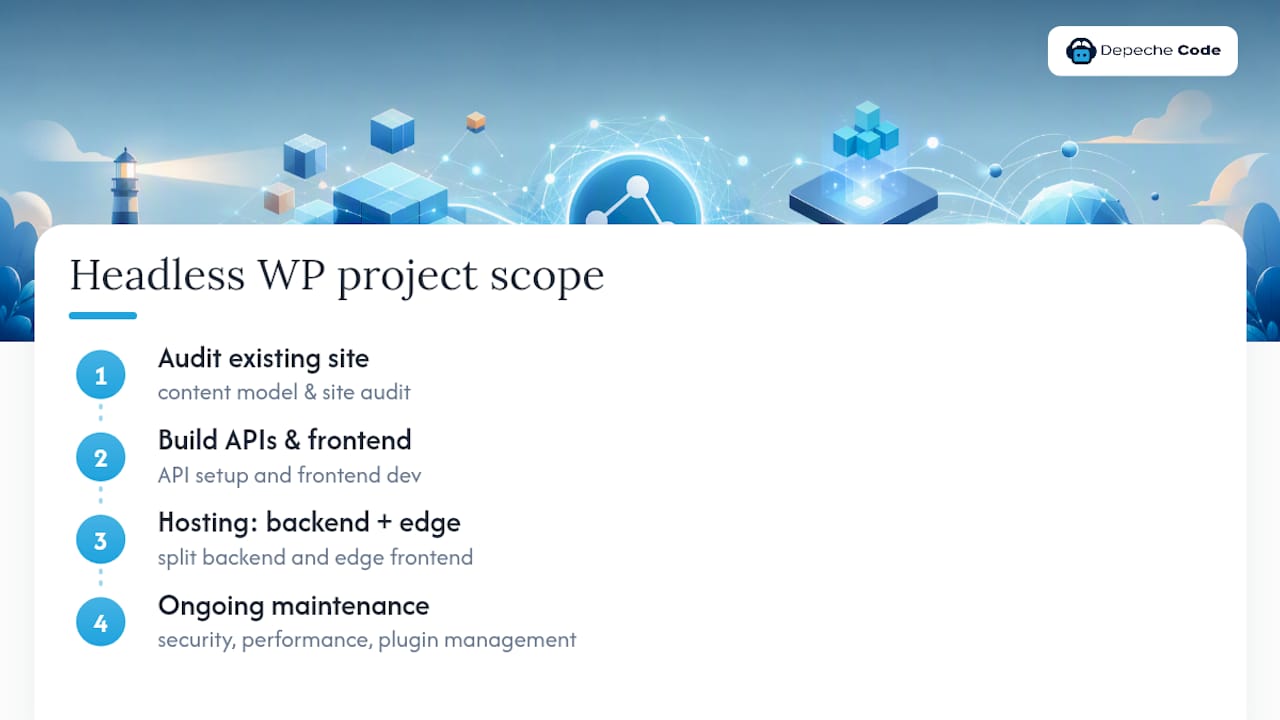
A typical scope runs through an audit of the existing WordPress site and content model, a build phase covering API setup and frontend development, a hosting configuration split between backend and edge frontend, and ongoing maintenance once the site is live. That last piece matters more than clients expect. Headless sites still need security patching, performance monitoring, and plugin management on the backend, even though there’s no public theme to worry about.
Our Take: Who Should Actually Go Headless
Go headless if you have complex ACF data, multi-channel content needs, or a team that already writes JavaScript. Skip it if you’re running a standard brochure site with modest traffic. Rule of thumb: if you can’t name a specific frontend framework you’d use, you’re not ready to decouple yet.
— Donovan Wells – Founder and CEO
How Depechecode Supports Headless WordPress Projects
A dedicated agency can provide a unified team that handles the WordPress backend, the API configuration, the frontend build, and the hosting split, ensuring seamless coordination between backend and frontend development.

Our website development and design services cover the full stack a headless project needs: WordPress backend setup, WPGraphQL or REST configuration, a Next.js or React frontend build, and the CDN and caching work that determines whether your site actually loads fast. For teams that already have WordPress running and just need ongoing technical support, our WordPress maintenance plans cover backend security and performance monitoring after launch.
If you’re weighing headless against a modern traditional rebuild, a discovery call is the fastest way to get a straight answer. We’ll look at your content model, your traffic, and your team’s technical bandwidth, then tell you honestly which approach fits. Start by reviewing our website development page and reach out with your current WordPress setup in hand.
Where to Read More on Headless WordPress
For deeper technical detail, WPGraphQL’s plugin documentation covers schema configuration and ACF integration. The official WordPress REST API handbook and CORS configuration guide are essential before going live. For frontend SEO, this headless CMS SEO checklist covers rendering and indexing pitfalls specific to decoupled architectures.
Sources
- What is Headless WordPress? – Automattic (For Agencies)
- WordPress
- Why Headless WordPress is Still a Valid Architecture Choice in 2026 — Contra Collective
FAQ
Is Headless WordPress Free?
The WordPress software and plugins like WPGraphQL are free and open source, but you’ll still pay for hosting, frontend development, and ongoing maintenance, so the total cost is rarely lower than a traditional WordPress build.
Is WordPress Outdated in 2026?
No. WordPress remains a dominant content management system, and headless architecture is one of the reasons it stays relevant, letting it power everything from traditional sites to API driven frontends and mobile apps.
Is Headless WordPress Worth It?
It’s worth it for teams with substantial existing WordPress content, complex ACF data models, or multi-channel publishing needs; for a simple marketing site, a well-optimized traditional WordPress build usually delivers better value.
What Are the Disadvantages of Headless?
The main disadvantages are losing the native editor preview, higher development and maintenance costs, plugin incompatibility for anything that relies on theme hooks, and taking on full responsibility for frontend performance and caching.