

A multilingual website chatbot is an on-site conversational agent that supports visitors in more than one language, and for most businesses the practical path is an AI-powered bot backed by a translation memory and human-in-the-loop review. This combination keeps quality high while letting a team scale support across markets, catch more leads during off-hours, and move more conversations toward a sale without hiring native-language staff for every language.
TL;DR:
- Choose target languages from traffic and revenue data, pilot one or two high traffic markets, and expand only after real conversations improve the knowledge base.
- Combine browser locale hints with message detection, then ask a language model to resolve short, mixed, or conflicting inputs before responding.
- A deployed search system combining translation memory with on demand translation achieved 3x throughput and at least 40% lower latency than its prior approach.
- Test each language with native reviewers, translate aria labels and captions, and track resolution and escalation rates separately to expose gaps hidden by blended averages.
Table of Contents
- What is a multilingual chatbot and why it matters for businesses
- How multilingual chatbots work: key architecture components
- Step-by-step implementation roadmap for a multilingual website chatbot
- Language detection and translation quality: strategies and fallbacks
- Testing, QA and measurement for multilingual chatbots
- Localizing UI, knowledge base and tone (not just translating text)
- Practical tips and real-world lessons from Depeche Code
- Expert perspective: when to build in-house vs. hire an agency
- How Depeche Code can help implement your multilingual chatbot
- FAQ
- Sources
What is a multilingual chatbot and why it matters for businesses
A multilingual chatbot detects the language a visitor is writing in, responds in that same language, and pulls its answers from a knowledge base that has been translated or built to work across languages. The three common deployment models are rule-based, AI-powered, and hybrid, and the choice shapes both cost and ceiling.
Rule-based bots follow scripted decision trees per language. They are cheap to set up and predictable, but every new language means rebuilding the flow by hand, and they struggle the moment a visitor phrases a question in an unexpected way. AI-powered bots use language models to understand intent and generate or retrieve answers in context, which lets them handle phrasing variety and new languages faster, though they need more structured oversight to stay accurate. Hybrid setups use scripted flows for high-stakes paths (billing, returns, legal disclosures) and an AI layer for open-ended questions, giving teams a middle ground between control and flexibility.
The business case is straightforward once a site gets meaningful traffic from non-English speakers:
- Visitors get answers in their own language at any hour, which reduces drop-off during the research phase of a purchase.
- Support teams field fewer repetitive tickets because the bot resolves common questions before a human gets involved.
- International campaigns convert better when the landing experience matches the ad’s language rather than switching to English at the first chat prompt.
Common use cases include pre-sale product questions, order status lookups, appointment booking, and tiered support that escalates complex or sensitive requests to a human agent. A well-scoped bot, paired with effective chatbot design practices, tends to pay for itself through recovered leads alone.
How multilingual chatbots work: key architecture components
Four building blocks determine whether a multilingual chatbot actually works in production: language detection, translation strategy, retrieval, and conversation state management. Getting these four right matters more than which specific vendor or model sits behind the bot.
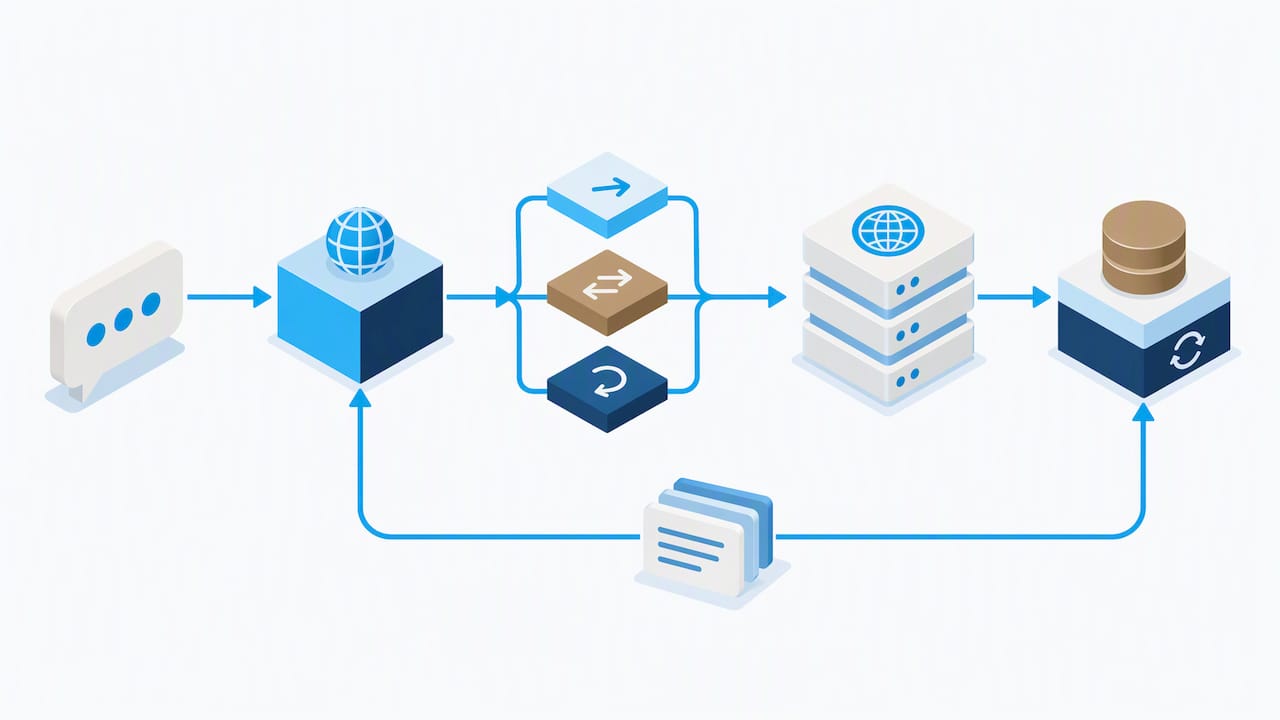
Language detection is the first decision point. A bot can read the browser’s locale setting as a hint, run a fast detection library on the first message for speed, and escalate ambiguous cases (short messages, mixed-language text, slang) to a language model for a final call. This layered pattern avoids the two failure modes of relying on just one signal: locale hints are often wrong when someone is traveling or using a shared device, and fast detection libraries misfire on very short inputs.
Translation strategy has three realistic options, and most production systems end up mixing two of them. Machine translation (MT) on the fly is flexible and covers any phrasing but adds latency and can miss context. A pretranslated knowledge base is fast and consistent but requires upkeep every time source content changes. Retrieval-augmented generation (RAG) pulls relevant passages from a multilingual knowledge base and lets the model compose a localized answer, which tends to produce more accurate results on culturally specific or entity-heavy questions. Retrieval-augmented translation using multilingual knowledge graphs has shown large relative improvements over standard machine translation systems specifically on text containing proper names and culturally nuanced entities, which is exactly the kind of content that breaks naive translation pipelines.
Cross-lingual retrieval and context preservation determine whether the bot remembers what a visitor asked three turns ago, even if they switch languages mid-conversation. Research on large language models shows that strong cross-lingual context retrieval depends on targeted post-training rather than model size alone, which means a bigger base model is not automatically a better multilingual one. This is a useful fact when evaluating platform claims: ask what post-training or fine-tuning was done for non-English performance specifically.
Conversation state and intent handling tie the pieces together, tracking what the visitor wants across turns and deciding when to hand off to a human. Building this logic into a WordPress site or any CMS generally follows the same integration pattern described in a WordPress chatbot implementation walkthrough: connect the widget, wire up the knowledge base, and define escalation rules before opening the bot to real traffic.
- Detect language with a layered approach rather than a single signal.
- Pick a translation method based on content type: pretranslated for stable FAQ content, retrieval-based for product or entity-heavy answers.
- Preserve conversation context across turns and across language switches.
- Define clear handoff rules for when the bot should stop and route to a person.
Pro Tip: Start with a pretranslated knowledge base for your top five FAQ topics, then layer retrieval-based answers on top for everything else.
Step-by-step implementation roadmap for a multilingual website chatbot
A multilingual chatbot rollout works best as six distinct phases, each with its own deliverable before moving to the next. Skipping the planning or testing phases is the most common reason launches get delayed or need a rebuild within a few months.
- Plan: Pick target languages based on actual traffic and revenue data, not guesses. Prioritize which content and flows matter most (pricing, returns, booking), and get sign-off from support, sales, and legal before building anything.
- Design: Map conversation flows per use case, define the tone of voice for each language, and write explicit fallback and handoff rules for when the bot cannot answer confidently.
- Build: Assemble the translation memory, localize the knowledge base content, write or fine-tune prompts for the AI layer, and set rules for handling names, product codes, and other non-translatable entities.
- Integrate: Connect the chat widget to the website, link it to the CRM and existing knowledge base, and wire up analytics so every conversation is trackable by language.
- Test: Run linguistic QA with native reviewers, check accessibility against WCAG standards, and load-test for latency under real traffic patterns.
- Launch and iterate: Go live with a monitoring window, track performance metrics by language, and feed real conversation data back into the translation memory and training data.
| Phase | Primary output | Who signs off |
|---|---|---|
| Plan | Prioritized language list and scope | Business stakeholders |
| Design | Conversation flows and fallback rules | Support and product teams |
| Build | Translation memory and localized knowledge base | Content and engineering |
| Integrate | Connected widget, CRM, and analytics | Engineering and marketing |
| Test | QA report and accessibility checklist | QA and compliance |
| Launch | Live bot with monitoring dashboard | Operations |
The practical shortcut most teams miss is starting with one or two high-traffic languages, instrumenting accuracy metrics from day one, and expanding only once the translation memory has real conversation data to draw from. This keeps upfront translation costs down and avoids spending budget localizing content for a language segment that turns out to be too small to matter. A checklist format like the one in a 2026 chatbot setup playbook is a useful reference for teams running this process for the first time, since it breaks each phase into concrete tasks rather than abstract goals.
Budget planning should account for four cost centers: initial translation and localization work, the AI platform or licensing fee, ongoing human review time, and ongoing content maintenance as the website’s offers and FAQ content change. Teams that treat translation as a one-time task instead of an ongoing content workflow tend to see quality drift within a few months as the source content moves ahead of the translated version.
Language detection and translation quality: strategies and fallbacks
Getting language detection and translation right is less about picking the fanciest model and more about layering simple checks so errors get caught before they reach the visitor. A practical pattern uses the browser’s locale as a first hint, a lightweight detection library to classify the first message quickly, and a language model as an arbiter when the two disagree or when the message is too short or mixed to classify confidently.
On-the-fly machine translation and a pretranslated knowledge base each have a place. On-the-fly MT handles any phrasing without upfront translation work but adds latency per message and can struggle with idioms or brand terminology. A pretranslated knowledge base answers instantly and stays consistent with approved brand language but needs a maintenance process so it does not fall out of sync with the source content.
A deployed three-step translation memory and MT system in e-commerce search achieved 3x throughput and 40% or more lower latency compared to the prior approach, while also improving search relevance, showing that combining a cached translation memory with on-demand translation is not just a quality choice but a cost and speed one.
- Cache common questions and their approved translations in a translation memory to cut repeated translation cost.
- Reserve live machine translation for long-tail or novel questions the memory has not seen before.
- Flag entity names, product codes, and culturally specific terms for dedicated handling rather than literal translation.
- Route low-confidence translations to a queue for human review before they become part of the permanent knowledge base.
Entity-aware translation deserves particular attention because names, places, and culturally rooted references are where generic machine translation fails most often. Treating transcreation (adapting meaning and tone rather than translating word for word) as a separate step for marketing-facing content, rather than running it through the same pipeline as a support FAQ, keeps brand voice intact across languages.
Testing, QA and measurement for multilingual chatbots
A multilingual chatbot needs its own testing and measurement plan per language, not one QA pass that is assumed to cover every language equally. Linguistic QA should include native-speaker spot checks on a sample of real conversations, since automated translation scoring tends to miss tone mismatches, overly formal or overly casual phrasing, and subtle meaning shifts that a fluent reader would catch instantly.
Accessibility checks matter just as much for chat widgets as for the rest of a website. Guidance for building accessible webchat recommends implementing WCAG 2.2 Level AA practices, including translating aria labels and captions, not just the visible chat text, and checking color contrast again after any custom styling is applied. These details are frequently missed during a localization sprint because they live in configuration files rather than visible copy.
- Sample a percentage of conversations per language each week for native-speaker review, not just the dominant language.
- Translate and test aria labels, captions, and error messages, not only the main chat bubbles.
- Track intent accuracy, resolution rate, escalation rate, and customer satisfaction separately by language.
- Set a retraining cadence (monthly or quarterly) so the bot improves as real conversation data accumulates.
Operational KPIs that stay broken out by language reveal problems a blended average hides, such as one language segment escalating to a human far more often than the rest, which usually points to a gap in that language’s knowledge base coverage rather than a model problem.
Localizing UI, knowledge base and tone (not just translating text)
Translation converts words, localization adapts the experience to a market’s expectations, and transcreation rewrites marketing language so it lands with the same impact in a new language. A multilingual chatbot needs all three at different points, and treating them as interchangeable is where most quality complaints originate.
Priority order matters when budget or time is limited. Start with the chat widget’s UI labels (send, typing indicator, error messages), then the core conversation flows for the highest-traffic use cases, then product and offer names, and only after that the long tail of less common FAQ content. Formatting details like date order, currency symbols, and measurement units need their own check, since a correctly translated sentence with the wrong date format still confuses a reader.
- Localize UI labels and system messages first, since they appear in every conversation regardless of topic.
- Adapt date, currency, and measurement formatting to each language’s convention, not just the words around them.
- Review product names and offer language for tone, since a literal translation can sound awkward or overly formal.
- Set a recurring workflow (tied to each content update) so localized versions do not drift from the source language over time.
A useful habit borrowed from broader content strategy is structuring source content so it translates cleanly in the first place: short sentences, consistent terminology, and clearly labeled entities make every downstream translation step faster and more accurate, a point covered well in a guide to structuring content for AI systems.
Practical tips and real-world lessons from Depeche Code
Running chatbot projects across different industries has taught our team a consistent pattern: the businesses that succeed with a multilingual chatbot treat the first language pair as a pilot, not a finished product. A typical project runs through planning and design in the first two to three weeks, build and integration over the following few weeks, and a testing and soft-launch window before the bot is promoted on every page.
For staffing, we recommend one point person who owns the knowledge base content and one technical owner who manages integrations, even on a small project. A pilot of one or two languages, built with a translation memory and a human review step from day one, gives a team real conversation data before committing budget to a third or fourth language. Teams that try to launch five languages simultaneously tend to spend their first few months fixing basic translation gaps instead of improving the actual conversation flows.
The chatbot projects that go smoothest are the ones where the client treats the knowledge base as a living document from day one, not a one-time translation task.
— Donovan Wells – Founder and CEO
Expert perspective: when to build in-house vs. hire an agency
Building a multilingual chatbot in-house makes sense when a team already has engineering capacity, a content team comfortable managing translations, and enough traffic volume to justify ongoing maintenance. It rarely makes sense as a side project squeezed into an already full roadmap, which is how many in-house bots end up launched once and left stale.
Hiring an agency speeds up time-to-value mainly by skipping the trial-and-error phase: knowing which translation approach fits which content type, how to structure fallback rules, and how to avoid the accessibility gaps that get caught late otherwise. A hybrid engagement, where an agency handles the initial build and QA process while an internal team takes over ongoing content updates, tends to reduce risk on both sides: the business is not fully dependent on external support forever, but it also is not learning every lesson the hard way during its first multilingual rollout.
— Donovan Wells – Founder and CEO
How Depeche Code can help implement your multilingual chatbot
We offer AI-powered chatbots as part of our digital services, including language detection, translation memory, and human review workflow described throughout this guide. Rather than leaving a team to piece together detection libraries, translation tools, and QA processes on their own, we handle the setup, integration, and ongoing monitoring as a managed service.

A practical starting point is a short audit of your current site traffic and support volume by language, followed by a pilot launch in your top one or two non-English markets, then a phased rollout once the knowledge base and translation memory have real conversation data behind them. Our AI chatbot plans, including Starter, Growth, and Prime tiers plus a one-time setup and integration fee, are built around that same pilot-then-expand pattern. If you are ready to scope what a multilingual chatbot would look like on your own site, that services page is the right place to start.
FAQ
What is the most multilingual website?
There is no single authoritative ranking of “most multilingual” websites, since language coverage varies by content type and market strategy. Large multinational platforms and government or international organization sites tend to support the widest range of languages because their audiences span many countries by design.
How do you create a multilingual chatbot?
Creating a multilingual chatbot starts with choosing target languages based on real traffic data, then building a translation memory and knowledge base for those languages, layering language detection with an AI model for understanding intent, and testing with native speakers before launch. Most teams succeed by starting with one or two languages as a pilot and expanding once they have real conversation data to refine accuracy.
What is the best chatbot for a website?
The right chatbot depends on a site’s traffic volume, languages needed, and how much ongoing maintenance a team can handle, rather than one tool being universally best. An AI-powered bot backed by a translation memory and human review tends to outperform a purely rule-based bot for any business serving more than one language.
Is there a website where AI talk to each other?
Some research and demo platforms let multiple AI models interact with each other for testing or entertainment purposes, but these are not the same category as a business website chatbot built to serve customers. A multilingual website chatbot is designed for one-on-one conversations between a visitor and the bot, not AI-to-AI interaction.
Sources
- Understanding LLMs’ Cross-Lingual Context Retrieval: How Good It Is And Where It Comes From (EMNLP 2025)
- LLM-Augmented Machine Translation for Scalable, Context-Aware Cross-Lingual E-Commerce Search
- Towards Cross-Cultural Machine Translation with Retrieval-Augmented Generation from Multilingual Knowledge Graphs
- Webchat v3 accessibility documentation (Cognigy)