

There is no single price for a mobile app in Orlando. Local development firms list minimum project budgets from roughly $1,000 to $50,000 and above, and our own founder guide to app development cost spans $5,000 to $400,000 depending on scope. Where your app lands in that range depends on seven things: platforms, features, design, security, integrations, team and what you spend after launch. This guide walks through each one so you can walk into a vendor call with a realistic budget.
TL;DR
- Orlando agencies publish minimum budgets from about $1,000 to $50,000, with hourly rates reported between $10 and $150. Scope decides where you fall.
- Supporting both iOS and Android can cost nearly twice as much as building for one platform, so your platform choice is the first big lever.
- Features, design complexity, security, location and team size are the other main drivers of price.
- The build is not the whole bill: hosting, updates, bug fixes and store fees continue after launch.
- A phased launch with a tight first version is the most reliable way to control cost.
Table of Contents
- What Orlando businesses actually pay
- The 7 factors that set your app’s price
- Costs most budgets forget
- How long an app takes, and why time is money
- How to estimate and control your budget
- Our perspective: spend where users feel it
- When a custom app is the right call
- Get a scoped quote from an Orlando team
- FAQ
- Sources
What Orlando businesses actually pay
Start with the market itself. A directory of Orlando mobile app developers lists local firms with minimum project budgets ranging from $1,000 to $10,000 at the low end, up to $25,000 to $50,000 at the high end, and hourly rates that run from about $20 to $60 for many of the listed Orlando shops. Across the directory the overall range is described as under $1,000 to $50,000, with hourly rates of $10 to $150.
Two cautions about those numbers. First, they are minimums and averages that firms self-report, not quotes for your project. Second, they say little about what you get: a $5,000 app and a $50,000 app are usually different products, not the same product at different margins.
A more useful way to think about it is by type of app:
| App type | Typical scope | What pushes cost up |
|---|---|---|
| Simple business app | Info pages, booking or contact forms, push notifications | Custom branding, multiple languages |
| Customer service or loyalty app | Accounts, order history, rewards, payments | Payment processing, point-of-sale links |
| Marketplace or on-demand app | Two user types, listings, messaging, payments | Real-time features, admin dashboards |
| Enterprise or internal app | Staff logins, workflows, reporting | Single sign-on, legacy system links |
We deliberately do not attach dollar figures to each row. Any firm that quotes a fixed price for “a booking app” before it has seen your workflow is guessing, and you will pay for the guess later.
The 7 factors that set your app’s price
Professional market research on app procurement points to the same cluster of drivers: design complexity, supported platforms, features, security, location and team size. We split them into seven practical decisions.
1. Platforms: iOS, Android or both
The same research reports that supporting both iOS and Android can be nearly twice as expensive as supporting one. That is the single largest early decision.
If your customers skew heavily one way, launching on one platform first is legitimate. Check your website analytics and your customer list: a restaurant group whose guests mostly carry iPhones may not need Android on day one. A field-service business whose technicians use a mix of company phones may need both immediately.
2. Development approach: native or cross-platform
Native apps are written separately for each platform. Cross-platform frameworks share most of the code between iOS and Android, which usually lowers cost and speeds up delivery. Native still makes sense for graphics-heavy or hardware-intensive apps. Most business apps (booking, ordering, accounts, content) do fine cross-platform. We explain the tradeoffs in our guide to cross-platform development.
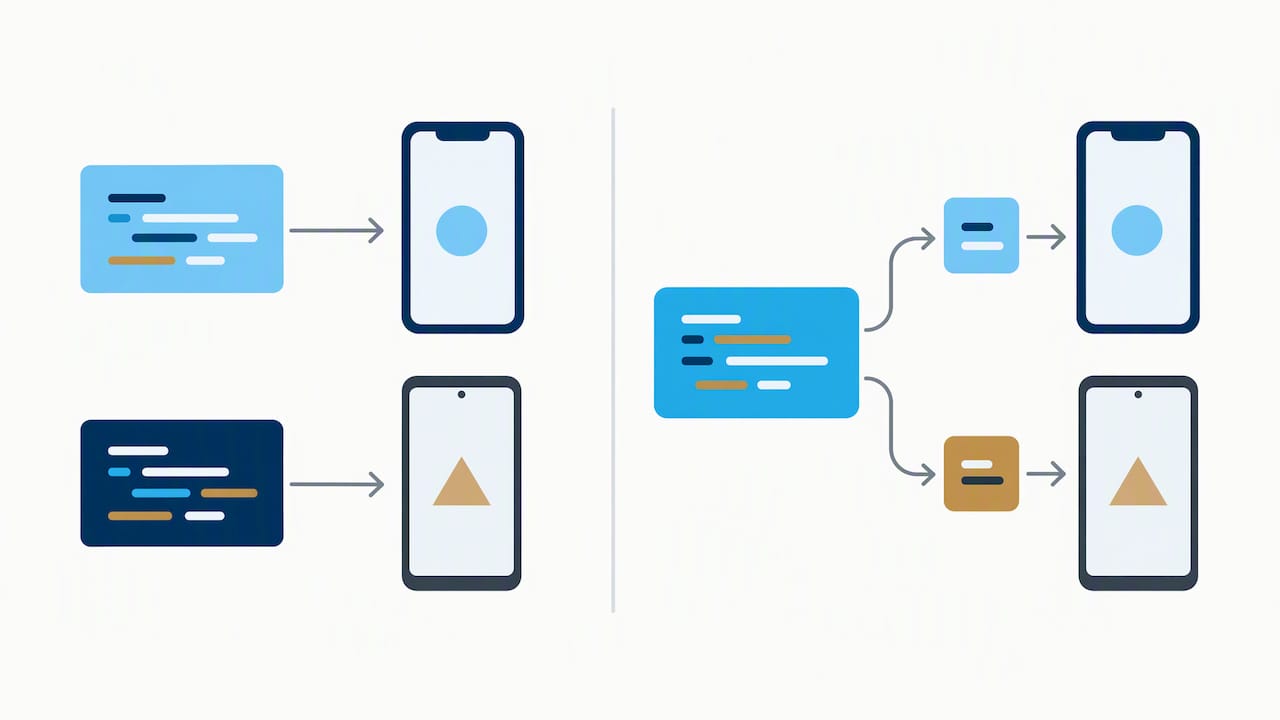
Also ask whether you need a custom app at all. If your goal is to give members or students a branded place to access content, a ready-made platform may already include a native app. If that is your situation, it is worth reading how to compare course platforms with a mobile app before commissioning a build. A custom app earns its cost when your workflow is unusual or the app is the product.
3. Features
Every feature is a line item. The ones that add the most:
- User accounts and logins, especially social sign-in or two-factor authentication.
- Payments, which add integration, testing and compliance work.
- Real-time features such as live tracking, chat or notifications that respond to events.
- Admin dashboards, which are effectively a second product you also have to build.
- Third-party integrations with your CRM, booking system, accounting software or point of sale.
A simple rule: list every feature, then sort into “customers cannot use the app without it” and “nice to have.” Build only the first list in version one.
4. Design complexity
A clean app that uses standard interface patterns costs less than one with custom animation, bespoke illustrations and a unique navigation model. Custom design is worth paying for when brand is central to the experience. It is wasted when users just want to book a table. Budget for both design and revision rounds, since design changes after development starts are the most expensive kind.
5. Security and data handling
An app that collects names and emails is one thing. One that stores payment details, health information or children’s data is another, and the secure handling, testing and legal review add real cost. Tell any developer up front what data you will collect. If you operate in a regulated field, involve your attorney or compliance adviser before the specification is final, not after.
6. Team size and location
Who builds your app matters as much as what is built. Larger teams finish faster but cost more per week. Location affects rates too: the directory above shows Orlando-based hourly rates spread across a wide band, and the research names location as a cost driver. Working with a local team also means you can sit across the table when requirements change, which cuts miscommunication, one of the commonest sources of overruns.
7. Everything after launch
This one is easiest to overlook, so it gets its own section below.
Costs most budgets forget
The build price is the number vendors quote. These are the ones you discover later:
- Hosting and backend services. Most apps talk to a server for accounts, content and data. That server costs money every month.
- Operating system updates. Apple and Google release new versions of their systems every year. Apps need testing and often changes to keep working.
- Bug fixes and small improvements. Real users find problems your testers did not.
- App store accounts and fees. Both stores charge developer account fees and take a commission on certain in-app purchases. Check each store’s current published terms before you plan revenue.
- Third-party service subscriptions. Maps, messaging, analytics and payment providers often charge usage fees that grow with your user base.
- Marketing the app. An unpromoted app is rarely discovered on its own. Plan to promote it through your website, email list and social channels.
Because maintenance is a recurring cost, ask any vendor to price it separately and in writing. We handle this through ongoing mobile app hosting and maintenance as part of our app work, so you know what the second year costs before you sign for the first.
How long an app takes, and why time is money
Timelines vary from a matter of weeks for a tightly scoped first version to many months for a complex product with several user types. Time and cost move together because you are largely paying for people’s hours. The things that stretch a schedule are the same things that raise a price: late feature additions, slow feedback on designs, unclear requirements and third-party integrations that behave differently than their documentation says.
Two habits shorten timelines without cutting quality. Name one person on your side who can approve decisions quickly. And agree on a fixed list of screens before design is final. Our walkthrough of the mobile app development process shows where those decision points fall.
How to estimate and control your budget
Here is the approach we recommend to Orlando business owners who have never commissioned an app.
- Write down the one problem the app solves. “Let customers book and pay from their phone” is a scope. “A great app for our brand” is not.
- List features and rank them. Version one gets the must-haves only.
- Decide your platform order. One platform first, or cross-platform if both are needed on day one.
- Ask for itemized quotes. Design, development, testing, project management, launch and maintenance should each appear as lines.
- Compare quotes on scope, not just price. If one quote is half the others, find out which feature, test cycle or support period it left out.
- Hold a contingency. Setting aside an extra slice of the budget for changes is cheaper than renegotiating mid-project.
- Confirm ownership. Make sure the contract says you own the source code, designs and accounts when the work is paid for.
If you want a second opinion on a quote you have already received, we are happy to read it with you.
Our perspective: spend where users feel it
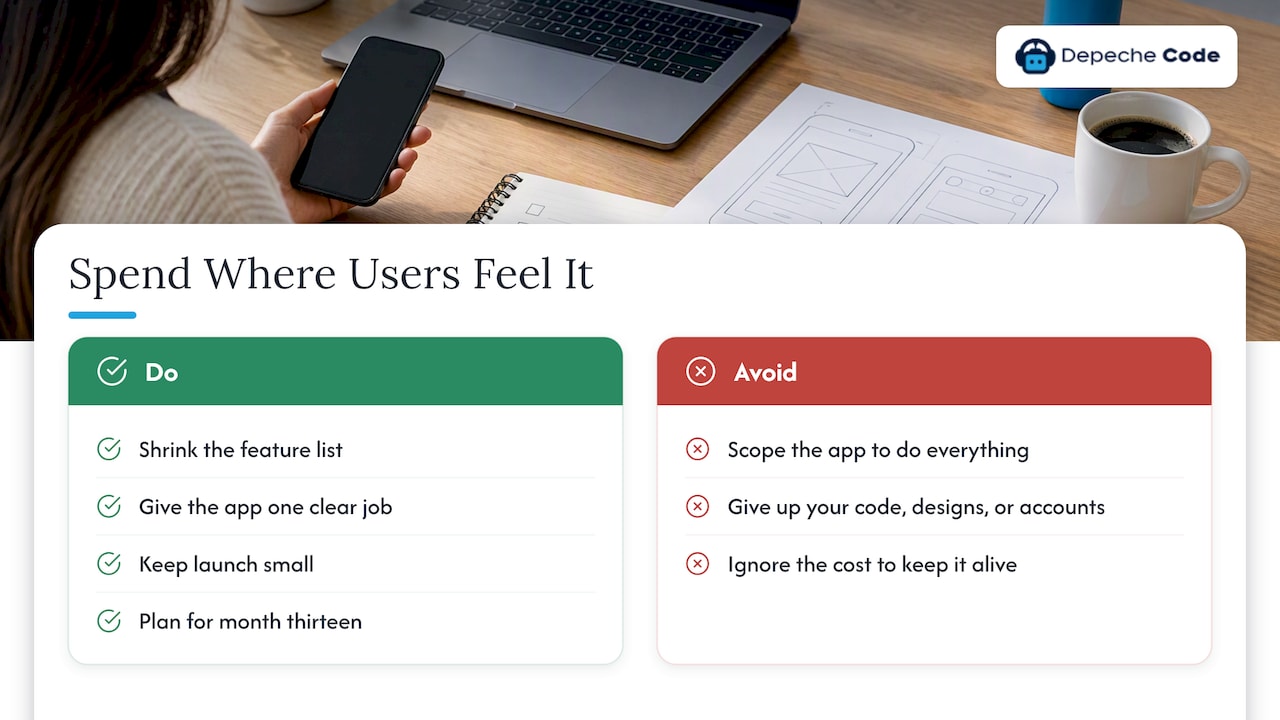
Most business owners come to us with a feature list and a ceiling. Our advice is nearly always to shrink the list before touching the ceiling. We use in-house directed AI to move through routine work faster, which is how we aim to keep delivery quick and pricing sensible, but speed does not fix a scope that tries to do everything. The projects that go best have one clear job for the app, a launch that is small enough to finish and a plan for what happens in month thirteen.
We also believe you should own what you pay for. Source code, designs and accounts should be yours, and performance should be measurable, so we test against Google PageSpeed and SEO scores rather than asking you to take our word for it. An app that is cheap to build and expensive to keep alive is not cheap.
— Donovan Wells – Founder and CEO
When a custom app is the right call
A custom app is a good investment when it does at least one of these:
- Saves staff hours every week, for example by replacing phone calls, paper forms or double entry.
- Gives repeat customers a faster way to order, book or reorder than your website does.
- Delivers something your website cannot, such as push notifications, offline use or camera and location features.
If none of those fit, a faster mobile website or a chat assistant on your existing site may deliver more for less. Our overview of the benefits of mobile app development for businesses lays out where apps pay off, and our primer on what mobile app development involves for business owners covers the basics.
Get a scoped quote from an Orlando team
Depeche Code is an Orlando digital agency that builds mobile apps alongside websites, SEO, AI chatbots and hosting. Our mobile app development service starts with a scoping conversation, so the number you receive reflects your features and platforms rather than a generic range. We do not publish a fixed app price, because an honest one depends on your project. If you also need a website or other digital work, see everything we offer on our services page.
FAQ
How much does a mobile app cost in Orlando?
Orlando firms report minimum project budgets from about $1,000 up to $50,000 and beyond, and hourly rates between $10 and $150. A simple single-platform app sits toward the lower end of that spread, while apps with payments, accounts and integrations sit far higher. Ask for an itemized quote based on your feature list.
Is it cheaper to build an app for iPhone or Android only?
Building for one platform is considerably cheaper than both, since supporting both can cost nearly twice as much. Cross-platform frameworks narrow that gap by sharing code. Pick the platform your customers use most, or go cross-platform if you need both at launch.
What does an app cost after it launches?
Expect recurring costs for hosting, operating system updates, bug fixes, third-party services and developer accounts. These continue for as long as the app is live. Ask your developer to quote maintenance as its own line before you sign.
Can I build an app cheaper than hiring a developer?
For simple needs, a ready-made platform or a mobile-friendly website can be cheaper. For custom workflows, payments or integrations, a professional build is usually more reliable and avoids rebuilds later. Start by defining the one problem the app must solve.
Should I hire a local Orlando developer?
A local team makes meetings, workshops and quick changes easier, and it is easier to hold accountable. It is not a requirement, but for a first app, face-to-face scoping often saves money by catching misunderstandings early.
Sources
- Mobile Application Development Cost Intelligence Report, Grand View Research
- Top Mobile App Development Companies in Orlando, DesignRush