

TL;DR:
- Most businesses mistakenly believe that shrinking their desktop site for mobile is sufficient, despite over 60% of web traffic coming from mobile devices.
- Mobile-first design prioritizes small screens first, resulting in cleaner, faster, and more user-focused websites that improve SEO, engagement, and conversions.
Most businesses assume that building a great desktop site and shrinking it down for phones is “good enough.” It isn’t. Over 60% of all web traffic now comes from mobile devices, yet countless business websites still treat mobile as an afterthought. Mobile-first design flips this model entirely, and the businesses that embrace it are seeing real gains in search rankings, user engagement, and revenue. This guide breaks down exactly what mobile-first design means, how it stacks up against other approaches, and how you can put it to work for your business.
Table of Contents
- Defining mobile-first design for business success
- How mobile-first compares to other web design strategies
- Common pitfalls and misconceptions about mobile-first design
- Implementing mobile-first user experiences: a step-by-step framework
- Why most businesses still miss the point about mobile-first design
- Power up your business with expert mobile-first solutions
- Frequently asked questions
Key Takeaways
| Point | Details |
|---|---|
| Start with mobile users | Designing for mobile ensures your site appeals to the largest and fastest-growing audience segment. |
| Avoid mobile-only thinking | Balance mobile-first strategies with your unique business context and desktop-specific needs. |
| Step-by-step adoption wins | Use a clear framework to integrate mobile-first design in your next site build or redesign. |
| Professional help matters | Partnering with design and development experts accelerates your move to high-performing, mobile-first websites. |
Defining mobile-first design for business success
Mobile-first design is exactly what it sounds like: you design for the smallest screen first, then build upward to larger screens like tablets and desktops. This reverses the old workflow where teams would build a full desktop site and then try to squeeze it into a phone-sized layout afterward.
As the Interaction Design Foundation explains, “mobile-first design starts with the smallest screens and then progressively enhances the experience for larger layouts.” That word “progressively” is key. You’re not limiting your desktop experience. You’re ensuring that every user, on every device, gets a site that works beautifully by design rather than by accident.
Why does this reversed approach perform better? When you start small, you’re forced to make hard choices about what actually matters. Buttons, navigation menus, images, and calls to action all compete for a tiny amount of screen space. That discipline produces cleaner, faster, and more focused websites across all devices. For a deeper look at how this ties into layout flexibility, responsive web design explained is a great starting point.
Here’s a quick look at the device traffic breakdown that makes this conversation so urgent:
| Device | Global web traffic share (2025) |
|---|---|
| Mobile | 63.4% |
| Desktop | 34.5% |
| Tablet | 2.1% |
“Designing for mobile first is not about making things smaller. It’s about making decisions about what truly matters to your users before adding complexity back in.”
The business benefits are real and measurable. Google uses mobile-first indexing as its default ranking method, which means your mobile experience directly affects how high you show up in search results. Better search visibility means more traffic. Faster mobile load times mean lower bounce rates. A cleaner mobile layout means higher conversion rates. All three of these outcomes directly affect your bottom line.
How mobile-first compares to other web design strategies
Having defined mobile-first, it’s important to see how it fits into the web design landscape alongside other popular strategies.
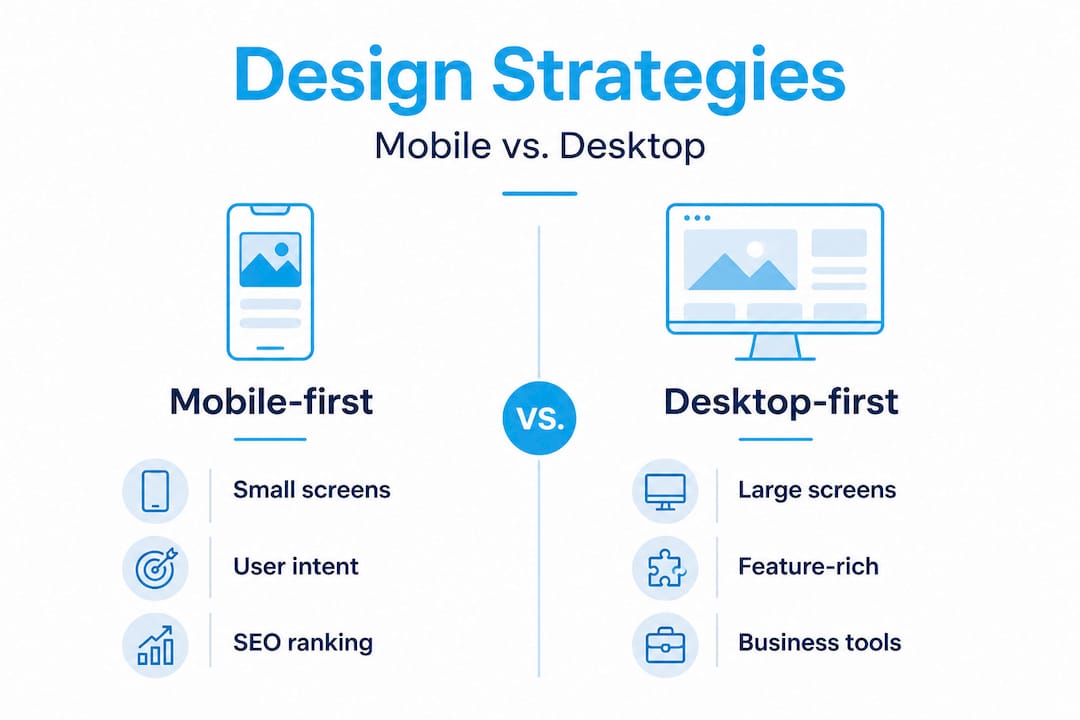
The three approaches you’ll hear about most are mobile-first, responsive design, and desktop-first. They sound similar, but their outcomes are very different. Here’s a side-by-side comparison:
| Approach | Starting point | Design priority | Business outcome |
|---|---|---|---|
| Mobile-first | Smallest screen | Core content and speed | Better SEO, higher conversions |
| Responsive design | Any screen size | Flexible layouts | Decent usability across devices |
| Desktop-first | Largest screen | Rich features and visuals | Often poor mobile experience |
Responsive design is not the same as mobile-first, and this distinction trips up many business owners. A responsive site adjusts its layout based on screen size. That’s useful, but it doesn’t guarantee a good experience on mobile. If the original desktop design was heavy, cluttered, or slow, the responsive version simply shrinks those problems rather than solving them.
The IxDF definition of mobile-first makes this clear: the approach is about progressive enhancement, not just screen size adaptation. You start lean and intentional, then add layers for larger screens.
Here are the key business outcomes each approach affects:
- Conversion rates: Mobile-first sites remove friction from small screens where most impulse decisions happen.
- Page load speed: Starting with lean mobile code reduces bloat across all devices.
- SEO performance: Google’s mobile-first indexing rewards sites that genuinely prioritize the mobile experience.
- Bounce rate: Users who hit a poorly designed mobile site leave fast. Mobile-first design keeps them engaged.
- Brand perception: A clean, fast mobile site signals professionalism and attention to detail.
A slow or clunky mobile experience is a direct revenue leak. Research from Google shows that as page load time goes from one second to three seconds, the probability of a mobile user bouncing increases by 32%. At five seconds, that bounce probability jumps to 90%. If you’re planning a redesign, reviewing website redesign best practices and expert redesign tips can help you apply these lessons effectively from the start.

Common pitfalls and misconceptions about mobile-first design
While mobile-first brings real benefits, it’s easy to go wrong without understanding the nuances and common misconceptions.
The biggest myth is that mobile-first means mobile only. Many business owners hear “mobile-first” and worry they’ll end up with a stripped-down desktop site that loses functionality. That’s not how it works. The approach builds up, not down. Your desktop experience can still be rich, detailed, and feature-heavy. You’re just making sure it doesn’t come at the cost of your mobile users.
Here are the top four mistakes businesses make when approaching mobile-first design:
- Ignoring their own analytics. Some businesses have user bases that skew heavily toward desktop, especially in B2B software, finance, or legal services. Jumping into a mobile-first overhaul without checking actual device data can create unnecessary disruption.
- Oversimplifying the mobile experience. Going mobile-first doesn’t mean removing features or dumbing down your content. It means presenting the right content in the right order for a smaller screen. Important actions should be easy to find and tap, not buried.
- Treating it as a one-time project. Mobile design needs evolve as devices, operating systems, and user behaviors change. A site built with mobile-first thinking in 2021 may need updates in 2026 to stay competitive.
- Skipping performance optimization. Building a mobile layout that’s visually clean but loads slowly defeats the purpose. Mobile-first design and performance go hand in hand. Unoptimized images, too many scripts, and heavy fonts all hurt the experience even when the layout looks right.
Pro Tip: Run a quick audit of your site using Google’s PageSpeed Insights on mobile. Look at your Core Web Vitals scores, especially Largest Contentful Paint (LCP) and Cumulative Layout Shift (CLS). These two metrics give you an honest snapshot of how your mobile users actually experience your site today. For more technical guidance, top web development tips breaks down what matters most in 2026.
There’s also an important counterpoint worth considering:
“Mobile-first is not a UX strategy. When applied as a universal rule without considering the context of how and where users interact with a product, it becomes a dogma that can actually hurt user experience.” The Atlantic’s Building blog
This is a healthy challenge to oversimplified thinking. Complex tools like project management software, medical record systems, or financial trading platforms may have user bases that work almost entirely on desktop. For those products, forcing a mobile-first framework can actually make the desktop experience worse without meaningfully improving mobile use. Context always matters.
Implementing mobile-first user experiences: a step-by-step framework
With the biggest pitfalls addressed, let’s see how to actually implement a mobile-first approach.
The process doesn’t have to be complicated, but it does require deliberate planning and cross-functional coordination. Here’s a practical framework that works for both new builds and redesigns:
- Audit your current site and user data. Pull device usage stats from Google Analytics. Identify what percentage of your traffic is mobile, what pages they visit, and where they drop off. This data drives every decision that follows.
- Define your mobile user’s goals. What does someone on a phone actually want from your site? For a restaurant, it’s likely a menu and directions. For a law firm, it’s probably a phone number and a contact form. Anchor your mobile layout around those primary actions.
- Strip your content down to the essentials. List every piece of content on your key pages. Then ask: would a mobile user need this? What can wait until a larger screen? This exercise forces prioritization and usually produces better design for all screen sizes.
- Design wireframes for mobile first. Before touching colors or fonts, map out the layout at 375px width (a common mobile screen width). Navigation, buttons, and content blocks should all fit naturally without zooming or horizontal scrolling.
- Apply performance standards from day one. Set a target page load time (under 2 seconds on mobile is a strong benchmark) and treat it as a design constraint, not an afterthought. Choose compressed images, minimal third-party scripts, and lightweight fonts.
- Expand progressively to tablet and desktop. Once your mobile design is solid, enhance it for larger screens by introducing additional columns, richer media, and extended navigation. Don’t simply stretch your mobile layout. Add contextually appropriate complexity.
- Test across real devices before launch. Emulators are useful, but nothing replaces testing on actual iPhones, Android phones, and tablets. Check tap targets, form behavior, scroll performance, and how content reflows.
- Involve every stakeholder early. Marketing, IT, design, and leadership all have a stake in this process. Marketing needs to know how content will be prioritized. IT needs to plan for performance infrastructure. Leadership needs to understand what’s changing and why.
Pro Tip: Prioritizing accessibility alongside performance on mobile delivers compounding ROI. Accessible sites rank better in search, serve more users effectively, and reduce legal risk. Simple moves like high-contrast text, large tap targets (at least 44px by 44px), and logical heading structure cost almost nothing to implement but pay dividends for years.
According to the IxDF framework for mobile-first, the progressive enhancement model means you’re building a foundation that holds up under any conditions and then adding richness on top. That’s a fundamentally better construction philosophy than trying to patch a bloated desktop site into something functional on a phone.
For teams starting a new project or overhaul, website development for business and the website redesign checklist offer more detailed guidance on each stage of the process.
Why most businesses still miss the point about mobile-first design
After reviewing the practical framework, it’s worth reevaluating the real business value of mobile-first thinking and why so many get it wrong.
Most businesses treat mobile-first as a checkbox on a project list. They hire a developer, build a site that renders decently on phones, and call it done. But that approach misses the deeper strategic shift that mobile-first actually demands.
The real question isn’t “does our site display on mobile?” It’s “does our site serve our mobile users’ intent effectively?” Those are entirely different questions with entirely different answers.
We’ve worked with businesses that had technically “responsive” websites scoring decent marks on design audits, but their mobile bounce rates were still above 80%. The layout was fine. The problem was that the content hierarchy was built for desktop thinking. The most important call to action was buried three scrolls down. The phone number wasn’t clickable. The contact form had twelve fields. These aren’t layout problems. They’re strategic alignment problems.
The context-first argument is worth taking seriously here. A business running a complex B2B software platform with a predominantly desktop user base shouldn’t blindly overhaul their product to lead with mobile constraints. They should use analytics to understand where their users actually are and design accordingly. Mobile-first is a powerful default, not a rigid law.
What smart businesses do is combine mobile-first principles with genuine audience intelligence. They look at their data, understand how different user segments interact with their site, and make deliberate choices about where mobile performance matters most. That might mean a mobile-first homepage and service pages, but a desktop-optimized client portal. That kind of nuanced thinking is what separates good website principles from surface-level design trends.
Mobile-first design is not a trend. It’s an alignment with where your audience’s attention actually lives. But alignment requires understanding your audience first, and that takes more than following a framework.
Power up your business with expert mobile-first solutions
Taking mobile-first design from concept to live, performing website requires more than a good checklist. It requires experienced hands who understand both the technical and strategic layers of the work.

At Depeche Code, we build website design and development solutions that start with your users and scale to your business goals. Whether you need a full redesign built on mobile-first principles or a new site from the ground up, our team handles every detail, from layout and performance to SEO and accessibility. We also offer mobile app development services for businesses ready to extend their mobile experience beyond the browser. And if you want your mobile-first site to actually get found, our SEO options and plans are built to generate long-term organic growth. Let’s talk about what the right approach looks like for your business.
Frequently asked questions
How is mobile-first design different from responsive design?
Mobile-first design starts with the mobile user experience and progressively builds upward to larger screens, while responsive design simply adapts an existing layout to fit different screen sizes without necessarily prioritizing mobile content hierarchy or performance.
Is mobile-first design always the best strategy?
Mobile-first works well for most consumer-facing businesses, but as some experts note, treating it as dogma can backfire for products whose primary users work in desktop-heavy environments where a context-first approach makes more sense.
What are the main benefits of mobile-first design for my business?
A mobile-first approach improves your Google search rankings through mobile-first indexing, reduces bounce rates by giving phone users a faster and cleaner experience, and increases the likelihood of users completing key actions like calling, purchasing, or submitting a form.
How do I start moving my business site to mobile-first design?
Begin by pulling your device breakdown data from Google Analytics, then audit your current mobile experience for speed, usability, and content priority. From there, work with a development team to redesign with mobile as the foundation, progressively enhancing for larger screens as you build.