Your website is your hardest-working salesperson, and in 2026, it either converts or it costs you. Small and medium-sized businesses that skip even one foundational feature are quietly bleeding leads to competitors who got the basics right. Pages loading over 3 seconds see a 53% abandonment rate, and that is just the starting point. This guide walks you through the seven highest-ROI website features that marketing directors and business owners need to prioritize right now, backed by real data and built for action.
Table of Contents
- What makes a website feature essential in 2026?
- 1. Lightning-fast loading speeds (under 3 seconds)
- 2. Mobile-first, responsive design
- 3. Accessibility for all: WCAG 2.1/2.2 AA compliance
- 4. Trust signals that build instant credibility
- 5. Conversion-driven calls-to-action (CTAs)
- 6. AI-powered chat and smart support
- 7. Performance-based comparison: Which features deliver the most ROI?
- Decision time: How to prioritize these features for your website
- Unlock the full potential of your website with expert help
- Frequently asked questions
Key Takeaways
| Point | Details |
|---|---|
| Speed is king | Sites loading in under 3 seconds gain more conversions and fewer drop-offs. |
| Mobile-first wins leads | Optimized mobile design is essential for reaching the majority of web users in 2026. |
| Accessibility pays off | Fixing accessibility errors boosts reach, SEO, and dwell time—all with quick wins. |
| Trust drives action | Design, testimonials, and security are the top signals visitors notice before engaging. |
| Prioritize basics first | SMEs should master performance, mobile, trust, and accessibility before adding AI features. |
What makes a website feature essential in 2026?
Not every shiny new feature deserves a spot on your roadmap. The right framework separates must-haves from nice-to-haves by asking four questions: Does it protect revenue? Does it improve user experience? Does it support search rankings? Does it build trust fast?
The features that pass all four tests are the ones worth your budget and attention. Industry benchmarks consistently show that speed, mobile optimization, accessibility, and trust signals outperform flashy design trends in measurable business outcomes. If you are unsure whether your current site is keeping up, it may be time to redesign before the gap widens.
Here is what to watch out for when evaluating features:
- Plugin bloat: Too many plugins slow your site and create security risks
- Trend chasing: Heavy 3D animations and AI-generated visuals can hurt performance more than they help
- Ignoring accessibility: Skipping WCAG compliance costs you traffic, conversions, and legal protection
- Skipping mobile: A desktop-only mindset in 2026 is a conversion killer
Solid website design principles always prioritize performance and usability over aesthetics. As web design trends in 2026 confirm, SMEs that chase heavy AI or 3D features before fixing core performance often see worse results than those who stick to fundamentals.
1. Lightning-fast loading speeds (under 3 seconds)
Speed is not a technical detail. It is a revenue lever. Every second of delay costs you visitors, and those visitors rarely come back.
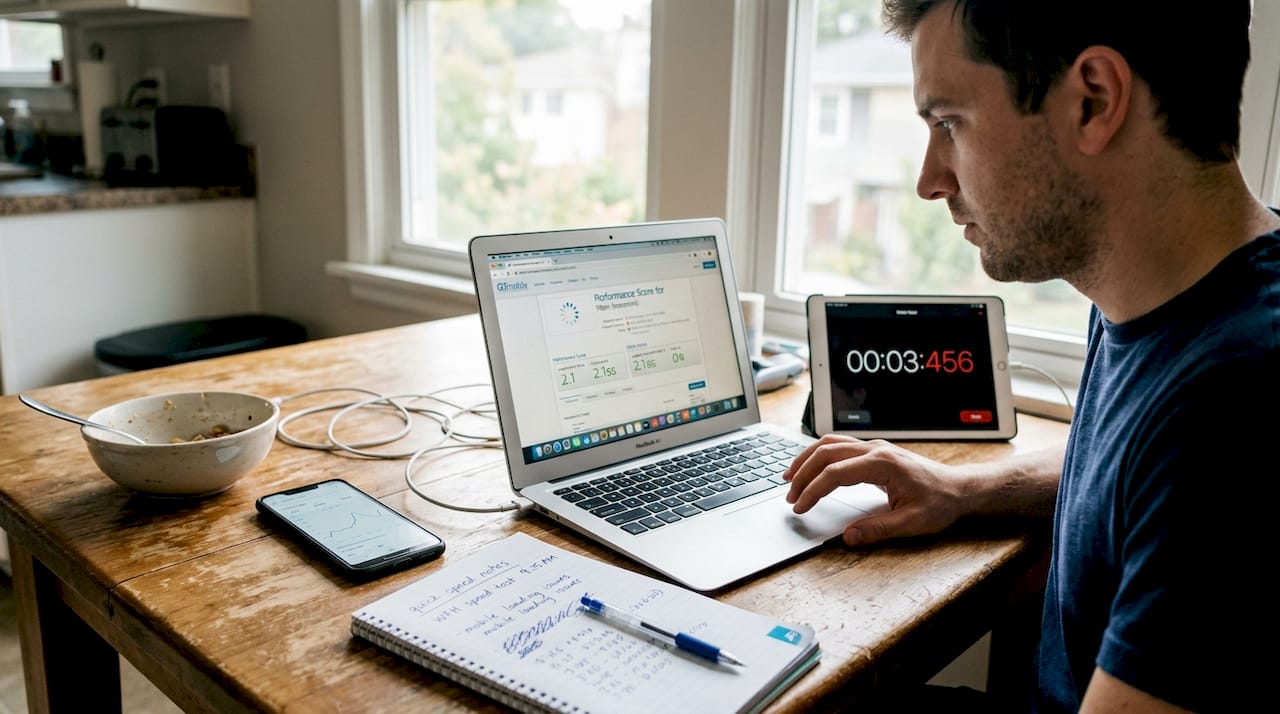
Core Web Vitals are Google’s set of performance metrics that measure real user experience. The three you need to know are LCP (Largest Contentful Paint, how fast your main content loads), INP (Interaction to Next Paint, how quickly your page responds to clicks), and CLS (Cumulative Layout Shift, how stable your layout is while loading). Poor scores on any of these directly hurt your search rankings and your conversions.
Common culprits slowing down SME websites include:
- Uncompressed images over 1MB
- Too many third-party scripts running on every page
- Outdated or redundant plugins
- No content delivery network (CDN) in place
- Unminified CSS and JavaScript files
Core Web Vitals impact conversions directly, with pages over 3 seconds seeing more than half of all visitors leave before the page even finishes loading. Sites that load in under 2 seconds retain roughly 90% of visitors.
Pro Tip: Keep your active plugin count under 25 for WordPress sites. Audit your plugins quarterly and remove anything that duplicates functionality or has not been updated in over a year.
For a deeper look at squeezing every millisecond out of your setup, the WordPress speed optimization guide from our team covers the exact steps to take.
2. Mobile-first, responsive design
Even the fastest site will frustrate users if it breaks on a phone. Responsive design means your site automatically adjusts its layout, images, and text to fit any screen size, from a 27-inch monitor to a 5-inch smartphone.
More than 60 to 75% of web traffic now comes from mobile devices, and sites that are not mobile-responsive generate 67% fewer leads than those that are. Google also penalizes non-responsive sites in search rankings, which compounds the damage.
Must-have mobile features for 2026 include:
- Thumb-friendly CTAs: Buttons at least 44×44 pixels, placed where thumbs naturally rest
- Readable fonts: Minimum 16px body text, no pinching required
- Adaptive images: Images that resize without distorting or overflowing
- Fast mobile load times: Mobile connections are often slower, so performance matters even more
- No intrusive pop-ups: Google penalizes interstitials that block content on mobile
Staying current with mobile design trends is not about chasing novelty. It is about meeting users where they already are.
3. Accessibility for all: WCAG 2.1/2.2 AA compliance
Accessibility is not just a legal checkbox. It is a growth strategy. WCAG (Web Content Accessibility Guidelines) 2.1 and 2.2 AA compliance means your site works for users with visual, motor, hearing, and cognitive disabilities.
The business case is clear. Accessibility fixes raise dwell time by 18 to 25%, and accessible sites consistently rank better in search results because the same practices that help screen readers also help search engine crawlers.
Most websites are not accessible. Studies show that 96.8% of home pages have detectable WCAG errors, meaning the vast majority of SME sites are leaving traffic and conversions on the table right now.
Key accessibility requirements to address first:
- Color contrast: Text must meet a 4.5:1 contrast ratio against its background
- Alt text: Every meaningful image needs a descriptive text alternative
- Keyboard navigation: All interactive elements must work without a mouse
- Form labels: Every input field needs a visible, associated label
AI tools can scan for basic errors, but they catch only about 30% of real issues. Human review is still essential. The 2026 accessibility predictions from UsableNet make clear that enforcement is increasing, and proactive compliance is far cheaper than reactive legal defense.
4. Trust signals that build instant credibility
Visitors decide whether to trust your site in seconds. 94% of first impressions are based on visual design, and 38% of users will leave a site that looks poorly designed without reading a single word of your content.
The most effective trust signals for SMEs in 2026 include:
- Genuine customer testimonials with full names and photos, not anonymous quotes
- SSL certificate and security badges visible at checkout and contact forms
- Clear contact information including a phone number, physical address, and response time
- Real human photography instead of generic stock images
- Third-party review widgets from Google, Yelp, or industry-specific platforms
One warning: AI-generated headshots and fake reviews are increasingly easy to spot, and users are increasingly suspicious of them. Authenticity is your competitive edge. Poor design, inconsistent branding, and stock photo overuse all quietly signal that your business may not be the real deal.
5. Conversion-driven calls-to-action (CTAs)
Trust gets visitors to stay. CTAs get them to act. A well-placed, clearly worded call-to-action can do more for your conversion rate than a full visual redesign.
Optimized CTAs and comparison elements lift conversions by up to 31% more than aesthetic changes alone. That is a significant return for what is often a small copy and placement adjustment.
Here is how to prioritize CTA improvements:
- Clarify the action: Use specific verbs. “Get my free quote” outperforms “Submit” every time.
- Place above the fold: Your primary CTA should be visible without scrolling on every key page.
- Reduce friction: Fewer form fields mean more completions. Ask only for what you need.
- Create urgency without pressure: Phrases like “Limited spots this month” work when they are true.
- Test relentlessly: A/B test wording, button color, and placement before locking in a version.
Pro Tip: Run A/B tests for at least two weeks before drawing conclusions. Short tests produce misleading data, especially for sites with moderate traffic.
For a full breakdown of what separates high-converting pages from low-performing ones, the UX redesign guide covers the most common mistakes and how to fix them.
6. AI-powered chat and smart support
AI chatbots have moved from novelty to necessity for SMEs that want to capture leads outside business hours. Done right, they extend your team’s reach without adding headcount.
Smart features to look for in an AI chat solution:
- 24/7 FAQ handling: Answers common questions instantly, reducing support load
- Lead routing: Qualifies visitors and routes hot leads to your sales team
- Multilingual support: Serves non-English-speaking visitors without extra staff
- CRM integration: Logs conversations directly into your customer database
Pro Tip: Review your chatbot conversation logs monthly. The questions visitors ask most often are a direct signal of what your website copy is failing to answer clearly.
The key warning here is performance. Implement speed and mobile basics first before adding chat tools, because a heavy chat script on a slow site makes both problems worse. The AI chatbot and website design synergy guide explains how to integrate chat without sacrificing load times, and AI bots and SEO covers how smart chat can actually support your search rankings when configured correctly.
7. Performance-based comparison: Which features deliver the most ROI?
After reviewing all seven features, here is a side-by-side look at where to focus your budget and effort first. Speed and mobile optimization consistently deliver the best ROI benchmarks, while advanced features like AI chat add value only after the foundation is solid. For deeper context on what separates high-performing sites from average ones, the expert design insights resource and website ROI statistics are worth reviewing before you allocate budget.
| Feature | ROI tier | Priority level | Complexity |
|---|---|---|---|
| Fast loading speeds | Highest | Must-have | Medium |
| Mobile-first design | Highest | Must-have | Medium |
| Accessibility (WCAG AA) | High | Must-have | Medium |
| Trust signals | High | Must-have | Low |
| Conversion CTAs | High | Must-have | Low |
| AI-powered chat | Medium | Recommended | High |
| Advanced animations | Low | Nice-to-have | High |
Decision time: How to prioritize these features for your website
With the data in hand, here is how to take your next steps without wasting budget or time.
- Audit your current site: Run a speed test, check mobile rendering, and scan for accessibility errors before spending a dollar on new features.
- Benchmark against competitors: Use industry data to see where your site stands relative to others in your space.
- Fix the foundation first: Speed, mobile, and trust signals must be solid before you layer on AI chat or advanced interactivity.
- Avoid plugin overload: Every plugin you add is a potential performance and security liability. Add only what solves a specific, measurable problem.
- Test before you commit: Roll out changes incrementally and measure the impact on bounce rate, time on site, and conversions.
- Revisit quarterly: The web moves fast. What is best practice today may be outdated in six months.
Basics before AI or extras is the consistent recommendation from performance data, and it applies to SMEs of every size. If you are not sure whether your site needs a full overhaul or targeted fixes, reviewing redesign timing signals can help you make that call with confidence.
Unlock the full potential of your website with expert help
Ready to implement the features that matter most? Knowing what to build is only half the battle. Executing it correctly, without slowing your site or breaking what already works, is where most SMEs get stuck.

At Depeche Code, we specialize in professional website redesign that builds all seven of these features into a single, cohesive solution. From speed optimization and mobile-first layouts to trust-building design and AI chatbot integration, our team handles the technical work so you can focus on running your business. Explore our website redesign tips to see how we approach each project, or check out our SEO services to make sure your upgraded site gets found by the right people. Let’s build something that actually performs.
Frequently asked questions
What is the single most important website feature for SMEs in 2026?
Lightning-fast loading speeds under 3 seconds have the greatest impact on visitor retention and conversions, with 53% of visitors abandoning pages that take longer to load.
How do I check if my site is mobile-responsive?
Test your site on multiple real devices and use Google’s mobile usability tools to confirm all content adapts correctly. Sites that are not responsive generate 67% fewer leads than those that are.
Are accessibility requirements legally mandatory in 2026?
Accessibility is increasingly mandatory across many regions, and 96.8% of pages still have detectable errors. Compliance also improves SEO and conversions beyond just legal protection.
Should small businesses invest in AI chat immediately?
Focus on speed, mobile, trust, and accessibility first. Adding AI before basics are optimized often creates plugin bloat that hurts the very performance you need to convert visitors.
Which trust signals do users notice most?
Genuine testimonials, SSL security badges, and polished design are the most effective. 94% of users form their first impression from visual design, so credibility starts before they read a single word.