

A website or hosting service level agreement is a binding promise about uptime, support response, and remedies if the provider falls short. Before signing, check four things: the uptime target, who measures it, how fast support responds, and what you get if the provider misses the mark. Everything else in the contract supports those four items.
TL;DR:
- A 99.9% monthly target suits many small business sites, while payment sites should negotiate 99.95% or higher and redundancy across zones or providers.
- Require provider log access or an independently configured uptime check, because a provider’s own monitoring is often the contractual source of truth.
- Record outage timestamps, screenshots, and independent monitoring logs, then file credit claims within the contract’s deadline, often 30 days, because credits are capped.
- Treat backups, restore times, security patching, and full data export as separate written commitments; uptime guarantees do not protect against data loss.
- Set faster response and resolution windows for site outages than cosmetic bugs, and seek dedicated support when transactions or customer data are at risk.
Table of Contents
- What an SLA actually promises, and how SLOs and SLIs fit in
- Types of SLAs and which one applies to your hosting plan
- Common SLA elements to inspect in any hosting contract
- How uptime gets measured, and why the math compounds
- Hosting clauses that matter beyond uptime
- How to draft or review a website hosting SLA: a practical checklist
- Documenting outages and filing a service credit claim
- Where to find SLA templates worth adapting
- How we build SLA protection into every hosting client relationship
- Who is responsible for what in a hosting SLA
- What happens when service credits are not enough
- Matching SLA terms to the service tier you actually need
- Why SLAs should not live in isolation from your other contracts
- When a standard SLA is enough, and when it is not
- How our hosting and maintenance plans back up your SLA
- FAQ
- Sources
What an SLA actually promises, and how SLOs and SLIs fit in
A service level agreement is a contract clause (or a standalone document attached to a hosting or development contract) that sets measurable commitments for a service and spells out what happens when those commitments are missed. It is legally binding language, not a marketing promise.
Two related terms get confused with SLAs constantly:
- SLO (service level objective): the specific target inside the SLA, such as “99.9% monthly uptime” or “first response within one hour.”
- SLI (service level indicator): the actual measured value, like last month’s real uptime percentage or average ticket response time.
The SLA is the contract. The SLO is the goal written into that contract. The SLI is the number that tells you whether the goal was hit. According to the general overview on service-level agreements, common indicators include uptime, mean time to repair (MTTR), and throughput.
For a website, this distinction matters because a missed SLO (say, three hours of downtime during a product launch) can mean lost sales, abandoned carts, and search ranking volatility. A hosting SLA without a clear SLO and a trustworthy SLI is a promise with no way to check if it was kept.
Types of SLAs and which one applies to your hosting plan
SLAs come in three structures, and knowing which one you are signing changes what you can reasonably expect.
- Customer-level SLA: one agreement covering every service a provider delivers to a specific client, often used when an agency bundles hosting, maintenance, and support under one contract.
- Service-level SLA: a single agreement that applies to one specific service, such as shared hosting or a managed WordPress plan, and applies the same terms to every customer on that plan.
- Multi-level SLA: layered commitments that combine a base service-level agreement with customer-specific or corporate-wide terms, typically reserved for enterprise contracts.
Most small and mid-size business websites sit on a service-level SLA: the hosting provider publishes one uptime and support standard for everyone on that tier. If your site handles transactions, high traffic spikes, or multiple integrated systems, it is worth asking for multi-level terms that add custom response times or dedicated support on top of the standard plan.
Common SLA elements to inspect in any hosting contract
Every solid website or hosting SLA covers the same core ground, even when the wording differs between providers. Walk through these in order when you review a contract:
- Scope of service. The exact service described (shared hosting, managed WordPress, dedicated server) and what is explicitly excluded.
- SLOs and SLIs. Uptime target, support response time, and resolution time (MTTR), along with how each is measured.
- Support tiers and escalation. Who you contact first, how a ticket escalates if unresolved, and whether phone or chat support is included at your tier.
- Exclusions and maintenance windows. Scheduled maintenance, force majeure events, and third-party outages (DNS, CDN) that do not count against uptime.
- Change control and review cadence. How often the SLA itself gets revisited and how changes to scope or pricing are handled.
- Remedy clauses. Service credits, caps on those credits, and termination rights if the provider repeatedly misses targets.
Institutional SLAs are a useful reality check here. Columbia University’s published website service level agreement lays out tiered service levels, launch and approval timelines, hosting location, and a scheduled content freeze before launch, all in plain language. It is a good model for how much detail a well-written SLA should include, even outside a university setting.
Pay close attention to the exclusions list. A provider that excludes “scheduled maintenance” without defining a maximum window or advance notice period has given itself room to take the site down whenever it wants without penalty.
How uptime gets measured, and why the math compounds
Monthly uptime percentage is almost always calculated the same way: total minutes in the month minus downtime minutes, divided by total minutes, expressed as a percentage. The disagreements start over what counts as downtime and who gets to measure it.
- Provider monitoring uses the host’s own internal tools, which is convenient but gives you no independent check.
- Third-party or customer monitoring (external uptime checkers configured to the same thresholds) gives you a second data point you control.
- Hybrid verification, where the SLA guarantees you log access or exports on request, is the strongest position for a customer.
Vendor SLAs commonly make the provider’s own monitoring the source of truth for uptime, so request access to logs or the right to run an equivalently configured third-party check if the contract does not already include one.
For a small-business site, a 99.9% monthly uptime target allows a limited amount of downtime each month, a practical balance between cost and reliability; sites that process payments or run on tight margins should push for 99.95% or higher with redundancy across zones or providers.
Composite availability matters once your site depends on more than one service (hosting, CDN, payment gateway, DNS). Availability percentages multiply across the chain, so a site built on a 99.9% host, a 99.95% CDN, and a 99.9% payment processor is never actually 99.9% available end to end. The combined number is always lower than the weakest single link, which is why enterprise sites with multiple dependencies should negotiate uptime targets for each layer, not just the hosting contract.
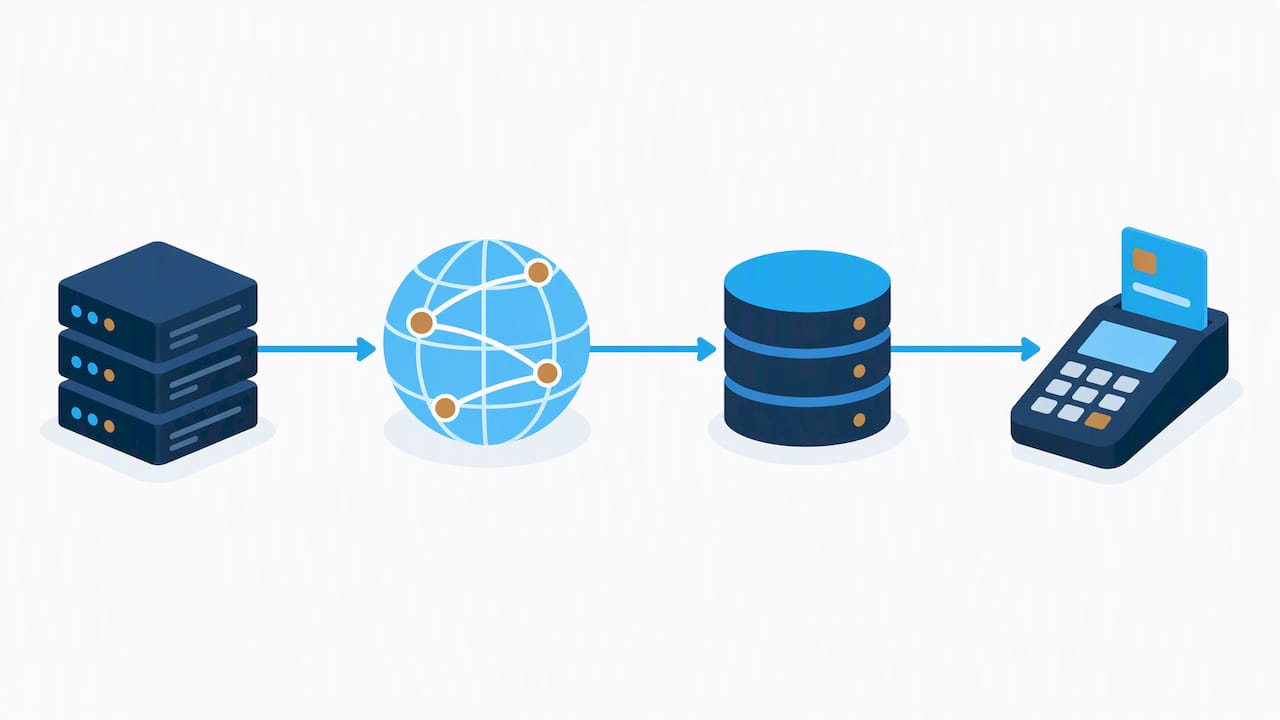
Service credits typically follow a tiered structure: a smaller shortfall earns a small percentage credit on the next invoice, while a larger shortfall earns a larger one, usually capped at a percentage of the monthly fee. Filing windows are often short, frequently 30 days from the incident, so note that deadline the moment an outage happens.
Hosting clauses that matter beyond uptime
Uptime gets the attention, but the clauses that protect you when something actually breaks are often buried further down the contract.
- Backup frequency and restore commitments. How often backups run, how long they are retained, and how fast the provider will restore your site, separate from any uptime guarantee.
- Security patching responsibility. Whether the provider applies security patches automatically and how emergency maintenance gets communicated before it happens.
- Data ownership and export rights. Confirmation that you own your content and database, plus a defined process for exporting everything if you leave.
- Maintenance window definitions. A specific, bounded window (not “as needed”) that is excluded from uptime math, with advance notice required.
The Ohio University hosting SLA is a clear example of pairing uptime targets with explicit backup and restore responsibilities, which is exactly the kind of detail worth matching in a commercial contract. University and enterprise contracts also tend to separate scheduled maintenance from emergency maintenance, with emergency windows excluded from downtime calculations only when a notification mechanism exists, a practice detailed in UAB’s infrastructure SLA.
Pro Tip: Ask for a written commitment that the provider will export your full site and database within a set number of business days of termination, before you sign anything.
Related reading: our guide to website maintenance best practices walks through patching and backup cadence in more detail.
How to draft or review a website hosting SLA: a practical checklist
Use this sequence whether you are negotiating a new hosting contract or reviewing one a provider already sent you.
- Confirm the exact service scope. Write down what is included (hosting, CDN, email, SSL) and what is explicitly excluded.
- Specify SLIs and SLOs together. Every target (uptime, response time) needs a stated measurement method and a named monitoring source.
- Request logging access. Ask for either provider log exports or the right to run your own third-party monitoring against agreed thresholds.
- Set response and resolution times by severity. A site-down issue should have a shorter response window than a cosmetic bug.
- Define escalation paths. Name who handles an unresolved ticket after the first response window passes.
- Set service-credit tiers, caps, and filing deadlines. Confirm the credit percentage per shortfall tier and the exact number of days you have to file a claim.
- Require a status page or proactive notifications. You should hear about an outage from the provider, not discover it yourself.
- Add an annual review clause. SLAs drift out of date as traffic and business needs change; a fixed review date keeps it current.
- Address migration and export rights. Confirm the provider’s obligation to assist with data export if you terminate.
Pro Tip: Keep a running log of every outage and support ticket, even minor ones. A pattern of small misses often matters more at renewal time than any single incident.
If migration terms feel thin, a specialist like Shugert’s Shopify migration service shows what a properly scoped, SEO-safe replatforming clause should look like for e-commerce sites changing platforms.
Documenting outages and filing a service credit claim
Providers reject credit claims on procedural grounds more often than on substance, so documentation matters as much as the outage itself.
- Capture timestamps, error screenshots, and status page entries the moment you notice a problem, not after it resolves.
- Save your own monitoring logs if you run independent uptime checks, since provider dashboards can be edited after the fact.
- Submit the claim within the stated window, commonly around 30 days, with every required field filled in (account ID, incident window, impact description).
- Expect an investigation period before the provider confirms or denies the outage against their own logs.
- Know the cap in advance. Most provider SLAs, including those from major platforms like Atlassian, treat service credits as the sole and capped remedy, applied to a future invoice rather than refunded in cash.
If outages repeat and credits alone do not resolve the underlying reliability problem, that is the point to escalate toward contract renegotiation or termination rights rather than filing another claim for the same recurring issue.
Where to find SLA templates worth adapting
Institutional and enterprise SLAs make better starting templates than generic contract libraries because they show real clause structure in context rather than placeholder text.
- University hosting SLAs, like Columbia’s and Ohio University’s, show how to phrase launch timelines, tiered service levels, and backup commitments in plain language.
- Provider SLA pages from major hosting and SaaS platforms show how uptime tiers and credit tables are typically formatted.
- Neutral reference material, such as the Wikipedia overview of SLAs, is useful for confirming standard terminology before you start drafting.
When adapting a university or enterprise template for a small-business hosting contract, trim the governance layers (review boards, multi-department sign-off) but keep the specific language around exclusions, credit tiers, and maintenance windows. Enterprise contracts need the opposite adjustment: add multi-level terms and per-dependency uptime targets rather than relying on one blanket SLA for the whole stack.
How we build SLA protection into every hosting client relationship
I’m Donovan Wells, founder and CEO, and SLA terms are something we review line by line before any client goes live on a hosting plan we manage.
We require documented backup frequency and restore timelines in writing before any site moves to production. Uptime is monitored independently rather than relying solely on the hosting provider’s own dashboard. Security patches are applied on a defined schedule with communication of emergency maintenance before it happens. Data export and migration rights are included in hosting arrangements to avoid client lock-in.
Managed oversight like this reduces the gap between what an SLA promises on paper and what a business owner actually experiences when something goes wrong.
Who is responsible for what in a hosting SLA
An SLA only works when both sides know exactly what they owe each other, and the best contracts spell this out rather than leaving it implied.
The provider’s responsibilities typically include meeting the stated uptime target, monitoring the infrastructure, applying security patches, maintaining backups, responding within the agreed support window, and notifying the client before scheduled maintenance. The provider also owns the obligation to report honestly on SLIs rather than quietly adjusting the definition of downtime after the fact.
The client’s responsibilities are lighter but still real: keeping payment current, reporting outages promptly with enough detail to investigate, not modifying server configurations outside agreed boundaries (on self-managed plans), and reviewing the SLA at renewal rather than assuming it auto-renews unchanged.
Ambiguity here causes most SLA disputes. A provider that assumes the client will “just know” to report issues within 24 hours, when the contract never states that window, has created a problem neither side can resolve fairly. The fix is simple: both sets of responsibilities belong in the written agreement, not in an unwritten understanding between account manager and client.
When an agency manages hosting, content, and support together, this division gets clearer rather than murkier, because one party is accountable for the full chain instead of passing blame between a hosting company and a separate developer.
What happens when service credits are not enough
Service credits are the standard remedy for a missed SLA target, but they are rarely the end of the conversation when failures repeat or cause real business damage.
Most hosting SLAs cap credits as a percentage of the monthly fee and treat them as the sole financial remedy for availability misses, which means a credit on a $99 hosting invoice will never cover a six-figure sales loss from a holiday-weekend outage. That gap is why serious SLAs include escalation language beyond credits: repeated breaches within a defined period (three misses in six months, for example) triggering a right to terminate without penalty, or an option to renegotiate terms rather than accept the same SLA at renewal.
Escalation procedures should specify who gets notified first, how long the provider has to propose a fix, and what happens if the same issue recurs after a fix was promised. Some contracts also separate general downtime from data-loss events, since availability SLAs typically do not cover data loss at all according to industry commentary from Marsh on data center SLAs, which means a separate backup and insurance conversation matters as much as the uptime clause itself.
For mission-critical sites, it is worth negotiating a termination-for-convenience clause tied specifically to SLA performance, so switching providers after repeated failures does not also mean eating an early-termination fee.
Matching SLA terms to the service tier you actually need
Not every website needs the same SLA, and asking for enterprise-grade terms on a brochure site usually just adds cost without adding real protection.
A basic informational site with low traffic and no transactions is reasonably served by a standard service-level SLA: a published uptime target, standard support hours, and a simple credit structure. A site that takes payments, stores customer data, or drives a meaningful share of revenue needs faster response windows, tighter resolution times, and often a dedicated support contact rather than a shared queue.
Enterprise and multi-location businesses frequently need multi-level SLAs that layer corporate-wide terms over service-specific ones, particularly when hosting, CRM, and marketing systems are all connected and a failure in one affects the others.
The right move is matching the tier to the actual risk profile: request higher guarantees and broader remedies as transaction volume and traffic grow, rather than defaulting to the most expensive tier out of caution or accepting the cheapest one out of habit.
Why SLAs should not live in isolation from your other contracts
A hosting SLA that works perfectly on its own can still fail the business if it is disconnected from the contracts covering SEO, content, or digital marketing work on the same site.
Search rankings depend partly on uptime and page speed, so an SEO services contract that promises ranking improvements is undermined by a hosting SLA with a weak uptime target or no performance monitoring. The reverse is also true: a hosting provider cannot be held accountable for a traffic drop caused by an SEO agency’s technical changes if the two contracts never reference each other.
The practical fix is making sure maintenance windows, deployment schedules, and performance targets are consistent across every contract touching the site. If an SEO or marketing contract includes technical changes (schema markup, page speed work, redirects), the hosting SLA’s change control clause should acknowledge that a third party may be making those changes, and specify who is responsible if a change causes downtime or a performance regression.
Businesses that bundle hosting, maintenance, and marketing under one provider avoid this coordination problem by default, since one contract governs the full technical stack. Businesses that split these services across separate vendors should explicitly cross-reference the contracts, at minimum naming who owns responsibility when a marketing change breaks a hosting guarantee or a hosting outage undermines an SEO deliverable.
When a standard SLA is enough, and when it is not
Most of the SLA advice online treats every website like it needs enterprise-grade guarantees, and that is not a useful default. A basic brochure site with low traffic and no transactions does fine on a standard service-level SLA with a published uptime target and normal support hours.
The calculation changes the moment revenue, customer data, or search visibility depends on the site staying up. At that point, the measurement method and the remedy clause matter more than shaving a few dollars off the monthly hosting bill, because a cheap plan with no independent monitoring and a weak credit cap offers no real protection when it counts.
— Donovan Wells – Founder and CEO
How our hosting and maintenance plans back up your SLA
Our hosting and maintenance work is built around the same checklist outlined above: independent monitoring, documented backup schedules, scheduled patching, and migration support if you ever decide to move. Instead of leaving you to police an SLA on your own, monitoring and upkeep are handled so the uptime target is actively managed rather than a number buried in a contract.

Our WordPress hosting and maintenance plans start at $39 a month for dedicated hosting and $99 a month for ongoing maintenance, covering the backup, patching, and monitoring work that a strong SLA requires. If you are reviewing a current hosting contract or starting fresh, reach out through our services page and we will walk through what your site actually needs.
FAQ
How do I get a service level agreement for my website?
You get one by requesting it directly from your hosting or development provider before signing a contract; reputable providers publish their SLA terms or will produce one on request. Review the uptime target, measurement source, and remedy clause before agreeing to anything, and use an institutional example like Columbia’s published SLA as a benchmark for what should be included.
What are the three types of SLAs?
The three common structures are customer-level (one agreement covering everything a provider delivers to one client), service-level (one agreement applied uniformly to everyone on a specific service or plan), and multi-level (layered terms combining a base agreement with customer-specific additions). Most small-business hosting plans fall under a service-level SLA.
Are SLAs legally binding?
The Wikipedia overview of service-level agreements outlines how SLAs function as formal components of a service contract rather than informal promises.
How do I create a service level agreement for hosting?
Start by defining the exact scope of service, then set measurable SLOs for uptime and support response, specify who measures them and how, and attach a service-credit structure with clear filing deadlines. University hosting SLAs such as Ohio University’s show a complete, real-world structure worth adapting for a commercial contract.
How much downtime does a 99.9% uptime SLA actually allow?
Sites handling payments or high transaction volume often negotiate for 99.95% or higher given the tighter margin.