

TL;DR:
- A website budget plan details all costs for designing, building, and maintaining a website, including a contingency fund. It helps small businesses forecast total ownership costs and avoid overspending by defining clear goals, scope, and ongoing expenses. Proper planning and baseline budgeting prevent common mistakes like neglecting recurring costs and scope creep.
A website budget plan is a comprehensive financial outline that maps every dollar you will spend to build and maintain an effective online presence. It covers one-time design and development fees, recurring hosting and maintenance costs, and a contingency fund for surprises. Professional small business websites typically cost between $2,500 and $5,000 to build. That range assumes a site built to generate leads, not just look good. Without a clear financial plan, most small business owners either overspend on features they don’t need or underspend and end up with a site that can’t compete. The industry standard is to budget 15–20% of the original build cost every year for ongoing upkeep and updates.
What is a website budget plan and what does it include?

A website budget plan is the financial roadmap that defines your total cost of ownership, from the first design mockup to year three of hosting fees. The industry term for this type of planning is “total cost of ownership” (TCO), and it separates one-time costs from recurring ones. Most small business owners only think about the build price. That blind spot causes budget shock six months after launch.
Five core cost drivers determine every website’s price: scope and functionality, design requirements, content creation, technology stack, and integrations. Each driver adds complexity, and complexity adds cost. A simple five-page brochure site sits at one end of the range. A custom e-commerce platform with CRM integration sits at the other.
An organized budget plan also gives you negotiating power. A clear financial plan enables better pricing negotiations, stronger cash flow management, and clear expectations with your vendor. Without it, you are negotiating blind.
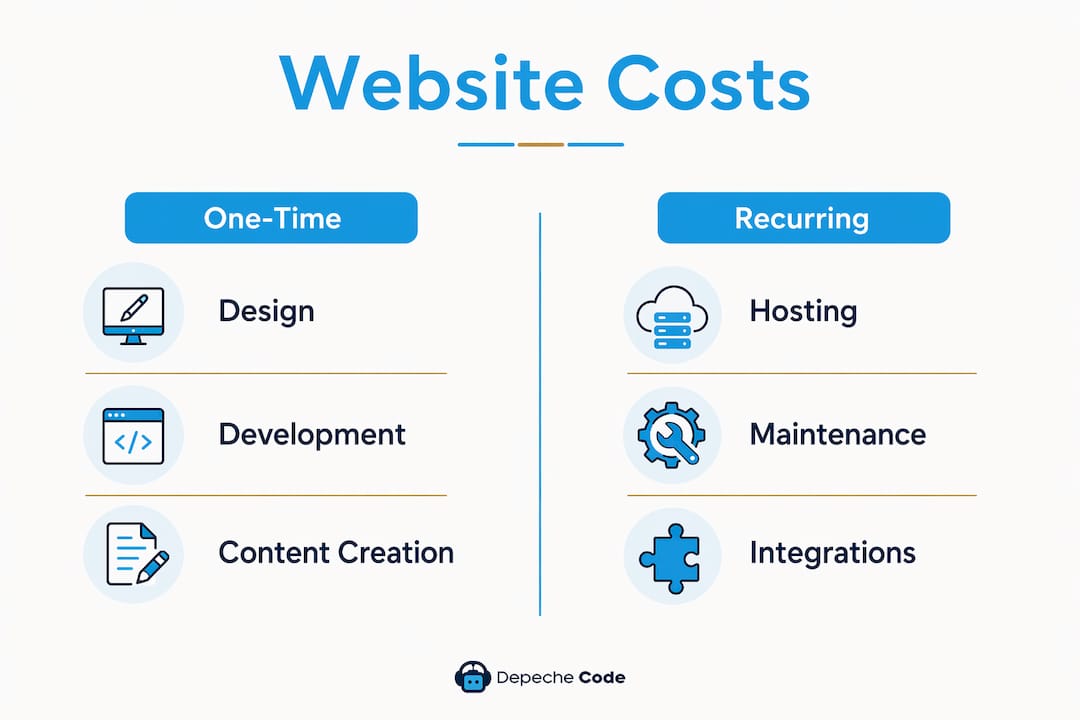
One-time vs. recurring website costs
The table below breaks down the two main cost categories every website financial plan must include.
| Cost Category | Examples | Typical Range |
|---|---|---|
| Design and development | Custom design, page templates, branding | $2,500–$15,000+ |
| Content creation | Copywriting, photography, video | $500–$5,000 |
| Custom features | Booking systems, portals, calculators | $1,000–$10,000+ |
| Domain registration | Annual renewal | $10–$50/year |
| Hosting | Shared, VPS, or managed hosting | $20–$800+/month |
| Security and SSL | Firewall, malware scanning, certificates | $100–$500/year |
| Plugins and apps | SEO tools, forms, analytics | $50–$300/year |
| Maintenance and updates | Bug fixes, CMS updates, content edits | 15–20% of build cost/year |
| Contingency fund | Scope creep, unexpected requirements | 15–25% of project total |
Monthly platform costs vary by technology: WordPress runs $20–$100 per month, Shopify runs $40–$150, and Magento can reach $800 or more. Choosing the wrong platform for your budget is one of the most expensive mistakes a small business owner can make.
Pro Tip: Add a separate line item for integrations like CRM systems, payment gateways, and analytics tools. These are often quoted separately and can add $500–$3,000 to your initial build cost if not planned upfront.
How to estimate your website budget based on business goals
Start with your business goal, not a price. A site built to generate leads needs different features than one built to sell products online. Defining the goal first prevents you from paying for functionality you will never use.
Use this process to build a realistic website cost estimation:
- Write down your primary goal. Lead generation, direct sales, brand awareness, or client booking. Each goal maps to a different feature set and price range.
- List your must-have pages. Home, About, Services, Contact, and Blog cover most small business needs. Every additional page or feature adds to the quote.
- Benchmark against your revenue. If development quotes exceed 3–6 months of expected monthly revenue, the project scope is too large. Scale it back.
- Apply the MVP approach. Build only what you need to launch and test. A Minimum Viable Product (MVP) website lets you validate what works before spending on advanced features.
- Add your contingency. A contingency buffer of 15–25% absorbs scope creep and unforeseen requirements. Skipping this step is the single most common cause of budget overruns.
- Calculate total cost of ownership. Add your one-time build cost, first-year recurring costs, and contingency. That number is your real website financial plan.
For context, pricing ranges span from $1,000–$3,000 for simple landing pages to $8,000–$15,000 for complex designs with animations, and upward of $40,000 for fully custom platforms. Knowing where your goal falls on that spectrum keeps your expectations grounded.
Pro Tip: Use a website cost breakdown guide to anchor your vendor conversations. Walking into a quote meeting with a documented budget range puts you in control of the negotiation.
What are the most common website budgeting mistakes?
Most website projects go over budget for predictable reasons. Knowing the patterns lets you avoid them before you sign a contract.
-
Ignoring recurring costs. Owners focus on the build price and forget that hosting, security, plugins, and maintenance add up to hundreds or thousands of dollars per year. Your website financial plan must include year-two and year-three costs, not just the launch invoice.
-
Getting only one quote. Obtaining at least three quotes and comparing them with a checklist prevents overpaying and protects you from low-quality proposals. A single quote gives you no reference point.
-
Red flags in proposals. Watch for 100% upfront payment requirements, no warranty period, or promises of unlimited revisions. These are signs of a vendor who has not scoped the project properly.
-
Skipping the contingency fund. Unbudgeted scope creep is the leading cause of financial surprises in website projects. A 15–25% buffer is not optional. It is the difference between a project that finishes on budget and one that stalls.
-
Over-scoping from the start. Adding a member portal, multilingual support, and a custom booking engine to a first website is a common trap. Build what you need now. Add features after you have revenue data to justify the spend.
-
Choosing the lowest bid without clarity. A low quote without a detailed scope document is not a deal. It is a starting point for change orders. Always ask for a line-item breakdown before signing.
For a deeper look at why cutting corners on build cost backfires, the true cost of cheap websites is worth reading before you finalize any vendor decision.
How do you maintain your website budget after launch?
Launching your website is not the end of your financial planning. It is the beginning of a recurring cost cycle that requires its own budget line every year.
- Forecast monthly and annual operating costs. Hosting, domain renewal, security certificates, and plugin subscriptions are predictable. List them in a spreadsheet and set calendar reminders for renewals.
- Budget for maintenance and updates. Plan to spend 15–20% of your original build cost per year on upkeep. For a $5,000 website, that means $750–$1,000 annually for bug fixes, CMS updates, and content edits.
- Schedule content updates. A static website loses search ranking over time. Budget for quarterly content refreshes or a monthly blog post to keep the site performing.
- Plan for future features. Your business will grow. Set aside a small fund each quarter for feature additions so you are not scrambling for budget when the need arises.
- Monitor return on investment. Track leads, sales, or bookings generated by the site each month. If the site is not delivering, reallocate budget to SEO or content before spending on new features. You can explore pricing structures for web services to benchmark what ongoing support should cost.
- Plan for redesigns. Most small business websites need a significant redesign every 3–5 years. Start a redesign fund in year two so the cost does not hit your operating budget all at once.
The step-by-step planning process for website development covers how to structure these ongoing decisions alongside your initial build plan.
Key Takeaways
A website budget plan must account for both one-time build costs and recurring annual expenses, with a 15–25% contingency fund built in from the start.
| Point | Details |
|---|---|
| Define goals first | Your business goal determines which features you need and what you should spend. |
| Budget for total cost of ownership | Include design, hosting, maintenance, security, and contingency in every plan. |
| Apply the MVP approach | Build only what you need to launch, then add features once revenue justifies the cost. |
| Get at least three quotes | Comparing multiple proposals protects you from overpaying and reveals red flags. |
| Plan ongoing costs annually | Allocate 15–20% of your build cost each year for maintenance and updates. |
What I’ve learned about website budgeting after years of watching projects go sideways
The most consistent mistake I see small business owners make is treating the website build as a one-time purchase. They budget for the launch and nothing else. Then, six months later, they are surprised by a $1,200 renewal invoice for hosting, security, and plugins they forgot existed.
The second mistake is letting ambition drive the scope. I have watched owners insist on custom features for a first website that had zero traffic. They spent $15,000 on a site that needed $5,000 of functionality. The extra $10,000 bought them features their customers never used. The MVP approach is not a compromise. It is the financially responsible choice for any business that has not yet validated its online revenue model.
What actually works is tying the budget directly to revenue expectations. If your website is supposed to generate $3,000 per month in new business, your build cost should not exceed three to six months of that figure. That math keeps the project grounded in reality instead of wishful thinking.
Clear communication with your vendor matters as much as the numbers. Scope creep almost always starts with a vague brief. The more specific your requirements document, the fewer change orders you will receive. Ask every vendor for a line-item quote. If they resist, that tells you something important.
Finally, treat the contingency fund as non-negotiable. Projects that skip it do not save money. They just move the financial pain to a moment when you are least prepared for it.
— Donovan
How Depechecode helps small businesses build smarter website budgets
Depechecode is a full-service digital agency based in Orlando that works with small business owners to plan, build, and maintain websites that fit real budgets.

Depechecode offers customized website design and development packages built around your business goals, not a one-size-fits-all price list. The planning process is transparent, with line-item quotes so you know exactly what you are paying for before work begins. Ongoing maintenance, security, and SEO services are available to protect your investment after launch. If budget is a concern, Depechecode also offers a free website development option worth exploring before you commit to a full build. Reach out to get a quote and start your website financial plan on solid ground.
FAQ
What is a website budget plan?
A website budget plan is a financial outline that lists all expected costs to build and maintain a website, including design, development, hosting, security, and maintenance. It serves as a financial roadmap that aligns your website project with your business goals and cash flow.
How much should a small business budget for a website?
Professional small business websites typically cost between $2,500 and $5,000 to build, with an additional 15–20% of that cost budgeted annually for maintenance and updates. Sites below $1,000 generally rely on templates and deliver limited business value.
What ongoing costs should I include in my website financial plan?
Recurring website expenses include hosting ($20–$800+ per month depending on platform), domain registration, SSL security, plugin subscriptions, and regular maintenance. These costs add up to several hundred to several thousand dollars per year and must be included in your total budget.
How do I avoid going over my website project budget?
Get at least three detailed quotes, add a 15–25% contingency fund to your budget, and use an MVP approach to limit scope at launch. Watch for red flags in proposals such as 100% upfront fees or no warranty period.
How often should I revisit my website budget?
Review your website budget at least once per year to account for hosting renewals, planned content updates, and any new features your business needs. Most websites also require a significant redesign every 3–5 years, so building a redesign fund into your annual plan prevents a large unexpected expense.