

TL;DR:
- Proper planning, goal-setting, and technical checks are essential for a successful website launch.
- Building on a staging environment, thorough testing, and post-launch monitoring ensure optimal performance.
- Outcome-driven design and expert support increase chances of website driving business growth.
You spend months planning and building a new business website, then launch day arrives and… crickets. No spike in traffic. No flood of inquiries. Just a site sitting quietly online while your competitors get the calls. This frustration is more common than you might think, and it almost always comes down to skipping critical steps during preparation, build, or launch. This guide walks you through every major phase of a successful business website launch, from setting clear goals to measuring real results after going live. Follow these steps and you give your site the best possible chance of actually driving business growth.
Table of Contents
- Set clear goals and plan your website launch
- Build and structure your website effectively
- Run comprehensive pre-launch checks
- Go live with a polished website and measure results
- Why outcome-driven launches outperform long checklists
- Accelerate your results with expert website solutions
- Frequently asked questions
Key Takeaways
| Point | Details |
|---|---|
| Preparation is critical | Planning your goals and team responsibilities makes the launch smoother and more effective. |
| Check every detail | Technical and quality assurance steps before launch help you avoid costly mistakes. |
| Focus on results | Measuring outcomes and engaging your audience ensures your site delivers real business value. |
| Expert help accelerates success | Partnering with professionals can streamline the process and boost your online growth. |
Set clear goals and plan your website launch
After understanding what’s at stake in your launch, the first major task is thorough preparation. This phase is where most small business owners cut corners, and it costs them dearly later.
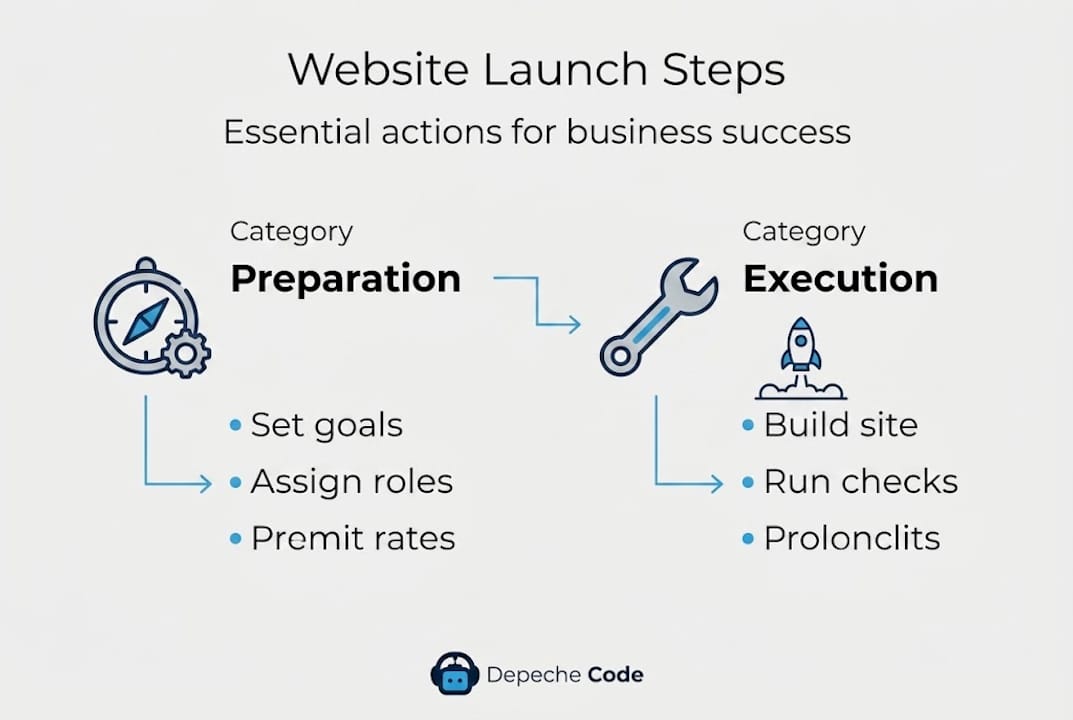
Start by defining exactly what you want your website to do. Are you generating leads, selling products, booking appointments, or building brand awareness? Each goal shapes every decision you’ll make, from which pages you create to how you structure your calls to action. Vague goals produce vague results.
If you have an existing site, review its performance data before touching anything. Which pages get traffic? Where do visitors drop off? What’s your current conversion rate? This baseline tells you what to protect and what to fix. Skipping this review means you risk killing what already works.
Next, assign roles. Who writes content? Who approves designs? Who handles technical setup? Unclear responsibilities lead to delays, duplicated work, and things falling through the cracks. Document this clearly before anyone opens a design tool.
Choosing your platform is another major decision at this stage. Your CMS (Content Management System, the tool that powers your website) should match your team’s technical comfort level and your growth plans. Pre-launch preparation includes choosing a CMS/platform, planning content, and setting up analytics before a single page goes live.
Understanding the full web development process before you start building prevents expensive scope changes mid-project.
Pre-launch planning essentials:
- Define primary and secondary website goals in writing
- Audit your current site for traffic, top pages, and conversion data
- Assign team roles: content, design, technical, and approval
- Choose a CMS that fits your team’s skills and future needs
- Plan your site structure, core pages, and content calendar
- Set up Google Analytics and Google Search Console before launch
Pro Tip: Build a shared document that tracks every pre-launch task with a status column, an owner, and a due date. This simple habit prevents the “I thought you were handling that” conversations that delay launches by weeks.
| Pre-launch area | Key action | Owner |
|---|---|---|
| Goals | Define primary conversion goal | Business owner |
| Content | Draft and approve all page copy | Marketing lead |
| Platform | Select and configure CMS | Developer |
| Analytics | Install tracking before launch | Developer |
| Roles | Assign all tasks with deadlines | Project manager |
Build and structure your website effectively
With your goals and plan in place, it’s time to start building. This is where strategy meets execution, and getting the structure right from the start saves hours of rework later.
Begin with your essential pages. Every business site needs a homepage, an about page, a services or products page, a contact page, and a privacy policy. Beyond those basics, think about what your customers need to feel confident enough to take action. Content planning and assigning responsibility for each page is one of the most important pre-build steps.
Steps to build your site effectively:
- Create your site map listing every page and how they connect
- Set up your CMS and install only the plugins or tools you actually need
- Build your navigation so visitors can find anything in three clicks or fewer
- Write and add content to each page, prioritizing your highest-traffic pages first
- Connect integrations like contact forms, live chat, email marketing, and CRM tools
- Add calls to action on every key page, making it obvious what you want visitors to do next
- Test all forms, buttons, and links in a staging environment before touching your live site
Speaking of staging environments: a staging site is a private copy of your website where you test changes safely, without affecting real visitors. Think of it as a rehearsal space. Everything gets tested there before it goes on stage.

Pro Tip: Never build directly on a live site. Use a staging environment for all development and testing. One broken plugin on a live site can take your entire business offline.
When comparing CMS platforms, the differences matter for your day-to-day operations:
| CMS | Best for | Ease of use | E-commerce ready |
|---|---|---|---|
| WordPress | Flexibility and SEO | Moderate | Yes (WooCommerce) |
| Shopify | Online retail focus | Easy | Built-in |
| Squarespace | Design-forward small sites | Very easy | Yes (limited) |
| Webflow | Custom design without coding | Moderate | Yes |
Your website maintenance checklist becomes much easier to follow when your site is built cleanly from day one, with organized code, logical page structure, and documented integrations.
Run comprehensive pre-launch checks
Once your site is built, don’t make the mistake of skipping technical and quality checks. This phase separates websites that perform from ones that frustrate visitors and search engines alike.
Warning: Launching without quality assurance is like opening a retail store without checking that the lights work, the doors open, and the price tags are correct. Even one broken element can damage your credibility permanently with a first-time visitor.
A site audit for web launch should be run before you flip the switch to go live. The audit catches broken links, missing metadata, slow load times, and indexing problems that would otherwise greet your first visitors.
Pre-launch checks include running a full site audit, generating your XML sitemap, checking integrations, configuring robots.txt, verifying redirects, and confirming responsiveness, accessibility, and compliance.
Technical pre-launch checklist steps:
- Run a full crawl using a tool like Screaming Frog or Semrush to catch broken links and missing tags
- Submit your XML sitemap to Google Search Console
- Check your robots.txt file to make sure search engines can index the right pages
- Set up 301 redirects from any old URLs to new ones so you don’t lose SEO value
- Test load speed on both desktop and mobile using Google PageSpeed Insights
- Check every page on at least three different browsers and screen sizes
- Verify all third-party integrations are working, including payment processors and contact forms
Content and branding checks:
- Proofread every page for grammar and spelling errors
- Confirm your logo, brand colors, and fonts are consistent across all pages
- Check that all images have descriptive alt text for accessibility
- Verify legal pages including your privacy policy and terms of service are live
- Confirm all CTAs (calls to action) link to the correct destination
Website accessibility is not optional. In 2026, ADA compliance for websites is increasingly scrutinized, and businesses that ignore it face real legal risk. At minimum, ensure proper color contrast, keyboard navigation support, and screen reader-compatible images.
Go live with a polished website and measure results
With all checks complete, you’re finally ready to make your site public. Going live is exciting, but it requires careful execution rather than just clicking a publish button.
Final launch steps in order:
- Update your DNS settings to point your domain to the new hosting server
- Wait for DNS propagation, which can take up to 48 hours, before declaring the launch complete
- Remove any “noindex” tags that were blocking search engines during development
- Confirm your SSL certificate is active so visitors see the padlock in their browser
- Double-check all redirects from old URLs are working correctly on the live site
- Submit your sitemap again through Google Search Console after going live
Setting up analytics before launch and measuring engagement after going live is how you turn a website from a digital brochure into a business tool.
Once you’re live, watch these indicators closely during the first 48 to 72 hours:
- Real-time visitor activity in Google Analytics
- Crawl errors appearing in Google Search Console
- Form submission notifications arriving correctly
- Page load times remaining consistent under real traffic
- Any 404 errors surfacing from real visitor behavior
Pro Tip: Announce your launch across every channel you have: email list, social media, Google Business Profile, and even a personal message to your top clients. Early traffic signals matter to search engines and can accelerate your initial ranking momentum. A launch without an audience announcement is a performance with no one in the seats.
Once your initial traffic settles, shift focus to tracking KPIs (key performance indicators, or the specific metrics that tell you if your goals are being met). These should connect directly back to the goals you set in the planning phase. Tying your metrics to your goals is what separates sites that grow from sites that plateau. For guidance on how a strong launch connects to long-term growth, explore website launch for business growth.
Why outcome-driven launches outperform long checklists
After launching, it’s worth considering what really drives website success beyond technical tasks.
The industry loves long checklists. Some popular guides list 80-plus launch items covering everything from favicon files to cookie banners. We’re not dismissing those details, they matter. But we’ve seen businesses obsess over every checkbox and still launch sites that don’t convert a single visitor.
The difference is always the same: they focused on completing tasks instead of achieving outcomes. A site that loads in 1.2 seconds but has a confusing homepage message will underperform a slightly slower site with crystal clear value and a compelling call to action.
In 2026, Core Web Vitals continue to influence search rankings, which means performance is non-negotiable. But performance is the floor, not the ceiling. The ceiling is how well your site actually persuades visitors to take action. Start with your conversion goal in mind, and let that goal drive every design and content decision. Reviewing website redesign best practices can help you see how outcome-first thinking changes the entire process. Build checklists to serve your outcomes, not the other way around.
Accelerate your results with expert website solutions
If you’re ready for a smoother, more effective launch, consider expert support. Getting every step right from planning through post-launch monitoring takes real experience, and mistakes at any stage cost time and money.

At Depeche Code, we specialize in helping small and mid-sized businesses build websites that are technically sound, conversion-focused, and built to grow. From website design and development to ongoing SEO options and plans, our team handles the complexity so you can stay focused on running your business. We bring a structured process, proven tools, and hands-on expertise to every project so your launch day becomes a genuine business milestone rather than a stressful gamble.
Frequently asked questions
What are the most common mistakes during a business website launch?
Overlooking technical SEO, skipping mobile responsiveness checks, and launching without analytics tracking are top mistakes. At-launch checks like running a site audit, verifying redirects, and confirming accessibility should never be skipped.
How do I track if my new website is working?
Use analytics tools to monitor visitor behavior and set clear KPIs like traffic, leads, and engagement from launch day. Setting up analytics before you go live means you capture data from your very first visitor.
Why is choosing the right CMS important before launch?
The right CMS makes your site easier to manage and grow, and should align with your team’s skills and content strategy. Choosing a CMS/platform is a core part of pre-launch preparation that affects everything from page speed to long-term scalability.
What should I do immediately after making my site live?
Announce your launch, double-check all live features, and monitor for any urgent technical issues. Monitor site health and watch real-time analytics during the first 48 to 72 hours so you can catch and fix problems before they affect too many visitors.
Recommended
- Step-by-step Web Development: Build A Winning Business Website
- Website Development Guide: Build, Redesign & Optimize
- Website Content Creation Guide: Boost Engagement And Leads
- Website Development: Boost Your Business Success In 2026
- Master the commercial relocation process: your complete guide