

TL;DR:
- A structured website process ensures long-term success by covering research, planning, development, and testing.
- Proper discovery and planning phases significantly reduce costly revisions and scope creep.
- Focus on process and team alignment, not just platform choice, drives better website results.
Most business owners assume that a great-looking website is the result of picking the right colors, fonts, and images. The truth is more nuanced. Visual appeal is just one layer of a much deeper process, and businesses that treat design as purely aesthetic often end up with sites that look good but perform poorly. A structured website design process covers everything from research and planning to development, testing, and post-launch improvement. This guide walks you through each phase so you can make better decisions, ask the right questions, and get measurable results from your next web project.
Table of Contents
- Understanding the website design process
- Discovery and planning: Building a project foundation
- Design and development: Bringing your vision to life
- Testing, launch, and ongoing improvement
- Our take: Why process (not platforms) drives results
- Need expert help with your website design process?
- Frequently asked questions
Key Takeaways
| Point | Details |
|---|---|
| Clear process matters | Following a defined website design process steadily improves outcomes and reduces costly mistakes. |
| Research and planning | Thorough discovery and planning create a strong foundation and align stakeholders from the start. |
| User-focused design | Prioritizing user experience in design and development boosts engagement and conversions. |
| Testing prevents issues | Rigorous testing and continual improvement keep your website performing well after launch. |
Understanding the website design process
The website design process is a defined sequence of steps that transforms business goals into a live, functional website. It is not just about visual choices. It is a project management and strategic framework that keeps everyone aligned from kickoff to launch and beyond.
A structured design process improves project outcomes and client satisfaction by reducing scope creep, missed deadlines, and costly rework. When you skip steps, problems multiply. A poorly defined brief leads to design revisions. Rushed development leads to broken features. No testing leads to a buggy launch.
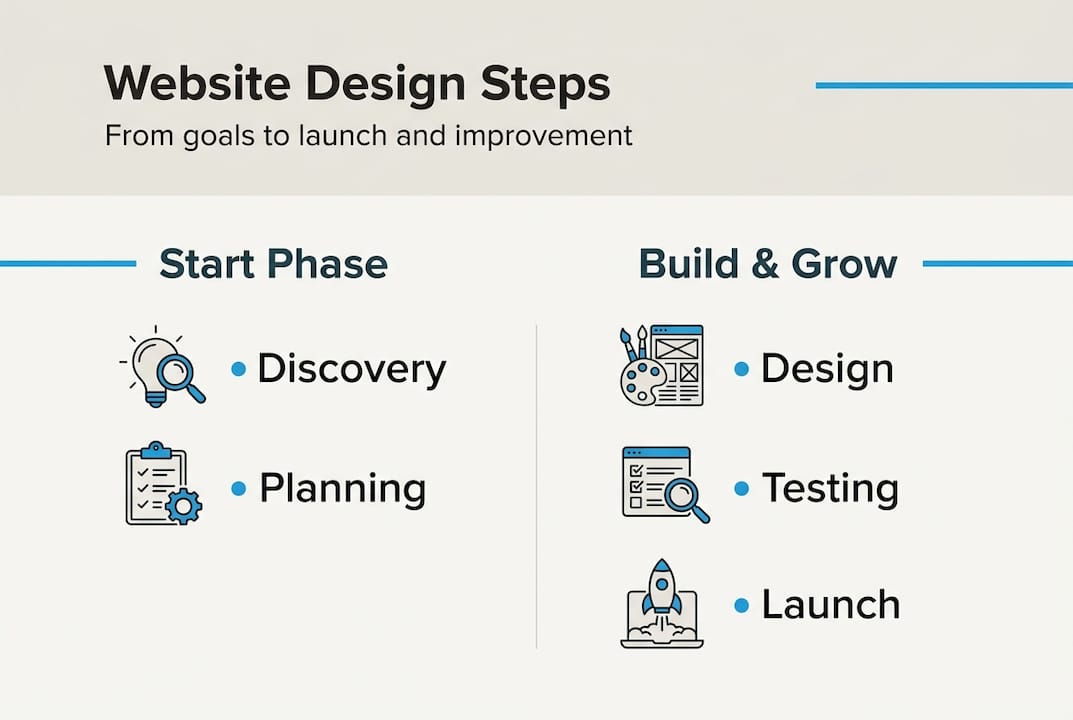
Here is a summary of the core phases and what each one achieves:
| Phase | Primary objective |
|---|---|
| Discovery | Gather business goals, user needs, and competitive insights |
| Planning | Define scope, sitemap, wireframes, and technical requirements |
| Design | Create mockups, style guides, and visual prototypes |
| Development | Build the site with code, CMS setup, and integrations |
| Testing | Verify functionality, performance, and cross-device compatibility |
| Launch | Deploy the live site with a go-live plan |
| Maintenance | Update, optimize, and improve based on performance data |
Skipping any phase creates a domino effect. Skipping discovery means the design is built on assumptions. Skipping testing means users find the bugs instead of your team.
The key elements that make the process work include:
- Clear stakeholder alignment at every phase transition
- Defined success metrics agreed on before design begins
- Feedback checkpoints built into the timeline
- Documentation of decisions to avoid revisiting settled issues
Pro Tip: Before a single wireframe is drawn, schedule a kickoff meeting with all stakeholders. Misaligned expectations at the start are far more expensive to fix at the end. For businesses evaluating partners, choosing a website designer with a documented process is one of the strongest signals of reliability.
Exploring website design services through a structured lens helps you evaluate vendors more accurately and protect your investment from avoidable mistakes.
Discovery and planning: Building a project foundation
Once the overall process is clear, it starts with solid discovery and strategic planning. This phase is where most projects either build momentum or quietly begin to fail.
Discovery involves gathering information before any design decisions are made. User research methods like stakeholder interviews, competitor analysis, and audience surveys reveal what users actually need versus what the business assumes they need. That gap is often where poorly performing websites live.
Detailed discovery work directly impacts final user satisfaction and site effectiveness. Businesses that invest time here almost always see cleaner handoffs between phases and fewer rounds of revision.
Here are the main planning steps in order:
- Define business goals with measurable outcomes (traffic, leads, conversions)
- Identify your target audience including their needs, devices, and browsing habits
- Establish technical requirements such as CMS platform, integrations, and hosting
- Build a sitemap to map out the page hierarchy and navigation structure
- Create wireframes as low-fidelity visual blueprints of each key page
Research consistently shows that fixing issues found during the planning phase costs a fraction of fixing them after development. Some estimates put the ratio at 1:10, meaning every dollar of planning saves up to ten dollars in corrections later.
Planning also forces alignment on scope. The moment a stakeholder says “can we also add a blog, a product catalog, and a customer portal?” during development, you have a scope creep problem. A well-documented project brief prevents this.
Pro Tip: Use a project brief template that captures goals, audience, tone, visual references, technical needs, and timeline. Share it with every team member and revisit it before each new phase begins. Looking at how leading design firms structure their discovery process can give you a practical model to follow.
Design and development: Bringing your vision to life
With a solid plan in place, the project moves into design and development. This is where strategy becomes something visible and functional.

Designers use the project brief and wireframes to create mockups, which are high-fidelity visual representations of the final site. These mockups go through stakeholder review before any code is written. That sequence matters. Changing a color in a mockup takes minutes. Changing it after development can take hours.
Focusing on user experience throughout design and development leads to higher conversion rates. That means every design decision, from button placement to font size, should be evaluated for how it serves the user, not just how it looks. Good UX is rarely noticed by users. Bad UX is always noticed.
Accessibility is another non-negotiable. Designing for users with visual or motor impairments is both ethical and practical since accessible sites tend to rank better in search engines.
| Typical design practice | Next-level design practice |
|---|---|
| Choosing colors based on brand preference | Testing color contrast for accessibility compliance |
| Designing for desktop first | Designing mobile-first, then scaling up |
| One round of stakeholder feedback | Iterative feedback loops with defined approval criteria |
| Generic stock photography | Custom visuals aligned with brand voice and audience |
Development must-haves include:
- Responsive design that works on all screen sizes
- Page speed optimization with compressed assets and clean code
- SEO basics including meta tags, heading structure, and image alt text
- CMS setup for easy content management without developer involvement
The handoff between design and development is a common failure point. Detailed web design tools like Figma and Zeplin help bridge that gap by giving developers precise specs for every element. For businesses planning a refresh, reviewing website redesign tips before entering this phase can save significant time.
Testing, launch, and ongoing improvement
After visual and functional buildout, robust testing and ongoing updates are essential. Skipping or rushing this phase is one of the most common reasons websites launch with avoidable problems.
Testing covers four main areas: usability, browser and device compatibility, performance, and SEO. Each one addresses a different way users could have a broken experience.
Proper testing ensures both functionality and positive user experience, reducing post-launch issues significantly. Think of testing as a final audit before handing your brand’s digital front door to the world.
Before you go live, check every item on this list:
- All links and forms are working correctly
- The site loads in under three seconds on mobile devices
- Pages display correctly in Chrome, Safari, Firefox, and Edge
- 301 redirects are in place for any changed URLs
- Google Analytics and Search Console are connected
- SSL certificate is active and the site loads over HTTPS
- Meta titles and descriptions are filled in for all pages
Site performance directly affects user behavior. A one-second delay in load time can reduce conversions by up to 7%, and slow sites see significantly higher bounce rates. That is not a UX problem. That is a revenue problem.
Launch day should be planned, not improvised. Communicate internally, monitor analytics closely for the first 48 hours, and have a rollback plan ready if something breaks.
After launch, the work does not stop. Regular content updates, security patches, and performance reviews are what separate sites that grow from sites that stagnate. Use your analytics data to identify weak pages and improve them continuously.
Our take: Why process (not platforms) drives results
Having explored all phases, it is worth reflecting on the deeper takeaway from years of working on web projects with businesses of all sizes.
The most expensive website mistakes we see are not technical. They are process failures. A client chooses a trendy platform without considering maintenance costs. A project skips discovery because the timeline is tight. Stakeholders approve a design without involving the marketing team. These decisions feel small at the time and become serious problems at launch.
There is a recurring belief in the industry that the right platform or theme will compensate for weak planning. It never does. Expert insights on design consistently reinforce that clarity of goals and team alignment predict outcomes far better than which builder or framework was used.
Business owners should lead the process, not just approve the visuals. That means asking hard questions early: What does success look like? Who is the primary user? What happens after launch? The answers to those questions shape every decision that follows. A reliable process outlives every trend, every platform update, and every design fad. Build the discipline first.
Need expert help with your website design process?
If you’re ready to experience the benefits of a proven website design process, here’s how we can help. At Depeche Code, we guide businesses through every phase, from discovery and planning to launch and long-term maintenance, using a structured approach that delivers real results.

Our website design and development services are built around your business goals, not cookie-cutter templates. Whether you need a complete redesign or are starting from scratch, our team keeps you informed and involved at every step. We also offer a free website development option for businesses ready to get started without the upfront cost. Reach out today to explore which solution fits your goals and start building a site that works as hard as you do.
Frequently asked questions
What are the main stages of the website design process?
The structured web development process consists of discovery, planning, design, development, testing, and launch, followed by ongoing maintenance and optimization.
How long does it typically take to design and launch a website?
A standard business website may take 6-12 weeks from kickoff to launch, depending on project scope and how quickly stakeholders provide feedback and approvals.
Why is user experience important in the design process?
Focusing on user experience throughout design and development leads to higher conversion rates, directly supporting business growth and reducing bounce rates.
Do I need ongoing maintenance after launch?
Websites require ongoing updates and testing after launch to stay secure, fast, and aligned with evolving user expectations and search engine standards.