
TL;DR:
- Successful websites require clear strategies focused on measurable business goals.
- Using the right tools and structured workflows ensures quality and ongoing optimization.
- Prioritizing user experience and thorough testing prevents costly launch failures and boosts conversions.
Your business website is either your best salesperson or your most expensive mistake. Most sites fall into the second category, not because of bad design, but because they were built without a clear strategy, tested without rigor, or launched without a plan for ongoing growth. This guide walks you through every phase of web development that actually matters: defining your goals, assembling the right tools, following a proven workflow, verifying quality before launch, and optimizing for real results. Whether you are starting from scratch or rebuilding an underperforming site, this blueprint gives you a process that eliminates guesswork and drives measurable outcomes.
Table of Contents
- Define your strategy and requirements
- Prepare essential tools and resources
- Step-by-step development workflow
- Verify, launch, and optimize your website
- What most web development guides miss
- Upgrade your web development with Depeche Code
- Frequently asked questions
Key Takeaways
| Point | Details |
|---|---|
| Strategy comes first | Defining goals, conversion targets, and choosing the right methodology is critical before building your website. |
| Test edge cases | Systematic testing for input boundaries, browser quirks, and accessibility ensures reliability and inclusivity. |
| Iterate and optimize | Ongoing improvements based on analytics and real user feedback drive lasting business growth. |
| Hybrid approaches work | Combining Agile and Waterfall models balances flexibility and predictability for most business websites. |
Define your strategy and requirements
Before a single line of code gets written, you need to know exactly what your website is supposed to accomplish. Too many businesses skip this step and end up with a visually appealing site that generates zero leads. Start by defining your primary conversion goal. Is it form submissions, phone calls, product purchases, or appointment bookings? Every design and development decision should trace back to that goal.
Once you have your goals locked in, choose a development methodology that fits your project. Agile is ideal for evolving requirements, Waterfall fits stable scopes, and hybrids are common for business projects that need both structure and flexibility. Here is a quick comparison to help you decide:
| Methodology | Best for | Pros | Cons |
|---|---|---|---|
| Agile | Evolving features, iterative builds | Flexible, fast feedback loops | Harder to estimate cost upfront |
| Waterfall | Fixed scope, clear deliverables | Predictable timeline and budget | Difficult to adapt mid-project |
| Hybrid | Most business websites | Balances structure with flexibility | Requires strong project management |
With your methodology chosen, document your core requirements. These should cover the following areas:
- Usability: Intuitive navigation and clear calls to action
- Scalability: Infrastructure that grows with your business
- SEO: Built-in optimization from the ground up, not bolted on later
- Accessibility: Compliance with WCAG standards for all users
- Performance: Fast load times across all devices and connections
A well-structured website that supports boosting business success always starts here, with requirements that are specific, measurable, and tied to business outcomes. If you are planning a redesign, a solid SEO preservation checklist should be part of your requirements document from day one.
Pro Tip: Run a one-hour strategy session with all stakeholders before kickoff. Misaligned expectations are the number one cause of scope creep, budget overruns, and missed deadlines.
With clear objectives in mind, the next step is preparing for development by gathering the right tools and resources.
Prepare essential tools and resources
Having the right tools in place before development starts saves you from painful mid-project pivots. The goal is to build a stack that is cohesive, scalable, and easy for your team to maintain long-term.

Here is a breakdown of the core tools most business websites need:
| Category | Tool examples | Purpose |
|---|---|---|
| CMS platforms | WordPress, Webflow, Shopify | Content management and publishing |
| Frameworks | React, Vue.js, Next.js | Front-end structure and interactivity |
| Collaboration | Figma, Notion, Slack | Design handoff and team communication |
| SEO tools | Ahrefs, SEMrush, Google Search Console | Keyword research and performance tracking |
| Analytics | Google Analytics 4, Hotjar | User behavior and conversion tracking |
Beyond software, make sure you have these resources ready before development begins:
- Domain and hosting: Choose a reliable host with strong uptime guarantees and SSL included
- Content: Finalized copy, images, and video assets ready before the build starts
- Design assets: Brand guidelines, logo files, and a defined color palette
- SEO foundation: Target keywords, meta descriptions, and URL structure planned in advance
- Integrations: CRM, email marketing, and payment tools identified and tested
One principle worth building into your stack from the start is progressive enhancement. Progressive enhancement ensures accessibility and future flexibility by building core functionality first, then layering advanced features on top. This approach means your site works for every user, regardless of their device or browser. For a deeper look at what separates high-performing sites from average ones, explore the website features for impact that matter most in 2026.
Pro Tip: Choose tools that connect directly to your analytics and marketing platforms. A CMS that cannot feed data to your CRM or email tool creates blind spots in your customer journey.
If you are rebuilding an existing site, review expert redesign tips before locking in your tool choices. Switching platforms mid-redesign is costly and avoidable.
Now that tools and resources are prepared, the development process can begin step by step.
Step-by-step development workflow
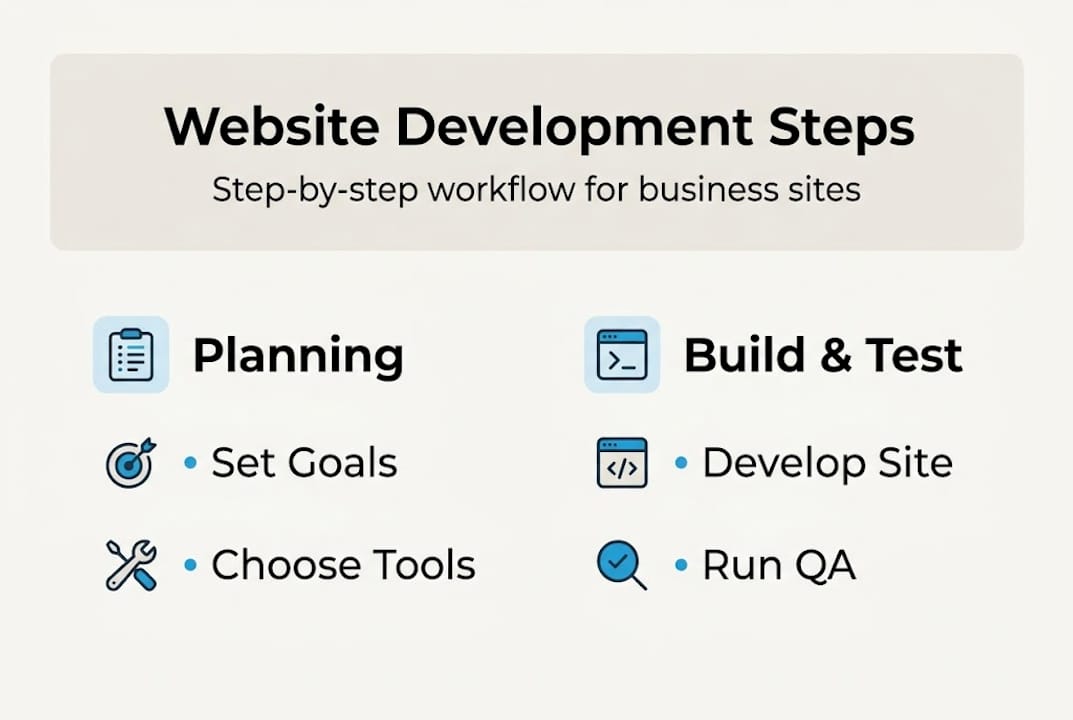
A structured workflow keeps your project on track and prevents the chaotic back-and-forth that derails most web builds. Follow this sequence regardless of your methodology, adjusting the pace based on whether you are using Agile sprints or a Waterfall timeline.
- Set up your development environment. Configure local servers, version control (Git), and staging environments before writing any code.
- Create wireframes and prototypes. Map out page layouts and user flows in Figma or a similar tool. Get stakeholder sign-off before moving forward.
- Build the front end. Code the visual layer using your chosen framework, following the web standards model for clean, maintainable markup.
- Integrate your CMS and back end. Connect your content management system, databases, and any third-party APIs.
- Add and format content. Populate pages with final copy, images, and multimedia. Apply SEO metadata to every page.
- Run full testing cycles. Test functionality, performance, accessibility, and cross-browser compatibility before launch.
- Deploy to production. Push the final build to your live server after all tests pass and stakeholders approve.
Critical note: Always test edge cases before launch. Edge test cases include input boundaries, browser quirks, accessibility issues, and offline behavior. Skipping this step is how sites break on launch day in front of real customers.
For Agile teams, steps 2 through 6 repeat in short sprints, with feedback incorporated after each cycle. For Waterfall teams, each step must be fully completed and approved before the next begins. Neither approach is inherently better. What matters is consistency and communication across your team.
If you are building on WordPress, solid WordPress optimization practices should be baked into steps 3 and 6. And if accessibility is a concern, your accessibility guide should be open during every stage of development, not just at the end.
With your site built, verifying its quality and readiness before launching is crucial.
Verify, launch, and optimize your website
Launching without a verification process is like opening a store without checking if the lights work. A structured pre-launch review catches issues that would otherwise cost you leads, rankings, and credibility.
Work through this pre-launch checklist before going live:
- Responsive layout: Test on mobile, tablet, and desktop across multiple browsers
- SEO audit: Confirm meta titles, descriptions, canonical tags, and sitemap are all in place
- Performance optimization: Run Google PageSpeed Insights and target a score above 90
- Security: Verify SSL is active, forms are protected against spam, and admin access is secured
- Accessibility review: Check color contrast ratios, keyboard navigation, and alt text on all images
- Conversion paths: Click through every call-to-action and form submission to confirm they work
- Analytics tracking: Confirm Google Analytics 4 and any conversion events are firing correctly
Pro Tip: Use boundary value analysis when stress-testing your forms. Submit the minimum and maximum allowed characters in every field. Systematic edge case testing ensures robust, accessible web experiences and prevents embarrassing failures after launch.
Once you are live, optimization becomes your ongoing job. Track your conversion rate weekly for the first 90 days. Identify pages with high traffic but low engagement and iterate on the content or layout. Run quarterly SEO audits to catch technical issues before they affect rankings. The sites that win long-term are the ones that treat launch as a starting point, not a finish line.
For teams working with limited budgets, exploring a free web development offering can help you get a professional foundation without overextending resources. And if you are questioning whether your current site needs a refresh, the reasons to update your website go far beyond aesthetics.
With site launch complete, it is time to reflect on deeper lessons and overlooked best practices.
What most web development guides miss
Most guides focus on tools and timelines. What they rarely address is the mindset shift that separates sites that convert from sites that just exist.
The biggest mistake we see businesses make is prioritizing visual design over conversion strategy. A beautiful homepage that buries the call-to-action below the fold will always underperform a simpler page with a clear, prominent offer. Design serves strategy, not the other way around.
On methodology, hybrid approaches like Water-Scrum-Fall blend predictability and flexibility for business projects. In practice, most business websites benefit from a Waterfall-style planning phase followed by Agile sprints for development and testing. Committing to pure Agile without a fixed scope often leads to endless revisions. Committing to pure Waterfall without feedback loops leads to a finished product nobody actually wants.
Systematic edge case testing is another area that gets skipped because it feels tedious. But a form that breaks when a user types a long email address, or a checkout page that fails on an older browser, destroys trust instantly. Testing is not a final step. It is a habit.
The best sites we have worked on share one trait: they were built with user experience redesign tips in mind from the very first strategy session, and they kept evolving based on real user data long after launch.
Upgrade your web development with Depeche Code
Building a high-conversion business website takes more than a good template and a weekend. It takes strategy, the right tools, a disciplined workflow, and a commitment to ongoing optimization.

At Depeche Code, we bring all of that together for businesses across industries. Our team handles everything from professional website design and custom builds to full SEO plans that drive organic traffic long after launch. We even offer a free web development option for businesses ready to get started without a large upfront investment. If you want a site that performs, not just one that looks good, let us build it together.
Frequently asked questions
What is the best methodology for business website development?
Agile fits evolving requirements, Waterfall suits fixed scopes, and hybrid methods offer the best balance for most business websites that need both structure and room to adapt.
How do I ensure my website is accessible to all users?
Follow WCAG standards, which require a minimum contrast ratio of 4.5:1 and full keyboard navigation support, and use automated tools alongside manual testing to catch gaps.
What are edge cases in web development and why are they important?
Edge cases cover input boundaries, browser quirks, performance limits, and accessibility failures. Testing them before launch prevents real-world site breakdowns that damage user trust and brand credibility.
How can I future-proof my business website?
Build with progressive enhancement principles, schedule regular updates, and integrate scalable tools for analytics and marketing so your site grows alongside your business.
Recommended
Related Articles

Depeche Code
April 28, 2026